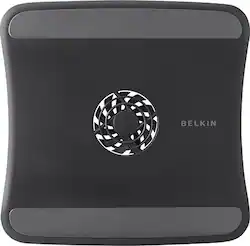
Belkin - CoolSpot Laptop Cooling Pad - Black
Model: F5L055TTBLK
SKU: 4635326
This item is no longer available in new condition. See similar items below
Customers admire the CoolSpot Laptop Cooling Pad's excellent cooling capabilities, affordable price, and quiet operation. Many appreciate its ease of use, lightweight design, and effective fan. However, some customers found the size to be insufficient for their laptops. The product is praised for its portability and convenient features.
The vast majority of our reviews come from verified purchases. Reviews from customers may include My Best Buy members, employees, and Tech Insider Network members (as tagged). Select reviewers may receive discounted products, promotional considerations or entries into drawings for honest, helpful reviews.
Having used other brands of laptop cooling fans, most of them costing a good deal more money, I bought this one without great expectations. I just needed something good enough until I could get my hands on one of my expensive ones. Well, I misjudged this one because of it's small size and price. The curved surface and open design do a fantastic job of pulling in fresh air and pushing it past the cooling vents of my laptop. My other flat faced cooling fans strain to push air against the flat bottom of the laptop, even with a large ventilation area and two fans. Despite my 17 inch screen laptop being sized like a piece of luggage, it sits steadily upon this much smaller cooling fan and does not slip from the inclined surface. It is reasonably quiet for a fan and propels a generous stream of air where it does the most good. The incline angle even makes typing a little more ergonomic. I reserved one star from the rating because it would benefit from being a little larger than one made for a 15 inch laptop and I did not see where there is a larger version offered.
Posted by legacymeatware
If you are an iMac owner, you know they get unbelievably hot to touch on the back top of the computer (front as well, but really blazing on the back). After some research and thought, coming from the brain of a computer-phobic non-techie, I decided to see if I could solve the problem by hooking up some additional fans to cool the computer at the back. I don't mean taking apart the computer of course, just adding some additional air flow behind it. I totally solved the problem for about $65-70, no messing with computer settings, no taking apart the computer, no AC unit installed behind my computer (although I thought about this). I run lots of programs at once, lots of windows, lots of music, and lots of videos, so it's going to get hot. I got some of these belkin laptop coolers. My iMac sits directly under a shelf, so I was able to hang 3 of these so the fans hit directly on the top back of the screen (see pics below). I looked at all the brands at BestBuy and this seemed like the cheapest best one, and wanting a fast solution to this I just bought one to try it. When I plugged it in to the USB and fel the pathetic little fan I thought to myself, "you're kidding me, this is a piece of *#$!." But I tried it anyway, and it really cooled it off. No more serious heat. It was still how on the left and right sides since the fan only rested on the computer in the middle. So I went back and got two more, and got a USB splitter (you can usually find these at Marshalls for like $5) so three fans only take one USB port on the computer. I am so happy with these Belkin cooling fans, and this really saved my computer, that I am going to post this everywhere I can find. This is a really nasty problem to have to deal with, and this is a good cheap solution for even no-techie types. It doesn't look too bad either, but I could see some people who are obssessed with how their mac looks not liking these cheap-o laptop-coolers crowding its style. Oh well. Trust me, it works! P.S. I think it was cheaper in store when I went.
Posted by mpillischer
This is a great unit to keep the heat of the laptop down when you use for constantly. Issue is the fans are a bit loud - not too bad but cannot put a conference phone near it.
Posted by BrianColorado