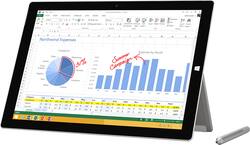
Microsoft - Surface Pro 3 - 12" - Intel Core i7 - 128GB - Silver
Customers are saying
Customers express satisfaction with the Surface Pro 3's portability, weight, performance, and size, frequently praising its ease of use and design. Many appreciate the included pen and its capabilities. However, some users cite concerns regarding battery life, heat generation, and occasional fan noise. The device's performance is generally well-received, but thermal management appears to be an area needing improvement.
The vast majority of our reviews come from verified purchases. Reviews from customers may include My Best Buy members, employees, and Tech Insider Network members (as tagged). Select reviewers may receive discounted products, promotional considerations or entries into drawings for honest, helpful reviews.
- Rated 4 out of 5 stars
Nice laptop and tablet replacement
I bought this device to replace my MacBook Pro Retina and my Kindle Fire HDX for school. First impressions -- I was excited to get my hands on this and when I opened the box I wasn't disappointed. The device was a little heavier than expected but keep in mind that this is essentially a laptop computer in a large tablet form factor. The device rests comfortably on my lap with the built-in kickstand and is easy to use. Likes Speed - With the i7 processor this device runs plenty fast. Display - The screen is nice and sharp in all applications I've used. The touch screen is nice when using the device as a tablet. Surface Pen - The pen is great. The pen and tablet have some of the best handwriting/note taking ability I've seen. Applications - Although some will not like that the Windows App Store does not have the same number of apps as the Apple or Android Stores this is not a problem for me. Since this device is running a full Windows OS I can use both apps and full programs on this device. I love being able to run programs that I was never able to run on any of the tablets I've owned. Battery life - This is a like and a dislike. When I first got the device the battery life was terrible and the device ran hot. After reading about other user's issues I found that certain processes were keeping the processor speed at or near maximum. Once I killed those processes I get a lot of use out of a single charge. The charge will last around 6 to 7 hours with normal use which for me is watching videos, reading text e-books, web surfing and some development. Type Cover - The type cover is nice and thin. Closing the type cover is the same as closing your laptop cover in the OS and you can set your power options accordingly. The mouse surface is very responsive and the keyboard feels natural to type on. The back-light feature is nice as well. When using this device as a tablet you can reverse the type cover so the keys rest against the back of the device. If you are using Windows 10 you can set the device to switch between tablet and desktop mode depending on which way the type cover is attached. The magnetic connectors make it very simple to remove and attach the type cover. Bluetooth - Although the device has a headphone jack and 1 USB port I can connect my headphones, mouse and full-size keyboard via Bluetooth without any issues. Some people complain about the single USB port but I only use that to connect flash drives so I am ok with 1 USB port. Windows 10 - Windows 10 is a huge improvement over Windows 8/8.1. It runs well on this device and has done everything I've asked it to do including running Virtual Machines in VMWare. Dislikes Type Cover as a separate purchase - To use this device as a laptop you pretty much need the type cover. As many reviewers have previously said, this should be included in the price. I got mine for $103 on Amazon which is a little cheaper but if you are buying a device to replace a laptop that device should have a keyboard by default. Heat - This is a small gripe considering I am using an i7 processor in a tablet form factor. When the processor is being pushed it can tend to get a litter warm. During normal use it stays nice and cool. If you want a gaming machine you might want to look elsewhere. Overall I am very happy with this purchase.
Posted by brian
- Rated 4 out of 5 stars
The best could still get better
After long wanting a Surface and unable to wait for Surface Pro 4, I went ahead and grabbed the 128GB i7 Pro 3 on sale. After using it for 2 months, I definitely recommend it. I appreciate the fast, powerful computer in a superlight frame. I am using it as desktop, laptop, and tablet as a grad student and it works great. Drawboard PDF (available on the MS store) is a must-have for real PDF review/markup potential. On the downside, the reviews are true and the Surface Pro 3 does overheat easily if using an unoptimized website or browser. I find myself regularly tracking performance with Task Manager and under sustained duress (ie. Video games, large excel calculations, some video streams), the processor is limited to about 20%. It's sad, but probably not a dealbreaker for most users. The heat is slightly uncomfortable but I'm more concerned long term about the longevity of the computer. So far, so good. If you don't reach for the soon-to-be-available Pro 4, this computer should be available on bigger and better sales. The i7 128GB is the best price point in the Pro family, and worth grabbing for the upgraded RAM and integrated graphics. The Surface has grown up and can serve the needs of almost everyone I could imagine in the market for a laptop. The way I see it, you get more/comparable power and usability than a Zenbook, Yogapad, MacBook Air, or iPad in one device. When you look at it like that, Surface is definitely worth it.
Posted by Tyrannosaurustext
- Rated 4 out of 5 stars
AS I Expected
After reading the reviews I crossed my fingers and purchased my Surface. I have been Lucky that the only annoyance I have is that I have sign on with my password or pin every time, even after just sleep mode. According to the Techs at Best Buy, that is do to windows 10. But my other computer with windows 10 doesn't do this. If this is the only problem I will be happy.
Posted by newfie1993