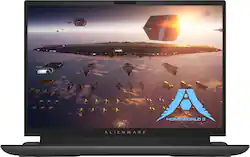
Alienware m18 Gaming Laptop - Play like a boss with a high-powered, 18-inch gaming laptop that features advanced Alienware Cryo-techcooling, 7000 Series AMD Ryzen 9 processors and AMD Radeon graphics.
Q: Is Windows Hello supported?
A: yes it is
A: The specific HDR certification and brightness levels can depend on the exact model and display specifications. Here’s a general breakdown: 1. HDR Certification: Dolby Vision: This is a dynamic HDR format, meaning it can adjust brightness, color, and contrast on a scene-by-scene or frame-by-frame basis. Dolby Vision is one of the higher standards for HDR content, offering more vibrant colors and deeper blacks. HDR10: Many gaming laptops that support Dolby Vision also support HDR10, which is a common HDR standard, but it’s static, meaning the same settings are applied throughout the entire content. 2. Brightness Levels: Normal Mode: Typical brightness levels for gaming laptops in standard mode range from 300 to 400 nits. For Alienware laptops, it’s likely around this range, but specific numbers can vary. HDR Mode: In HDR mode, the brightness can peak higher, potentially reaching up to 500-600 nits or more, especially since Dolby Vision is involved. This peak brightness helps deliver better highlights and more detailed images in HDR content.
Q: Are multiple Bluetooth devices supported
A: Yes, I have a bluetooth speaker and Xbox controller connected at the same time.
A: This is the 7945HX CPU.
Q: How many m.2 slot do the laptop have?
A: 2 m.2
Q: Does this laptop have Thunderbolt 4 ports? If so, how many?
A: This Alienware m18 laptop does not have Thunderbolt 4 ports.