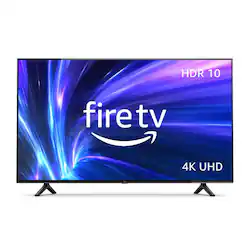
We’ve built a TV for TV lovers. Amazon Fire TV 4-Series brings 4K Ultra HD entertainment, vivid picture quality, access to more than 1 million movies and TV episodes, and the magic of Alexa to your living room. Just press and ask Alexa to watch what you want, when you want. B08SWD2SCK
Q: Can DEX be paired with this TV without additional hardware?
A: Hi Jesse! Yes, you can use samsung DEX with this television. You'll need to go into your fireTV settings and choose display. From there, you can choose mirror screen. On your phones drop down menu for DEX, you should then find the fire TV model and you're good to go! Hope this helps, enjoy your day!
Q: Can I connect my Spectrum Cable box to this TV?
A: Hello Bakey! Yes you can connect your cable box to it via HDMI or through the coaxial cable port. Thank you so much for your question and I hope you have a terrific day!
Q: Can we attach an antenna to this so we can also watch on-air TV channels?
A: Hello! The answer is yes! Buy an antenna and you'll hook it up to the cable/ant coax input on the TV. This will allow you to watch on air TV channels. Hope this helps and have a great day!
Q: How do I pair my EarPods with this tv?
A: Hello! Here are the steps to pair a Bluetooth device: 1. Power ON your Bluetooth device and put it in pairing mode. 2. Turn on your TV. 3. On the Fire TV main screen, scroll UP and select Settings > Controllers and Bluetooth Devices > Other Bluetooth Devices. 4. Wait for your headphones or speaker name to appear in the Discovered Devices list. Once it does, select it and wait for pairing to complete. 5. That’s it, now you’re ready for personal TV time. To disable the connection, just turn the Bluetooth device off. Hope this helps and have a great day!
A: Hello Redbeard! Once you link your Fire TV to your Echo, you can use it for a number of different commands and powering the TV on and off is definitely one of those! You can link your device by going to the Alexa smartphone app and tapping on More>Settings>TV & Video>FireTV and then follow the on screen instructions to link your devices. Thanks so much for your question and I hope you have an awesome day!
Q: Can you use your fire stick tv remote for this tv?
A: Hello, you want to know to if the Amazon Fire TV Stick remote can be used in the Amazon 43” Class 4-Series 4K UHD Smart Fire TV. The Fire TV Stick remote is design to work with the Fire TV Stick, the Amazon 43” Class 4-Series 4-Series 4K UHD Smart Fire TV has its own remote. The Fire TV Stick remote might work but not all functionalities. Hope this has answered your question. Have an amazing day!
Q: Can I get my Peloton app on this tv ? And does it have the HDMI input for the Peloton guide ?
A: Hello! Yes, you can download the Peloton app on this 4-Series Smart Fire TV! Apps can be easily downloaded from the main screen on your Fire TV device. Here are the steps: 1. Use the main menu on your Fire TV to search for apps. You can also use your voice to search for specific apps. Just press the voice button on your Alexa Voice Remote or say what you would like out-loud. 2. Select the app you want to download. 3. Select Get or the shopping cart icon to start your download. Once downloaded, you can begin streaming from your favorite streaming services. This TV has 4 HDMI inputs for your convenience. I hope this information helps. Have a great day!
Q: can i hook up my DVD and VCR TO it
A: Hi houston! The 4-Seies TV's have 4 HDMI inputs for your devices. As long as your DVD and VCR player support HDMI output you will be able to connect them to this TV. Thanks for your question, have a great day!