Rating 4.9 out of 5 stars with 218 reviews
4.9- Screen Size (39)
- Ease of use (35)
- Processor Speed (26)
- Camera Quality (18)
- Storage (15)
Customer Images
The vast majority of our reviews come from verified purchases. Reviews from customers may include My Best Buy members, employees, and Tech Insider Network members (as tagged). Select reviewers may receive discounted products, promotional considerations or entries into drawings for honest, helpful reviews.
- Rated 5 out of 5 stars
2nd Gen iPad 2020
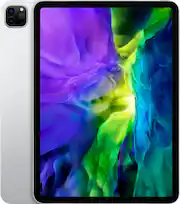
Nice. Love it. Nice and crisp screen, takes nice crisp photos, thought I would miss the home button but I don’t. Did take long to get used to the swipe. Like the way the Apple Pencil attaches to the side and wirelessly charges. So I give it 5 stars. A bit expensive but I used some of my gift cards. Love it!
Posted by NiceiPad
- Rated 5 out of 5 stars
iPad Pro
Overall it’s super well and great takes great pictures and works quick
This review is from Apple - 11-Inch iPad Pro (2nd Generation) with Wi-Fi - 512GB - Space Gray
Posted by TechHead2
- Rated 5 out of 5 stars
Love my iPad
I use my iPad almost daily. I have a computer .. A Mac Pro but it is faster and easier to use than my computer.
This review is from Apple - 11-Inch iPad Pro (2nd Generation) with Wi-Fi - 512GB - Space Gray
Posted by Lonnie
- Rated 5 out of 5 stars
iPad Pro
I bought this for my personal use but it came in handy for remote learning for my grandsons too. My oldest granddaughter likes using the pencil (sold separately) for her drawing projects for highschool. And I love everything about it.
This review is from Apple - 11-Inch iPad Pro (2nd Generation) with Wi-Fi - 512GB - Space Gray
Posted by Cathy
- Rated 5 out of 5 stars
The best tablet available in 2020
I purchased the 512GB WiFi model to replace an old 6th gen iPad and while it's almost nearly the same size, the boost in performance and quality is substantial. This iPad Pro has nearly become my regular computing device over a desktop, especially with so many pro-level apps for photography, video and drawing are available. Pair with Apple Pencil 2 and you've got a top-notch artist sketch/paint studio to go!
This review is from Apple - 11-Inch iPad Pro (2nd Generation) with Wi-Fi - 512GB - Space Gray
Posted by Blufan