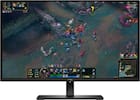
ASUS - BE27AQG 27" Class WQHD LED Monitor - 16:9 - TAA - 27" Viewable - In-plane Switching (IPS) Technology - LED - Black
Model: BE27AQG
SKU: 12638642
Reviews coming soon
Asus BE27AQG 27" Class WQHD LED Monitor - 16:9 - TAA - 27" Viewable - In-plane Switching (IPS) Technology - LED Backlight - 2560 x 1440 - 16.7 Million Colors - Adaptive Sync - 350 Nit - 5 ms - 120 Hz Refresh Rate - Speakers - Height, Pivot, Tilt, Swivel - HDMI - DisplayPort - VESA Mount Compatible - USB Hub
We’ll try to get your question answered within 24 hours by a Best Buy customer or brand representative.
27-inch QHD(2560x1440) frameless design with IPS 178° wide-viewing-angle panel and 99% sRGB color space . SmoothMotion 120Hz refresh rate delivers a seamless and tear-free visual experience. Extensive connectivity with HDMI, DisplayPort, earphone jack, and USB hub for the most flexibility. ASUS Power Sync allows HDMI-connected devices to power on/off simultaneously with supported ASUS monitors for improved organization and
ASUS BE27AQG is a 27-inch QHD(2560x1440) monitor that features a frameless IPS panel for wide angle viewing to deliver incredibly sharp imagery and stunning video playback. With fast 120Hz refresh rate and Adaptive-Sync technology to eliminate screen tearing and choppy frame rates for the smoother-than-ever experience. Its highly ergonomic design with tilt, swivel, pivot and height adjustments along with TV Rheinland-certified
ASUS BE27AQG with fast 120Hz refresh rate helps eliminate screen tearing and choppy frame rates. It refreshes content on the display twice as fast as the one with a standard 60Hz refresh rate, giving you more fluid animation in video content streaming and day-to-day work, can all benefit from the smoother-than-ever experience.
BE27AQG features a host of connectivity options that include HDMI, DisplayPort, and four USB 3.2 Gen1 downstream ports, so hooks up easily to a wide variety of PCs, laptops, consoles, media boxes. It also has a pass-through port for the headphone jack input, putting the audio connections conveniently right in front of you.
Flexible tilt, swivel, pivot and height adjustments make it easy to find the most comfortable viewing position. The screen can also be rotated a full 90° into a portrait orientation, which is ideal for working with long documents, writing code or browsing websites.

Learn more >