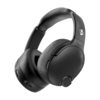
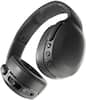
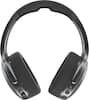
Bose - QuietComfort Wireless Noise Cancelling Over-the-Ear Bluetooth Headphones - Twilight Blue
Model: 884367-1600
SKU: 6620216
Sold byBest Buy
Customers appreciate the exceptional sound quality and the comfortable, lightweight design of these headphones. Users also frequently highlight the impressive battery life, easy connectivity, and the convenient, foldable nature of the product. While the vast majority of feedback is positive, a small number of users noted that the volume levels and bass performance could be improved.
Chin up, shoulders back, music blasting. Press play and take charge of the music with Bose QuietComfort noise cancelling headphones as they empower your music and style with bold sound, custom legendary noise cancelling with active noise reduction, and striking colors.
QuietComfort noise cancelling headphones are ready for even your marathon playlists, with up to 24 hours* on a single charge using a USB-C. A quick, 15-minute boost gives your Bluetooth headphones up to 2.5 hours of play time.
Take charge of what you hear and what you don’t. These wireless headphones come with legendary noise cancelling technology that works its magic by sealing you in with high-fidelity audio, eliminating distractions, and letting you dive deep into your own rhythm.
Striking colors get paired with an iconic, comfortable design. The plush ear cushions are perfect for long listening sessions, the headband uses steel, and the underside of the band uses soft protein-leather-covered foam.
These over-ear headphones come equipped with Quiet and Aware Modes to toggle between full noise cancelling or full awareness of your surroundings. Or create a custom mode, add Wind Block to tune out breezy environments, and revisit custom settings any time.
Control the music and adjust the sound on your Bluetooth headphones with the Bose app. Crank the bass, tweak the treble, and balance the mid-range with Adjustable EQ. Plug in the included audio cable to use your headphones without a Bluetooth connection.
Pair your Bose QuietComfort noise cancelling headphones with select Bose smart soundbars and speakers. Lower or mute your soundbar and keep your headphones as loud as you like. Group and sync devices without your phone or connect a pre-existing group or device with Action button.
Spotify users can access their music by pressing and holding the “Action” button. Press down again for Spotify to offer up recommendations for other music you might like. Set your shortcut to “Spotify” in the Bose app to enable this feature.

Learn more >