Clicks - Keyboard for Apple iPhone 16 Pro - Spice
About this product
Clicks pushes the benefits of buttons beyond typing, transforming how you use iPhone 16. By using Clicks together with shortcuts created through the Shortcuts app, each key can be configured to take an action. Pressing the Clicks Key along with another button on the keyboard allows users to take simple actions like opening an app or calling a contact, or trigger advanced app commands like controlling house lights or identifying a song. Clicks Keyboard for iPhone 16 has been redesigned to include new ergonomically contoured keys that can help you type faster, longer and more accurately. This premium keyboard experience makes typing feel natural so you can write long notes, edit documents, or take action on ideas, without having to wait to get back to your laptop or tablet. By moving the keyboard off the screen, Clicks helps you gain up to 50% more usable display to immerse yourself in chats, browsing, working and more. Clicks connects directly to iPhone so there's no battery to charge or Bluetooth connection. With MagSafe compatibility and support for USB-C accessories that require data (like CarPlay or a computer), Clicks for iPhone 16 is designed for your digital ecosystem.
Color
SpiceErgonomically designed keyboard
All new key shape increases key size and ergonomic spacing for the best typing experience yet.
Immersive content
Clicks nearly doubles the usable iPhone display for work, play, and beyond.
MagSafe built in
Clicks for iPhone 16 adds MagSafe compatibility for use with wireless charging and other popular accessories.
USB-C data mode
Clicks for iPhone 16 works with USB-C accessories that require data (like CarPlay or a computer).
New premium materials and finishes
Brushed aluminum side keys, a microfiber interior, and a new enclosure that feels great while adding protection inside and out.
Clicks Keyboard app
Customize and personalize key settings like backlight, key function, and typing preferences.
Easy On and Off
Add a compact, lightweight keyboard when needed, or leave it on all the time - you decide!
Unibody design
Fits snug and feels like a natural extension of your iPhone.
Backlight
Toggle on the keyboard backlight for typing at night or in the dark.
Pass through charging
Connect to iPhone with USB-C.
- Brand CompatibilityAppleModel CompatibilityApple iPhone 16 ProCase StyleKeyboardScreen ProtectorNoIntegrated StandNo
Reviews
Rating 3.6 out of 5 stars with 23 reviews
Customer Images
The vast majority of our reviews come from verified purchases. Reviews from customers may include My Best Buy members, employees, and Tech Insider Network members (as tagged). Select reviewers may receive discounted products, promotional considerations or entries into drawings for honest, helpful reviews.

- DJI - Osmo Mobile 7 Smartphone 3-Axis Gimbal Stabilizer - Gray$59.00The price was $75.00
Compare similar products
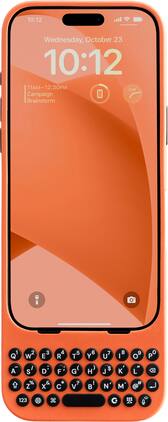
Clicks pushes the benefits of buttons beyond typing, transforming how you use iPhone 16. By using Clicks together with shortcuts created through the Shortcuts app, each key can be configured to take an action. Pressing the Clicks Key along with another button on the keyboard allows users to take simple actions like opening an app or calling a contact, or trigger advanced app commands like controlling house lights or identifying a song. Clicks Keyboard for iPhone 16 has been redesigned to include new ergonomically contoured keys that can help you type faster, longer and more accurately. This premium keyboard experience makes typing feel natural so you can write long notes, edit documents, or take action on ideas, without having to wait to get back to your laptop or tablet. By moving the keyboard off the screen, Clicks helps you gain up to 50% more usable display to immerse yourself in chats, browsing, working and more. Clicks connects directly to iPhone so there's no battery to charge or Bluetooth connection. With MagSafe compatibility and support for USB-C accessories that require data (like CarPlay or a computer), Clicks for iPhone 16 is designed for your digital ecosystem.
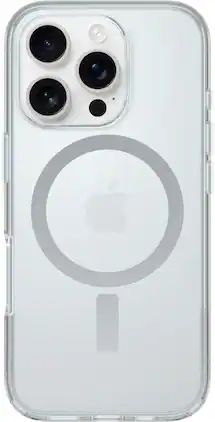
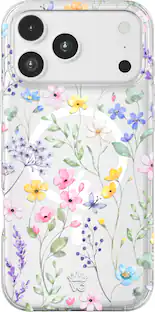
Show off your device without stressing its safety with Symmetry Series Clear for MagSafe. Ultra slim with a see-through finish, this clear iPhone 16 Pro case dials in your look while hugging your device’s curves. And now it features built-in anchors so you can customize your experience with straps and charms. All of your phone’s buttons, features and functions work flawlessly inside Symmetry Series Clear for MagSafe. Plus, the integrated magnets snap securely to MagSafe accessories. And however you set your phone down, the screen lip and raised edges around the camera add an extra layer of protection. Model 77-96389

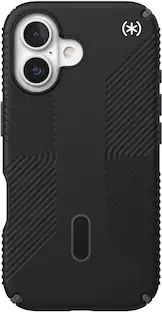
For peak protection, trust Defender Series Pro for MagSafe, our toughest iPhone 16 Pro case yet. It features a tri-layer design with a silicone outer cover, rigid inner shell and memory foam backing that work together to deflect whatever damage might come your way — and deliver 7X military standard drop defense. Plus, it's equipped with corners that absorb shock, all-over texturing for greater grip, integrated MagSafe magnets and built-in anchors for connecting phone straps. When you need real defenses, you need Defender Series Pro for MagSafe. Model 77-96024

For legendary Defender Series protection in a sleek, see-through package, get Defender Series XT Pro for MagSafe. Built to 7X military standard drop defenses, it survived 182 drop tests before we released it. It features a thinner, dual-layer design with a pressure-fitted frame that keeps your device securely in place — and a secure grip. Built-in magnets snap to MagSafe chargers and accessories, and integrated anchors give you extra ways to carry your case. Plus, this MagSafe iPhone 16 Pro case has raised edges for added camera and screen defense. Model 77-96090
| Pros for Clicks - Keyboard for Apple iPhone 16 Pro - Spice | |||
|---|---|---|---|
| There were no pros for this product— | Protection, Fit, Build Quality, Grip, Color | Protection, Build Quality, Grip, Fit, Color | There were no pros for this product— |
| Cons for Clicks - Keyboard for Apple iPhone 16 Pro - Spice | |||
| There were no cons for this product— | Bulkiness, Camera Button | Bulkiness, Case Design | There were no cons for this product— |
Specs
Customers often buy these together
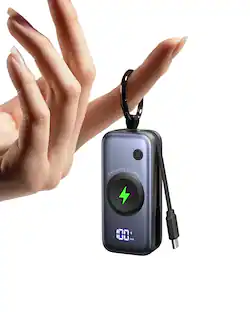 Top Deal$22.49The price was $26.99
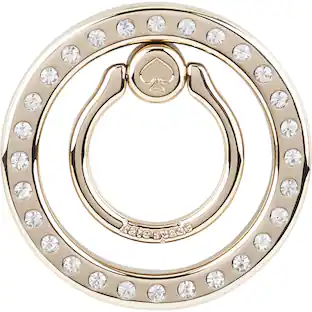 Clearance$29.99The price was $39.99
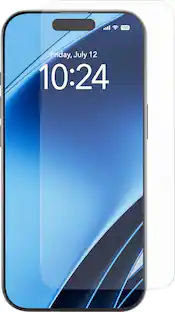 Clearance$8.49The price was $17.99
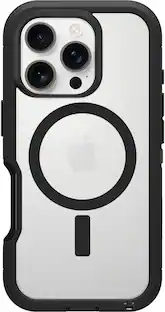 $31.99The price was $69.99
Customers ultimately bought
 Clearance$42.99The price was $64.99
 Clearance$23.99The price was $52.00
- $31.99The price was $69.99
Stay connected in style Sponsored

Discover related products
 $12.99The price was $16.99