Corel - Pinnacle Studio Ultimate - Windows
Software Format
Physical Microsoft - 365 Personal (1 Person) (12-Month Subscription) - Activation Required - Windows, Mac OS, Apple iOS, Android [Digital]$99.99
About This Item
- Key Specs
- Operating System Compatibility: Windows
- Software Format: Physical (Physical software requires a disc, cartridge, etc. be inserted into the gaming console or computer to download and/or operate the software. Digital software allows for downloading and/or playing the software on the gaming console or computer without a physical disc, cartridge, etc. Physical (Download Code Only) software is purchased in physical form with a code that allows for downloading and/or playing the software on the gaming console or computer without a physical disc, cartridge, etc.)
- General
- Brand: Corel
- Model Number: CORK1Z800F150
- Product Name: Pinnacle Studio Ultimate
- Publisher: Pinnacle
- Features
- Software Subject: Video editing
- Language(s): English, French, German, Italian, Spanish, Dutch, Polish, Czech, Russian, Finnish, Danish, Swedish
- Compatibility
- Operating System Compatibility: Windows
- Software Format: Physical (Physical software requires a disc, cartridge, etc. be inserted into the gaming console or computer to download and/or operate the software. Digital software allows for downloading and/or playing the software on the gaming console or computer without a physical disc, cartridge, etc. Physical (Download Code Only) software is purchased in physical form with a code that allows for downloading and/or playing the software on the gaming console or computer without a physical disc, cartridge, etc.)
- Compatible File Types: 3GP, AAC, AMR, AVCHD, AVI, BMP, DV, DVCPRO, Flash, FLV, GIF, HDV, HEVC, J2K, JPEG, JPG, JPS, MP3, MP4, M2TS, MPA, MOV, PCX, PNG, PSD, TGA, TIF, Vorbis, XAVC, XAVC S, WAV, WMA, WMF, WMV
- Other
- UPC: 735163165647
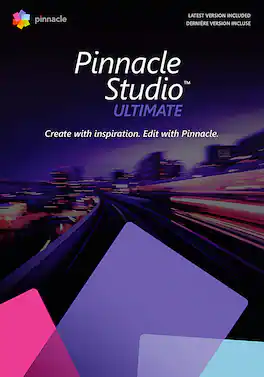
Enjoy pro-level video editing with the complete control, precision, and boosted performance of Pinnacle Studio Ultimate! Freely edit HD, 4K, and 360° video across unlimited tracks with advanced tools, hundreds of creative filters, and powerful keyframe controls to fine-tune every parameter of your production. Leverage an expansive collection of features and effects that will take your editing to new creative heights, and command control over your editing experience with a fully customizable interface. Edit with unparalleled accuracy and create custom tool shortcuts to streamline your most-utilized workflows. Explore Video Masking, complete Color Grading, Motion Tracking, Split Screen Template Creator, and other Ultimate-exclusive tools to transform your creative vision into cinema-grade productions.
- Complete control: Pinnacle Studio goes beyond traditional keyframing to deliver the ultimate level of accuracy and control. You have the ability to fine-tune nearly every individual parameter of your frame—positioning, size, rotation, transparency, color, and so much more.
- Customization: Not only can you manipulate effects, frame by frame, but Pinnacle Studio gives you freedom to manage every element of animations and titles, down to individual parameters with Color Grading and Video Masking. Copy and paste groups of keyframes across attributes to duplicate changes.
- Add depth to your story with Video Masking: Dive into the revolutionary power of advanced Video Masking with Pinnacle Studio Ultimate. Explore limitless possibilities for video layering, combining, enhancements, and special effects—all with custom video masks.
- Dive into the revolutionary power of advanced Video Masking: Explore limitless possibilities for video layering, combining, enhancements, and special effects—all with custom video masks.
- Save time with the Smart Object Tracking tool: Intelligent, shape-aware motion tracking for masks applied to common objects. Use Blend Modes with your masks to blend one clip with another and create a superimposed effect, light bleeds, or other color and exposure effects.
- Tell your story in more creative ways and elevate the quality of your production: Dynamic masking controls empower you to target, edit, fade, enhance, and transform sections of any frame, independently. Remove distracting objects and apply special effects that evolve, frame by frame.
- Color Grading: Apply instant, cinema-quality Color Grading with LUT profiles. Set the mood with white balance, tone curve controls, and color wheels. Intensify the reds in a sunset or the blues of the ocean with saturation settings, brighten and enhance underexposed footage, and so much more!
- MultiCam Capture 2.0 Lite: Pinnacle Studio makes it easy to produce creative multi-camera videos. Edit up to six sources, then easily sync video and select the angle you want to display. Produce engaging how-tos, tutorials, presentations, online challenges, and other multi-camera video productions.
- Edit, convert, and transform 360° videos: Venture beyond basic editing functionality and easily turn your 360° videos upside down and inside out with Tiny Planet and Rabbit Hole effects. Convert your 360° videos to standard video, or export to experience playback on VR headsets or 360° video players.
- Master your sound with an advanced Audio Editor: Adjust the volume over time using keyframes, and easily apply fade-in and out effects. Enjoy the convenience of audio recording tools built into the timeline to add voiceovers, dialog, and narration to any project, quickly!
- Advanced audio editing: Make your audio sound crisp, clear, and unique with custom noise profiles, pitch scaling and time stretching, plus mixing multiple sound tracks in 5.1 space. Easily layer audio tracks and use Audio Ducking so your primary audio track is heard.
- Get pro-level editing power without the pro-level price tag: Pinnacle Studio Ultimate is fully loaded with advanced features you’d expect to find in professional editing software—but at a fraction of the cost. With frame-accurate precision and limitless creative possibilities.
- Share your videos across audiences, formats, and devices: Take control over how you export your video, with support for all popular file formats and devices. Upload videos directly to YouTube, Vimeo, or share them on your preferred social media channel.
- Takes your sharing possibilities further: Create high-quality DVDs with themed menus, sub-menus, and chapters. Pinnacle Studio Ultimate includes 100+ stylish and customizable templates so you can quickly produce personalized discs to share with friends and family!
- Complete control: Pinnacle Studio goes beyond traditional keyframing to deliver the ultimate level of accuracy and control. You have the ability to fine-tune nearly every individual parameter of your frame—positioning, size, rotation, transparency, color, and so much more.
- Customization: Not only can you manipulate effects, frame by frame, but Pinnacle Studio gives you freedom to manage every element of animations and titles, down to individual parameters with Color Grading and Video Masking. Copy and paste groups of keyframes across attributes to duplicate changes.
- Add depth to your story with Video Masking: Dive into the revolutionary power of advanced Video Masking with Pinnacle Studio Ultimate. Explore limitless possibilities for video layering, combining, enhancements, and special effects—all with custom video masks.
- Dive into the revolutionary power of advanced Video Masking: Explore limitless possibilities for video layering, combining, enhancements, and special effects—all with custom video masks.
- Save time with the Smart Object Tracking tool: Intelligent, shape-aware motion tracking for masks applied to common objects. Use Blend Modes with your masks to blend one clip with another and create a superimposed effect, light bleeds, or other color and exposure effects.
- Tell your story in more creative ways and elevate the quality of your production: Dynamic masking controls empower you to target, edit, fade, enhance, and transform sections of any frame, independently. Remove distracting objects and apply special effects that evolve, frame by frame.
- Color Grading: Apply instant, cinema-quality Color Grading with LUT profiles. Set the mood with white balance, tone curve controls, and color wheels. Intensify the reds in a sunset or the blues of the ocean with saturation settings, brighten and enhance underexposed footage, and so much more!
- MultiCam Capture 2.0 Lite: Pinnacle Studio makes it easy to produce creative multi-camera videos. Edit up to six sources, then easily sync video and select the angle you want to display. Produce engaging how-tos, tutorials, presentations, online challenges, and other multi-camera video productions.
- Edit, convert, and transform 360° videos: Venture beyond basic editing functionality and easily turn your 360° videos upside down and inside out with Tiny Planet and Rabbit Hole effects. Convert your 360° videos to standard video, or export to experience playback on VR headsets or 360° video players.
- Master your sound with an advanced Audio Editor: Adjust the volume over time using keyframes, and easily apply fade-in and out effects. Enjoy the convenience of audio recording tools built into the timeline to add voiceovers, dialog, and narration to any project, quickly!
- Advanced audio editing: Make your audio sound crisp, clear, and unique with custom noise profiles, pitch scaling and time stretching, plus mixing multiple sound tracks in 5.1 space. Easily layer audio tracks and use Audio Ducking so your primary audio track is heard.
- Get pro-level editing power without the pro-level price tag: Pinnacle Studio Ultimate is fully loaded with advanced features you’d expect to find in professional editing software—but at a fraction of the cost. With frame-accurate precision and limitless creative possibilities.
- Share your videos across audiences, formats, and devices: Take control over how you export your video, with support for all popular file formats and devices. Upload videos directly to YouTube, Vimeo, or share them on your preferred social media channel.
- Takes your sharing possibilities further: Create high-quality DVDs with themed menus, sub-menus, and chapters. Pinnacle Studio Ultimate includes 100+ stylish and customizable templates so you can quickly produce personalized discs to share with friends and family!
Q: Does Pinnacle Studio Ultimate support 360° video editing?
A: Yes, Pinnacle Studio Ultimate allows you to edit, convert, and transform 360° videos. You can apply effects like Tiny Planet and Rabbit Hole, convert 360° videos to standard video, or export them for playback on VR headsets or 360° video players.
Q: What kind of audio editing features are available in Pinnacle Studio Ultimate?
A: Pinnacle Studio Ultimate offers advanced audio editing features such as custom noise profiles, pitch scaling, time stretching, and the ability to mix multiple sound tracks in 5.1 space. You can also easily layer audio tracks and use Audio Ducking to prioritize your primary audio track.
Q: How many cameras can be used simultaneously with the MultiCam Capture feature?
A: The MultiCam Capture 2.0 Lite feature in Pinnacle Studio allows you to edit videos from up to six cameras simultaneously.
Q: Can I create DVDs with menus using Pinnacle Studio Ultimate?
A: Yes, Pinnacle Studio Ultimate allows you to create high-quality DVDs with themed menus, sub-menus, and chapters. It includes over 100 customizable templates to help you personalize your discs.
Q: Does Pinnacle Studio Ultimate allow for customization of the interface?
A: Yes, Pinnacle Studio Ultimate offers a high level of customization. You can manipulate effects frame by frame, manage animations and titles, and fine-tune individual parameters with Color Grading and Video Masking. You can also copy and paste groups of keyframes across attributes to duplicate changes.
Q: Is this a digital download or a cdrom
A: undefined
Q: Can Pinnacle studio make blue ray disk and mp4 videos
A: undefined
Q: Is this software compatible with Windows 11
A: Yes, here are the operating systems this software supports: Windows 11, Windows 10, 64 bit.
Reviews
The vast majority of our reviews come from verified purchases. Reviews from customers may include My Best Buy members, employees, and Tech Insider Network members (as tagged). Select reviewers may receive discounted products, promotional considerations or entries into drawings for honest, helpful reviews.
Compare similar products
Enjoy pro-level video editing with the complete control, precision, and boosted performance of Pinnacle Studio Ultimate! Freely edit HD, 4K, and 360° video across unlimited tracks with advanced tools, hundreds of creative filters, and powerful keyframe controls to fine-tune every parameter of your production. Leverage an expansive collection of features and effects that will take your editing to new creative heights, and command control over your editing experience with a fully customizable interface. Edit with unparalleled accuracy and create custom tool shortcuts to streamline your most-utilized workflows. Explore Video Masking, complete Color Grading, Motion Tracking, Split Screen Template Creator, and other Ultimate-exclusive tools to transform your creative vision into cinema-grade productions.
![Corel - Pinnacle Studio Ultimate - Windows [Digital]](https://pisces.bbystatic.com/image2/BestBuy_US/images/products/6519/6519149_sd.jpg;maxHeight=422;maxWidth=264?format=webp)
Create professional-looking movies with this digital download of Pinnacle Studio Ultimate video editing software for Windows. Precise controls and cinema-grade effects let you easily fine-tune your creations, while the advanced tools enable pro-level edits to videos. This Pinnacle Studio Ultimate video editing software features smart object and motion tracking to add effects and color grades to objects.
![Corel - Pinnacle Studio 25 (1-User) - Windows [Digital]](https://pisces.bbystatic.com/image2/BestBuy_US/images/products/6479/6479642_sd.jpg;maxHeight=422;maxWidth=264?format=webp)
Explore flexible video editing with Pinnacle Studio 25 - your gateway to creating professional-caliber productions. Produce one-of-a-kind projects using themed templates, and combine photos and videos across the multitrack timeline with keyframe precision. Create custom titles and motions, and explore hundreds of filters and effects to help your videos stand out. Let your creativity shine with tools for Stop Motion Animation, Selective Color, Screen Recording, and multi-camera editing. Bring out your inner editor with Pinnacle Studio 25.
![MAGIX - Video deluxe 2026 Plus - Windows [Digital]](https://pisces.bbystatic.com/image2/BestBuy_US/images/products/311aa87e-fb15-4c2f-9310-5afbf1fc6cc1.jpg;maxHeight=422;maxWidth=264?format=webp)
Video deluxe 2026 Plus makes video editing fun and easy. All important functions are right at your fingertips in the intuitive all-in-one media window—from easy-to-use editing tools and creative effects to versatile templates and smooth transitions. Use AI-powered tools to enhance image quality, automatically generate subtitles, and create realistic voiceovers and browse premium stock content for your B-roll scenes. New features: Make your subtitles pop in sync with your audio with the Highlight function and organize your footage with powerful AI media management.