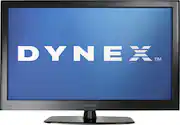
Bring your home theater to the next level with this LCD HDTV that features 400 cd/m² brightness and 20W simulated surround sound for breathtaking visuals and audio. The PC input lets you use the TV as a monitor for your computer.
Q: Why does setup wizard come on every time I turn the TV on?
A: Select the "Antenna" Tuner Mode in the Setup Wizard and let it run thru the channel scan. Select your video input source and then turn TV off. Turn TV on and it will go directly to the video input source.
Q: is DYNEX a part of the LG Family of electronics
A: Nope, its actually Best Buy's own brand. So far every Dynex product i've bought has been great.
Q: How much does this 55" weigh?
A: Weight 100.3 lbs. with stand (75 lbs. without)
Q: Why dose it look so blury...i just got it today
A: If you are viewing normal television channels, the picture will be relatively blurry. This is true on any large t.v. as standard t.v. channels do not have the resolution to properly "fill in" the screen. Try changing the aspect ratio to a smaller picture in the menu options. The best picture will be achieved via HD sources such as HD t.v. channels or Blu-ray discs followed by DVDs. Just a fact of modern t.v.'s, I'm afraid.
Q: Can I connect to my computer via HDMI?
A: You may connect a Mac or PC to this TV. Remember: you may need to adjust your video card output to a compatible resolution and/or upgrade your software/firmware for best results.
Q: First power up settings do not hold.
A: if you run a hd satilite or cable reciever like i do it stoped doing the boot at the beging when i let it think it was hooked to a antena and search for channels
Q: lights on top of screen is it normal?
A: Yes because this TV is a piece of ^$#@, I returned mine because the contrast ratio is terrible (whitewashed looking all the time). Return it quick.
Q: I'm unable to turn off closed caption using the remote what other option do I have
A: The menu buttons are also located directly on the actual TV on the left side. Also, make sure the captions arent turned on directly on your cable box.