60th Anniversary SaleEnds Sunday. Exclusions, terms and conditions apply.Shop now

Main Content

Elgato - Key Light Neo Monitor Mount – Professional Lighting for Video Calls & Streaming, Works with PC & Mac - White

Model: 10LAK9901
SKU: 6587472
Sold byBest Buy

Customers are saying

Customers appreciate the Key Light Neo for its powerful brightness and compact size. Users find it easy to use, with a straightforward unboxing experience. However, some customers wish it had a rechargeable battery.

Generated by AI based on customer reviews.
Features
  • Look professional on YouTube, Teams, Zoom, and more

  • No installation, just connect to a USB port on your laptop or dock

  • Enjoy ultimate eye comfort with Elgato’s iconic edge-lit design

  • Turn the dials to adjust brightness and color temperature

  • Switch between video lighting and desktop illumination with a dial press

  • Power via USB or outlet (included braided USB cable, adapter not included)

  • Mounts seamlessly onto any monitor or laptop screen

  • Takes up zero desktop real estate, fits in a laptop bag

  • Use the optional app or Stream Deck to control your lighting

  • Made and packaged sustainably to reduce plastic waste

See all features
Specifications
  • Brand
    Elgato
    Model Number
    10LAK9901
    Product Name
    Key Light Neo Monitor Mount – Professional Lighting for Video Calls & Streaming, Works with PC & Mac
    Color
    White
    Product Height
    5.91 inches
    Product Width
    5.91 inches
Sponsored

Reviews

Customers are sayingCustomers appreciate the Key Light Neo for its powerful brightness and compact size. Users find it easy to use, with a straightforward unboxing experience. However, some customers wish it had a rechargeable battery.
This summary was generated by AI based on customer reviews.
  • Brightness (44)
  • Ease of use (19)
  • Overall Performance (9)
  • Size (9)

Customer Images

The vast majority of our reviews come from verified purchases. Reviews from customers may include My Best Buy members, employees, and Tech Insider Network members (as tagged). Select reviewers may receive discounted products, promotional considerations or entries into drawings for honest, helpful reviews.

  • Rated 5 out of 5 stars

    Perfect for content creators!

    Wanting to get into streaming and always complaining how dark you are on camera. this is the perfect key light for you! two different light modes and brightness calibration you wont ever have to worry about darkness on camera again. Personally make you and your content even better

    Posted by BearFuscoGGTTV

  • Rated 5 out of 5 stars

    Powerful little lights.

    These little lights are honestly far better than I expected they would be. The default balance lends itself well to my skin tone and makes me look far less ghostly than I did prior.

    Posted by Drazhar

  • Rated 4 out of 5 stars

    Very good light for many needs

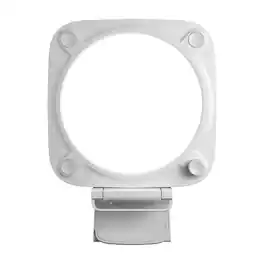
    The Elgato Keylight Neo is a fairly compact light designed to help illuminate your face, or really any other object, with varying degrees of cool-to-warm light in different brightness settings. It’s a square(ish) frame with a round lighting element capable of 7,000 lumens at full go in the center. Surrounding the light element are four controls to adjust the light’s cool or warm settings, power, and brightness level. On the bottom is a ¼” tripod mount, and an adjustable clip that attaches to this is included that you can screw on, allowing you to sit the Elgato on the edge of a laptop, desktop monitor, or other items. The light is USB powered only, although if you use your own power adapter, you can plug it in a wall. Unfortunately, there is no internal battery at all, so you do have to plug it in when using it for power. This can be through a USB-A port on your laptop/computer, or via a battery power bank. I would really have liked for it to have had some kind of battery system, but at least it does come with higher quality braided power cables, including an approximately 39 inch main USB-C to USB-A cable, and an approximately 59 inch extension cable (USB-A to USB-A), so at least it does give you a good reach for power. An included cable manager snaps onto the back so you can coil and store the cable when not in use. The USB-C port on the Keylight unfortunately is very tightly flushed to the inner body, though. The included power cable works fine though it’s a tight fit, but if you want to use your own cable, it will not let you use a 90-degree one or one with a thick rim around the USB-C tip. So, setup is pretty straightforward and easy. The Elgato gives a very good, even, spread of light, and being able to adjust the cool/warm settings will allow you to get the color balance right on your videos. It gets very bright at it’s top setting, or can be a faint glow. Glare is very minimal, and even then only under very specific conditions. Connecting it to your laptop’s USB-A or C ports can give you up to 400-700 lumens, but if you use a power adapter in an A/C outlet, the max output can be cranked up to around 1,000 lumens. I like this kind of diffused light over ring lights or directional lights in most cases. Being able to clip it on to varied monitors or just a tripod makes it convenient. Any complaints? Well again, I’d have liked to have seen it with at least a little bit of a battery option. Also, the clip that’s used to rest it on monitors – there’s a “sticky” strip on it that I assume is if you want to permanently mount it somewhere, to stabilize it? But it’s VERY sticky, and if you inadvertently remove the plastic from it, you could wind up sticking this light onto something you don’t want it to be on long-term, and it’s hard to remove. I don’t think the sticky strip is necessary, since the clip is adjustable. Other than that, while a bit pricey for what it is (at full retail), it’s a handy and well made light that’s convenient and worth trying out. It puts out enough light for most everyday needs and with the warm-to-cool variations and brightness options, is a great all-around supplemental light.

    Posted by AtlantaGreg

  • Rated 5 out of 5 stars

    Elgato shines bright, eliminating shade on the go

    Overview: Elgato’s key light has the right mix of convenience and functionality. The Neo light offers a 6” disk which removes shadow from both sides of my face, without making it hard to see the screen. Mounted on top of the screen, it’s high enough to be invisible in my glasses during most calls, yet close enough to shed the light that’s needed. The blend of portability and versatility make this a great choice for those with multiple devices and/or who travel. If you’re staying at home, a light bar will give you better results. Details: Since the light mounts to a monitor, laptop, or tablet, it’s very portable. As much as I like having a light bar at my desk, the Elgato key light shines in its ability to brighten any space I’m in while traveling. It’s not uncommon for me to take Zoom meetings in a hotel room early morning due to time zones. This key light makes it look like I’m still at my home office (with the right background replacement). Since the light brightens my face appropriately, Zoom easily can tell what’s to be replaced or blurred. The light can be powered from a USB adapter, a USB-C port (with a separate cable) or USB-A. The maximum brightness is determined by the power source. Plugged into a wall, it can go over 1000 lumens, which makes is uncomfortable to look at. My iPad Air can drive up to 600 lumens which is at the limit for what I like. It sits perched on top of the screen cradled sturdily. The front “hook” is clear plastic, assuring minimal interference with the on board camera. As clever as Elgato’s engineers are, they can’t make light take an angle that’s not there. This leaves some shadow on the edges compared to a larger ring, a light bar, or a two light solution. The single light also reduces the apparent depth compared to a longer light bar. Elgato can (and did), however, create software to control the light remotely and dial in a specific temperature and brightness. The software supports more than one light to quickly set the temperature and brightness to be consistent. Even with the one light, it’s nice to be able to dial in a specific color temperature. The light is controlled either through a USB cord connected to your machine or a WiFi connection through an access point. The PC and light don’t have to be on the same WiFi SSID, as long as they’re on the same network. I use my phone as a hotspot on the road to make sure this happens correctly. There’s also two pre-set buttons on the light itself which can be tuned to different light based on your own preferences. These can be re-set by holding the preset button until the light flashes, then turn off.

    Posted by Dan0Sterling

  • Rated 5 out of 5 stars

    Love My Corsair Elgato Key Light Neo!

    I was pleased to receive this Elgato Key Light Neo as I do a lot of singing with videos using an online website. I figured this would add the perfect lighting touch to them and it certainly does. It arrives with the Key Light Neo, a monitor mount with 1/4" thread, USB-C to USB-A 2.0 cable which is 39.4 inches long and a USB-A to USB-A extension cable measuring 59.1 inches for longer runs. I felt the extra extension cord was a great addition as most things arrive with one short cable and you end up hunting for another longer one. You can use this light in the USB mode or WiFi mode. You must supply your own electrical power with a minimum of 3A and it works with Windows or Mac. Some specs on the light are the color range is from 2900k-7000k, power consumption is up to 15W and the connectivity can be either 2.4 GHz or 5 GHz. It measures 5.9" x 5.9" x 1.49" deep and weighs 0.54 lbs. You can download the optional Control Center app if desired. I simply used the controls on front of the light as it sits firmly on the monitor next to my webcam. There is a clear plastic piece in front that fits over the monitor edge and the back is adjustable. The adhesive that is attached to the back doesn't even touch my monitor but the light is sturdy with no problems staying up there. Corsair wants you to plug the USB directly into a port and not a hub unless you use electricity of course. Once all set up I pressed the power button on the upper right corner. Then I proceeded to set the brightness and color temperature modes. You just turn the dial on the lower right and it adjusts everything. There is a preset button number 1 on the left for desktop lighting and a button 2 for video lighting. You can save your selection by holding in the preset button for 3 seconds which is a great feature once you find that perfect fit for your situation. I really love this light as it softens and diffuses beautifully. I personally prefer the cool color. I did a few videos and was just so pleased with the outcome. My webcam has a small ring light and I also have a large floor standing ring light but since receiving this one I am only using it ~ showing me at my best. I'm very impressed that it's so easy to use and of the quality this Elgato Key Light Neo offers. Definitely can recommend the purchase and it has a well deserved 5 star rating!

    Posted by Mizshutterbug

From the Manufacturer

Compare similar products

Elgato - Key Light Neo Monitor Mount – Professional Lighting for Video Calls & Streaming, Works with PC & Mac - White
4.6(88)

Great impressions made easy. Introducing Key Light Neo, a tiny but mighty light that makes you glow with confidence the moment you turn it on. Unlike desktop lamps or ceiling lights, Key Light Neo plays beautifully with webcams. Grainy image? Turn up the brightness. Color seem off? Dial in the perfect hue for your skin tone. Our iconic edge-lit design eliminates glare, so you can stream or video call for as long as you want. Then switch to desktop lighting when showtime’s over. No complicated setup. Just connect Key Light Neo to your laptop, plop it on your monitor, and look pro every time you’re online.

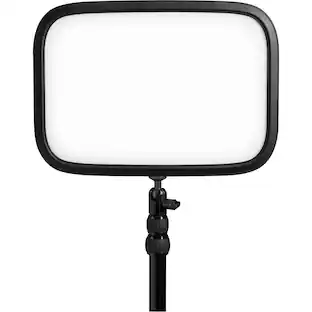
Elgato - Key Light - Black
4.7(68)

Add the perfect lighting setup to video recording sessions with this Elgato key light. The dimmable design lets you choose the right setting for interviews or scenes, and the glare-free diffusion offers a more balanced effect. With a flat profile and metal desk mount, this Elgato key light takes up minimal space.

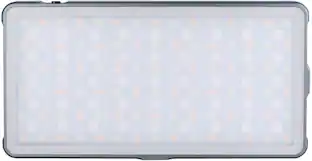
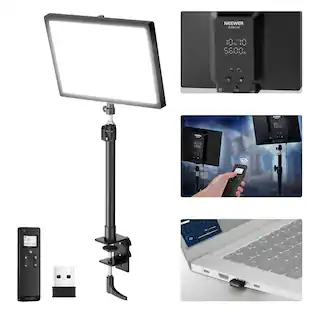
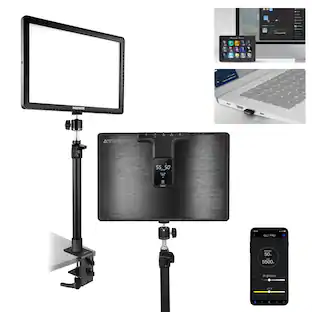
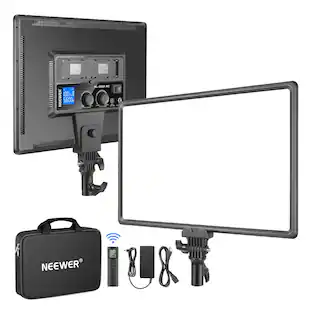
Neewer - 15.5" Desk Clamp Streaming Key Light - APP Controlled High CRI Panel for Gaming & Zoom Calls

Neewer 15.5" LED Streaming Key Light, Clamp on Desk Panel Video Lighting for Gaming Recording Zoom Call, CRI97+, 2.4G PC/Mac iOS/Android APP Control, Compatible with Elgato Stream Deck, GL1 PRO Black

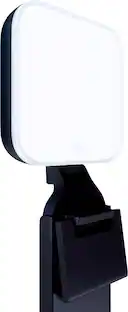
Logitech - Litra Glow Premium LED Streaming Light with TrueSoft, Adjustable mount and Desktop app control for PC/Mac - Graphite

The Litra Glow premium streaming light is one of the fastest way to achieve professional-quality lighting for videos and streaming. Logitech’s TrueSoft technology delivers balanced, full-spectrum LED light with cinematic color accuracy for natural skin tones and a radiant look on camera. Eliminate harsh shadows with wide, soft light that flatters the subject using Litra Glow’s innovative frameless diffuser. Litra Glow has cleared even the strictest UL testing guidelines for all-day streaming. Easily place Litra Glow where you want it using the patent-pending three-way monitor mount with adjustable height, tilt and rotation. Fine-tune your on-camera look using adjustable brightness and color temperature settings—from warm candlelight to cool blue.
Pros for Elgato - Key Light Neo Monitor Mount – Professional Lighting for Video Calls & Streaming, Works with PC & Mac - White
Brightness, Ease of use, Overall Performance, SizeBrightness, Ease of use, Overall PerformanceThere were no pros for this productBrightness, Ease of use, Overall Performance, Size, Mount
Cons for Elgato - Key Light Neo Monitor Mount – Professional Lighting for Video Calls & Streaming, Works with PC & Mac - White
There were no cons for this productThere were no cons for this productThere were no cons for this productSoftware

Specs

Questions & Answers
  • What is the warranty period for the Key Light Neo?

    The Key Light Neo comes with a two-year warranty for both parts and labor.

    This question and answer was generated by AI based on customer and product data.
  • How does the Key Light Neo attach to a monitor?

    You can easily set up the Key Light Neo by connecting it to your laptop and placing it on your monitor. It uses a clamp mounting style to attach.

    This question and answer was generated by AI based on customer and product data.
  • Can the Key Light Neo be used for both streaming and video calls?

    The Key Light Neo eliminates glare, so you can use it for streaming or video calls for as long as you want.

    This question and answer was generated by AI based on customer and product data.
  • Can you place the key light at an angle, maybe on the left/right side of the monitor, rather than on top?

    no

    Answered by JAIME
  • do you carry the black version of this light? i know you have a black non neo one

    Key Light Neo is available in White at Best Buy. The Black version is available through elgato.com.

    Answered by Customer Care
Ask a question
No content
Sponsored

Finance Options

My Best Buy® Credit Card
Buy Now, Pay Later

Finance Options

My Best Buy® Credit Card
Buy Now, Pay Later

Special Offers

Included with Purchase

Special Offers

Included with Purchase