Epson - Perfection V19 II Color Photo and Document Flatbed Scanner - Black
Customers are saying
Customers are delighted by the impressive scanning speed and the overall ease of use provided by the software. Users also frequently highlight the high optical resolution as a key benefit of this device. While the product is highly regarded for its performance, some customers noted that they would have preferred a more modern USB-C connector.
Amazing image clarity and detail
4800 dpi optical resolution, ideal for photo enlargements
Epson ScanSmart software included
Easily scan photos, artwork, illustrations, books, documents and more
One-touch scanning
Scan in fewer steps with easy-to-use buttons
Restore color to faded photos
With one click, Easy Photo Fix technology makes it simple
Scan books and photo albums
High-rise, removable lid
Generate searchable PDFs
Convert scanned documents to searchable PDF files (2)
Create editable Microsoft Office documents
Scan to Word, Excel and PowerPoint files with optical character recognition (OCR)
Compact and lightweight
USB powered for portability; 3.1 lb
Convenient
Scan letter-sized documents in as fast as 10 seconds
Save space
Built-in kickstand for vertical placement and storage
- Scan MethodFlatbedDuplex Scan FunctionNo
Reviews
Rating 4.4 out of 5 stars with 70 reviews
- Scanning Speed (13)
- Ease of use (11)
- Resolution (5)
- Software (4)
- USB Connector (5)
Customer Images
The vast majority of our reviews come from verified purchases. Reviews from customers may include My Best Buy members, employees, and Tech Insider Network members (as tagged). Select reviewers may receive discounted products, promotional considerations or entries into drawings for honest, helpful reviews.
Compare similar products
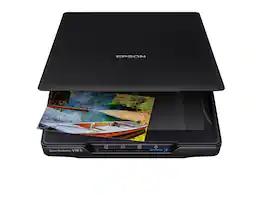
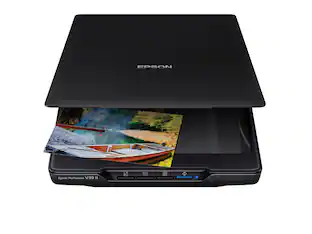
Make scanning simple with the affordable, compact and lightweight Epson Perfection V19 II. With an optical resolution of 4800 dpi, this easy-to-use photo scanner delivers amazing clarity and detail at a great value. The V19 II includes convenient one-touch scanning with easy-to-use buttons, so you can scan directly to PDF or email with just the touch of a button. Get high-quality letter-sized scans in as fast as 10 seconds. Moreover, scan photos, artwork, illustrations, books, documents and more with the included Epson ScanSmart software. If your photos have faded, you can bring back the color in one click with Easy Photo Fix technology. You can also create editable Microsoft Word, Excel and PowerPoint files, or generate searchable PDF files using optical character recognition (OCR) software. The V19 II is USB powered for portability, includes a built-in kickstand for space-saving vertical placement and storage, and features a high-rise, removable lid to accommodate bulky items such as books and photo albums.

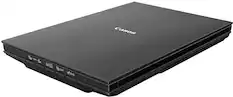
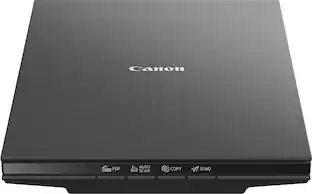
The CanoScan LiDE 400 is a full color image scanner made for scanning photos and documents in high-resolution. With the CanoScan LiDE 400 high quality scanning has never been easier. With 8 second high speed scanning*, 5 built-in 'EZ' buttons and 4800 x 4800 dpi resolution**, every scan is fast, easy, and looks great.
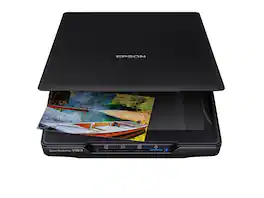
Make scanning simple with the affordable, compact and lightweight Epson Perfection V39 II. Featuring an optical resolution of 4800 dpi, this easy-to-use photo scanner delivers amazing clarity and detail at a great value. With the included Epson ScanSmart software, you can scan photos, artwork, illustrations, books, documents and more to cloud storage services as well as stitch together oversized images. Moreover, if your photos have faded, you can bring back the color in one click with Easy Photo Fix technology. The V39 II delivers high-quality letter-sized scans in as fast as 10 seconds. It also includes convenient one-touch scanning with easy-to-use buttons, so you can scan directly to PDF or email with just the touch of a button. In addition, you can create editable Microsoft Word, Excel and PowerPoint files using optical character recognition (OCR) software. The V39 II is USB powered for portability, includes a built-in kickstand for space-saving vertical placement and storage, and features a high-rise, removable lid to accommodate bulky items such as books and photo albums. Meet the nexus of stunning image quality and great value with the Epson Perfection V39 II.

Create digital copies of important documents with this Epson WorkForce scanner. Its versatile document-handling capability accommodates standard paper, ID cards and receipts, and the included Nuance OCR software converts output into editable files or searchable PDFs for efficient archiving. This Epson WorkForce scanner’s small, lightweight design offers portability, and the USB interface provides easy connectivity.
| Pros for Epson - Perfection V19 II Color Photo and Document Flatbed Scanner - Black | |||
|---|---|---|---|
| Ease of use, Resolution, Scanning Speed, Software | There were no pros for this product— | Scan Quality, Ease of use, Overall Performance, Size, Resolution | Ease of use, Scan Quality, Size, Overall Performance, Speed |
| Cons for Epson - Perfection V19 II Color Photo and Document Flatbed Scanner - Black | |||
| USB Connector | There were no cons for this product— | Connectivity, Compatibility, Noise Level, Kickstand, USB | Connectivity, Compatibility, Software, Paper Handling |
Specs
Will this scanner work with Macs?
Answered by EpsonHi Hayduke, The Perfection V19 II works with Macs running OS X 10.5 and later. The V19 II scanner uses a USB cable to connect to a computer, so your Mac must have a USB port. Regards, Dylan - The Epson Team.
Will this scan as a jpeg or tiff file, or only PDF?
Answered by EpsonHello JP. Yes, the V19 can save scanned originals as a JPG, TIFF, or PDF file. Regards, Kevin - The Epson Team.
How is this model different than the Epson V39?
Answered by EpsonHello Olmare. The Epson Perfection V19 and V39 are similar models with similar specifications. However, the V39 comes with advanced built-in stitching and additional document-scanning software. Regards, Kevin - The Epson Team.
Is the micro usb connection on the scanner, or to the computer?
Answered by EpsonHello prof2000. The Epson Perfection V19 II uses a micro-USB port for both data and power. The micro-USB end of the cable plugs into the scanner, and the standard USB end plugs into a USB port on the computer. Regards, Kevin - The Epson Team.
Does this scanner have a built-in kickstand?
Yes, it has a built-in kickstand for vertical placement and storage.
This question and answer was generated by AI based on customer and product data.

Customers often buy these together
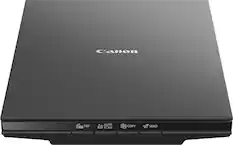
Canon - CanoScan LiDE 300 Flatbed Scanner - Black
$75.99The price was $83.99





Customers ultimately bought

Discover lifestyle innovations Sponsored
 $229.99The price was $279.99
 Top Deal$559.99The price was $629.99
Discover related products
 $46.99The price was $73.99
 $139.99The price was $219.99
 $55.99The price was $89.99







Keep exploring
 $79.97The price was $89.97
 $849.00The price was $1,288.03