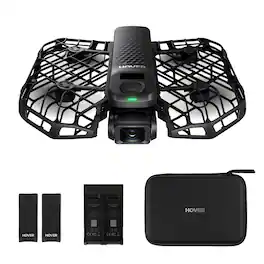
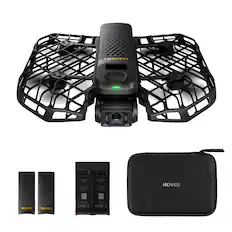
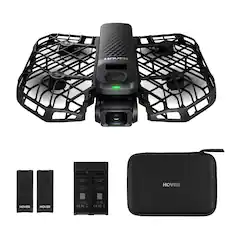
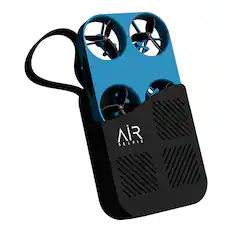
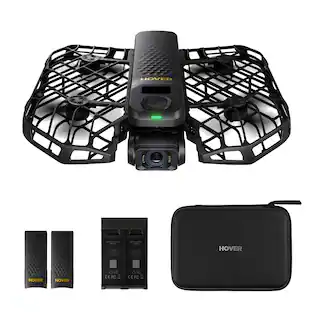
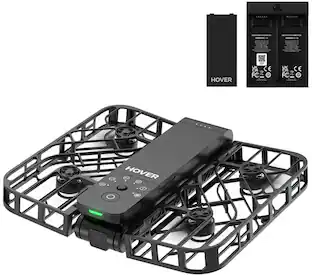
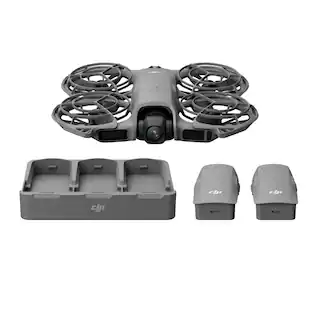
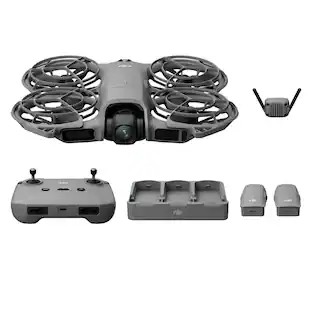
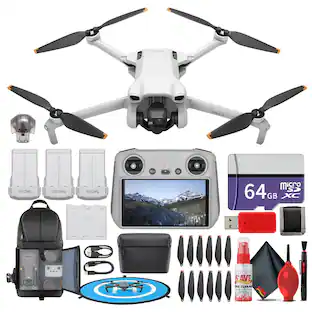
The HOVERAir X1 helps you capture stunning, hands-free videos of your favorite moments. Designed for ultimate ease of use, the X1 features a compact, foldable design, a quick 3-second takeoff from your palm, and intuitive self-flying modes. Its triple stabilization system ensures smooth, shake-free footage, while the built-in gimbal camera captures sharp 12MP photos and Ultra HD 2.7K HDR videos. With 32GB of built-in storage, you can save and access your footage easily using the Hover X1 app.
Q: Does it record video on the drone or on your camera?
A: On the drone.

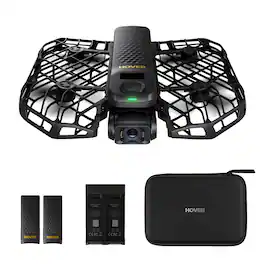
The HOVERAir X1 helps you capture stunning, hands-free videos of your favorite moments. Designed for ultimate ease of use, the X1 features a compact, foldable design, a quick 3-second takeoff from your palm, and intuitive self-flying modes. Its triple stabilization system ensures smooth, shake-free footage, while the built-in gimbal camera captures sharp 12MP photos and Ultra HD 2.7K HDR videos. With 32GB of built-in storage, you can save and access your footage easily using the Hover X1 app.

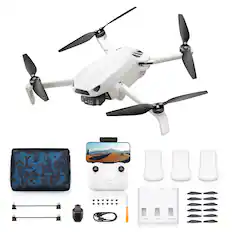
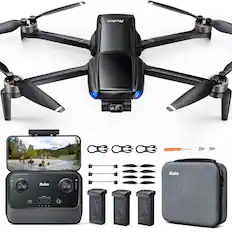
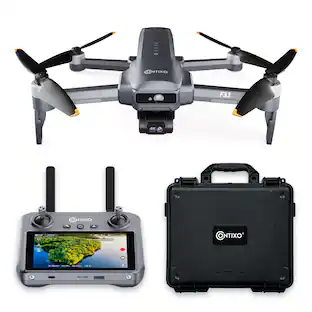
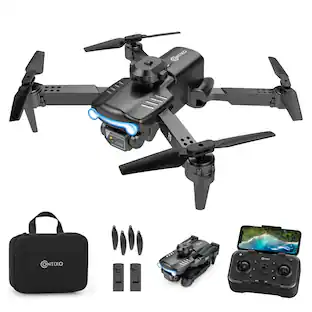
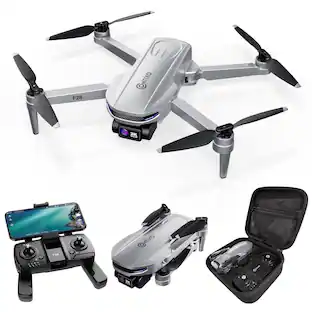
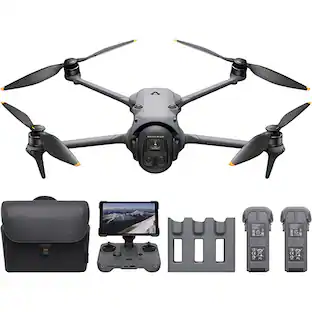
Fly smarter and lighter with the Contixo F29, a professional-grade drone in a compact 249g frame—no FAA registration required. Ideal for creators and travelers, it features a 4K UHD camera, 105° wide-angle lens, and 70° adjustable tilt for capturing stunning aerial footage. A precision 3-axis gimbal ensures smooth, stable shots even in high-speed or windy conditions, while the included 5" HD touchscreen remote offers full control without needing a phone. With GPS-powered features like one-key return to home, auto-return on low battery or signal loss, and intelligent flight modes such as follow-me and orbit, flying is both safe and intuitive. Tap a few points on-screen to guide your drone’s flight path and capture everything from spiraling ascents to sweeping landscapes. Enjoy up to 23 minutes of flight per battery, a 3KM control range, and top speeds of 25km/h. Built with brushless motors and app control, the F29 delivers pro-level performance in a lightweight, travel-ready design.

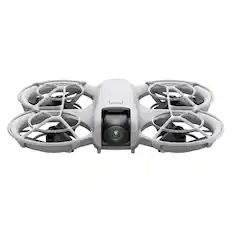
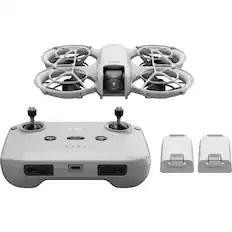
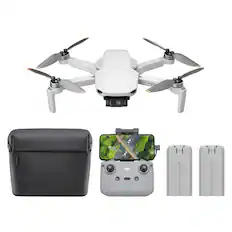
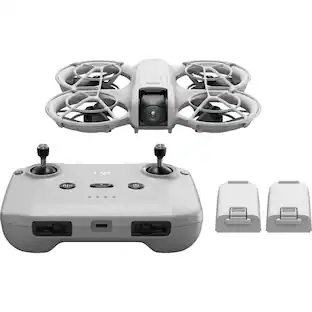
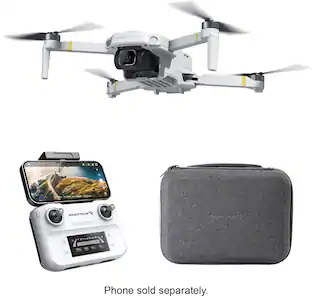
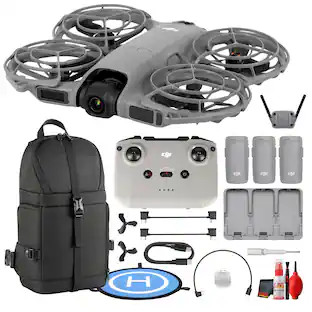
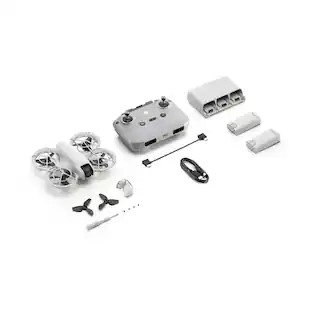
At 135 g, DJI Neo is an exceptionally lightweight and compact drone. Takeoff and land on your palm effortlessly without a remote controller, and capture cinematic footage with YOU in focus. Soar through breathtaking scenery, indoors and out, and be sure to include everybody in a group photo. Enjoy a fresh perspective on everyday life with DJI Neo.

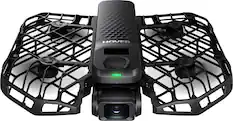
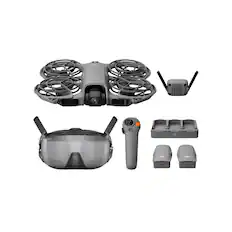
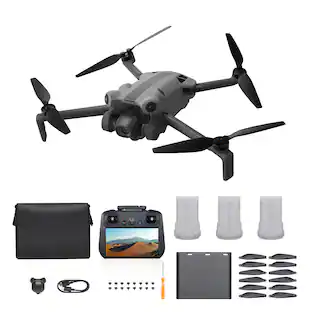
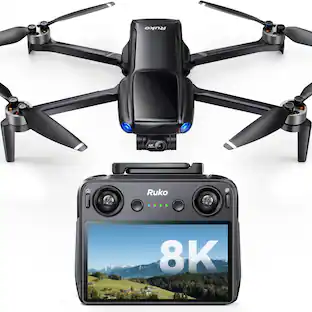
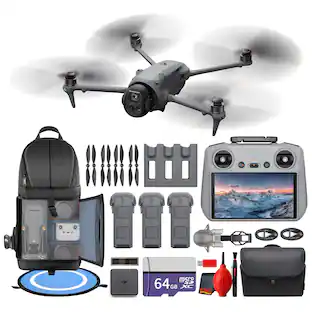
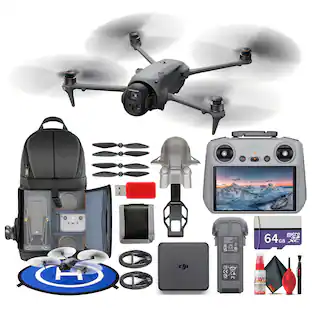
The X1 PROMAX is an 8K flying action camera, capturing stunning visuals in 8K at 30fps and 4K at 120fps. Its compact, foldable design makes it easy to carry, while the simple palm takeoff, OmniTerrain adaptability, and collision detection ensure safe, seamless operation. Equipped with premium stabilization, the X1 PROMAX delivers exceptional clarity and performance in all conditions, perfect for capturing breathtaking shots wherever adventure takes you.
| Pros for HOVERAir - X1 Self-Flying Camera Drone Combo - White | |||
|---|---|---|---|
| There were no pros for this product— | There were no pros for this product— | ||
| Cons for HOVERAir - X1 Self-Flying Camera Drone Combo - White | |||
| There were no cons for this product— | There were no cons for this product— |
The vast majority of our reviews come from verified purchases. Reviews from customers may include My Best Buy members, employees, and Tech Insider Network members (as tagged). Select reviewers may receive discounted products, promotional considerations or entries into drawings for honest, helpful reviews.

Ever wish you had someone that could follow you around with a camera, maybe reach 10ft into the air and get a cool panorama, maybe just make a cinematic zoom? Well, that is what the HOVERAir X1 can do, and so much more, with a push of a button and launching from your palm. Simply pop in one of the two included batteries, hold the power button a few seconds to power on, fold out the wings, press the mode button for one of 5 presets plus a custom, press the power button again and hold out your hand. It launches itself, pans back, depending on the mode, starts recording, then returns and awaits your hand to land. The initial presets are mostly quick 10-15 second recordings, and there is follow. Follow mode will follow you while recording for as long as the battery will last, and that seems to be just short of 10 minutes. After you have gone through with trying some of the basic modes, you can unlock more modes through the app. This includes things like the ‘Dolly Track’ where the drone will hover in front of you and try to maintain a set distance from you the whole time. It is perfect for that style of recording where you are walking and talking to the camera directly. After using it a few times, you can unlock the side track dolly, where it will stay off to your side slightly at an angle, also perfect for specific recording styles. Now, both of these modes are pretty amazing, however, there are times that it doesn’t quite hang in there. Like rounding corners will sometimes leave the camera confused or even end up turning into a follow mode instead. It’s perfect for short clips or walking a fairly straight path for up to about 10 minutes per battery. But, most times, in a 90 degree or more turn, I’d have to recall it, get the new angle, then launch again, which isn’t bad. This camera relies fully on tracking you as a person. So, it needs a clear path and lots of light. If the lighting is too low, even for a simple zoom out and back, it will not do it if it can’t clearly see you. However, you can eventually use manual mode, which just turns it into your typical FPV drone and you control it to wherever you want it, regardless of the setting. Now, as cool as this drone is, there are still limitations. It has no avoidance mechanisms. If there is a branch in your path, it will hit that branch and do its best to try to recover from it. Same for any other object in the path. The good thing is, it has a pretty decent plastic cage around the blades, so it doesn't cause as much trauma as typical drones do. For each of the original presets, you can adjust various settings, like the distance, rise or lower, time it takes to rotate, resolution, vertical recording and HDR. By default it records in 2704x1520 at 30fps. You can adjust this to 1080p at 30 or 60fps and HDR. If set in vertical, it is locked to 1080p/30. You also have to enable audio and grant permissions on your phone if you want audio to be recorded. However, it is recorded from your phone, so it has to remain on and screen unlocked, then it will add the audio to the video when saved. As long as you are aware of this, it is the best option, as the drone is fairly noisy on its own. The storage is internal at 32GB, but 8.7GB of that is used by the system itself. It's still plenty of storage space to burn all the way through the batteries multiple times. But, it will eventually get to a point that you have to clean off anything that you have already downloaded. Overall, this drone is a perfect trip companion. It’s not small enough to fit into your average pocket, but certainly something you could keep in a bag, as it also comes with a little bag of its own, and pull it out whenever you are ready to get that wide shot. Once already set up, you don’t need the phone unless you want to record audio, change default settings or want to download the video/images right away. It will however, cause heads to turn as soon as everyone hears it.
This review is from HOVERAir - X1 Self-Flying Camera Drone Combo - Black
Posted by DavidJr
The Hover X1 isn’t like my other drones. It is much easier to use which makes it a suitable drone for nearly anyone. I’ve flown several differently styled drones and even my smaller conventional drones that don’t require FAA registration feel more complicated and not as efficient to use as the X1. I power the X1 on with the push of a button and allow it to take off from my palm with another push of the same button. When I’m done filming, I extend my palm underneath the X1 and it gently lands on my hand. No extra steps, just push a button and watch it fly, extend my hand and watch it land. It is that easy and simple to use. The X1 provides several flight mode options. These include: preset mode, manual control, or smart control mode. The two latter modes have in-app unlock requirements. For example, manual control required completion of five flights. Smart Control required completion of ten flights, five in follow and five in dolly track mode. The other modes are nice if I want more granular control, but I plan to use the X1 almost exclusively as a selfie drone, so the preset modes work best for me. The presets are extremely easy and straightforward, which allows me to quickly launch with a couple button presses. There is a small button on the top of the X1 that cycles through the presets which are indicated by labeled LEDs on the chassis. Manual control allows me to use virtual controls to fly through the app and smart control allows me to control the aircraft with hand gestures. I tried manual mode a couple times, but to me it defeats the entire purpose of the X1, which is ease of use. Manual mode provides manual control of the aircraft and camera through the app. In this manner the X1 behaves more like a traditional drone rather than fully automated. Virtual controls appear in the app to control flight and camera. It’s more cumbersome and complicated than using presets but it does offer greater control flexibility and the X1 behaves more lie a regular drone. Smart control relies on hand gestures and is a little more intuitive but still not as easy as preset. There are optional accessories available, like a beacon and joystick controls, but I doubt I’ll ever need them. I specifically wanted the X1 to have a fast and easy to use filming drone. I like that it isn’t engineered to be unnecessarily complicated. To me, presets are the heart of the X1. If anyone does buy the X1 with plans to use it as both a selfie drone and a standard drone, manual control helps facilitate the latter. For a typical flight, I’ll select a preset and the X1 will fly in that manner. If I want a static shot, like a group selfie or other limited movement subject, I’ll use hover. In hover mode, the aircraft stays static in one spot and only spins to follow the target if the target moves out of the frame. It’s good for mostly stationary subjects. Follow mode is good for when I’m active, like biking, running, hiking, etc. In follow mode, the X1 will hover and reliably follow me while filming. The X1 has great collision avoidance during follow mode and tactfully avoids flying into trees, branches, buildings or people while following. There is also a special indoor follow mode for navigating tight indoor spaces. The X1 also remains stable in a slightly breezy flying environment. I wouldn’t try it in gusty winds but I’ve flown it in a mild but noticeable breeze with no impact on the flight or media quality. There are other modes as well, such as birds eye, dolly track, and more but I use hover and follow for the vast majority of my selfies unless trying to be extra creative. Recorded videos look good with no excessive shaking or distracting camera movement. The quality isn’t 4K, nor is it in the same tier as higher end drones, but I personally find the quality to be more than sufficient for casual selfies and recordings. Both the 1080p/HDR and 2K30fps outputs are fine, but I prefer the 2K for improved clarity. The 12mp snapshots are a little more finicky. To me the quality is comparable to a webcam. They look great in good lighting, not so much in less ideal lighting. The benefit of snapshots is they are a great way for everyone to be included in a shot without relying on timers or a stranger to take the photo. The gimbal and stabilization help keep video jitter free and videos have a more professional quality to them thanks to the impactful shooting angles and dynamic zooming. The camera handles lighting well with no graininess in videos, even in less-than-ideal indoor lighting. Very dim lighting and darkness are a different story. The X1 can fly and film decently in a moderately low light. However, any environment without adequate lighting will cause the X1 to refuse to take off and indicate it needs to be moved to an area with more light. Like most drones, noise can be a factor with the X1. The propellers generate a loud whirring sound when flying, which I measured at roughly 80dB. It’s not obnoxiously loud, but it may possibly frighten small children or sensitive animals. The X1 aircraft doesn’t record sound, but there is a mode to record sound through the smartphone. The app then syncs the sound with the recorded video. The sound recording feature is disabled by default but is easily enabled in-app. I actually prefer this method because I’m sure anything recorded directly on the drone would be overpowered by the rotor noise. The HOVERAir X1 has become my go-to drone for filming events and gatherings. It’s easy to use and I like the small compact size and low flight altitude in preset mode. It makes the X1 feel less intrusive than a larger traditional drone. Battery life is a little over 10 minutes of flight time per battery, which is sufficient for a selfie-drone. Extra batteries can be used and this kit includes two batteries. The X1 does have some limitations. It cannot fly over water or reflective surfaces. It cannot fly in darkness. It shouldn’t fly higher than 10 meters and it should remain within range of the phone or controller. It is also subject to the same flight restrictions as regular drones for no-fly zones like national parks and cities like Washington DC. None of these are dealbreakers for me because I have regular drones if I want to do all those things other than flying in prohibited flying areas. Yes, it’s best used a selfie drone but also has limited capability as a regular drone. If looking for a regular drone to fly 100 feet in the air or over water and hazardous terrain, this isn’t the drone for you. However, it is a solid piece of hardware that absolutely excels at its intended purpose. It is a lot of fun to use, everyone who sees it loves it, and I already use it much more often than my other drones.
This review is from HOVERAir - X1 Self-Flying Camera Drone Combo - Black
Posted by JMan
I’ve been using this drone for about a week now, and I’ve got to say, I love this little thing. At first, I was a bit nervous about trying another drone since I’ve lost one before, but this one is different. It’s not about high speed or flying way out of sight. Instead, it’s built for capturing high-quality photos and videos up close, and it absolutely nails that. I took it on a camping trip with my 7-year-old boys, and they had a blast with it. The drone usually stays within 10 feet of you, or up to 16 feet in bird’s eye mode. Our favorite was the “Orbit” path. It flies out about 5 feet and circles around you. We got some great shots in the forest while standing back-to-back, which made for a really fun circle-style video. The best part is how simple it is to use. It connects to your phone without any problems, and the app lets you learn and unlock even more flight paths that you can assign to the custom button. We tried all the modes and had a lot of fun. I even used it to film myself hitting some golf balls in the backyard. This drone is the perfect little companion for making Instagram reels, vlogs, B-roll, or just capturing memories with the family. It is also great for taking selfies when no one else is around. With 32GB of built-in storage, it can hold plenty of video before you need to move files. Exporting to your phone is quick, and you can choose between 1080p or 2K at 30fps. The video comes out crisp, clear, and smooth. The controls are straightforward. There is one button to power it on, and the others are for preset flight paths. There is also a button to save a custom path to from the app. Once the drone finishes, it always returns to you, and you can simply hold out your hand for it to land itself gently. It has two cameras, one on the front that tracks and follows you and one on the bottom for bird’s eye shots, which adds nice variety. I do like the cage built around the propellers. We did have a minor drop situation where an excited kid wanted to catch the drone from a hand that was already extended ready for the catch and wound up hitting it mid-air, knocking it to the ground. No drones were harmed in the making of that video. Better yet, no kids were harmed as the cage protected both the kid and the drone when being knocked off course and onto the ground. The app is a nice bonus. You can create a profile, share your videos, and see what others have made for inspiration. It also has tutorials, HoverCare information, restricted flight area maps, and your own Hover album where your media is stored. The drone folds up nicely when you’re finished using it and can easily be stored in any bag or drawer for next time. I found this drone to be a lot less noisy than other drones I have heard flying around before. The combo pack is a great value because it comes with two batteries, each lasting about 8 to 10 minutes, plus a charging dock and a USB-C cable. Overall, I would recommend the HOVERAir X1 to anyone who wants a simple, beginner-friendly drone that creates amazing short videos without a big learning curve.
This review is from HOVERAir - X1 Self-Flying Camera Drone Combo - Black
Posted by RogueWave