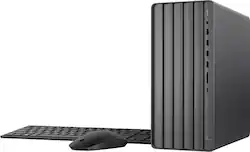
Fuel your creativity. Experience the power and performance of an Intel processor and NVIDIA graphics that’s designed to meet your creation needs. Render, edit, and stream better than ever before. Your creative sidekick.
Q: What type of storage does this HP Envy Desktop come with?
A: This HP Envy Desktop comes with a PCIe NVMe SSD.
Q: What kind of graphics card does this HP Envy Desktop use?
A: This HP Envy Desktop features integrated Intel UHD Graphics 730.
Q: How much RAM does this HP Envy Desktop have?
A: This HP Envy Desktop comes with 16 GB of DDR4 RAM.
Q: Does this HP computer have a built-in microphone?
A: Yes, this HP Envy Desktop includes a built-in microphone.
Q: What is the processor speed of this HP Envy Desktop?
A: This HP Envy Desktop has a CPU boost clock frequency of 4.7 gigahertz.
Q: What is the total storage capacity of this HP Envy Desktop?
A: The HP Envy Desktop has a total storage capacity of 1024 gigabytes.
Q: How quiet is this HP desktop computer?
A: HP desktops are designed to run super quiet, minimizing distractions.
A: Greetings from the Intel team. Thank you for your question. Intel is currently distributing to its OEM/ODM partners a new microcode patch (0x129) for its Intel Core 13th/14th Gen desktop processors, this will address incorrect voltage requests to the processor that are causing elevated operating voltage. For all Intel Core 13th/14th Gen desktop processor users: This patch is being distributed via BIOS update and will not be available through operating system updates. While the Vmin Shift Instability issue does not impact most Intel Core 13th and 14th Gen desktop processors, Intel recommends all users continue the following guidance: - Ensure the system runs the latest BIOS, which users can check on the Intel Compatibility Tool or the manufacturer's website. Users can also learn more about updating the BIOS by visiting the following website: How to Update the BIOS: https://www.intel.com/content/www/us/en/gaming/resources/how-to-update-bios.html - Utilizing the Intel Default Settings recommendations for their Intel Core 13th or 14th Gen desktop processor. Microcode (0x129) Update for Intel Core 13th and 14th Gen Desktop Processors: https://community.intel.com/t5/Processors/Microcode-0x129-Update-for-Intel-Core-13th-and-14th-Gen-Desktop/m-p/1622129 For detailed information about the Intel® Core™ i5 processor 14400, please visit: https://www.intel.com/content/www/us/en/products/sku/236788/intel-core-i5-processor-14400-20m-cache-up-to-4-70-ghz/specifications.html Thank you for choosing Intel! Emilio_Intel