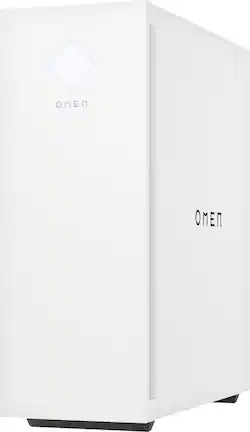
Get ready to play: The OMEN 25L Desktop PC lives for adventure, never leaves a teammate behind, and can pack a new 120mm front fan. Meet your new best friend, packing an AMD Ryzen™ processor and a NVIDIA® GeForce RTX™ graphics card. Cool never looked so hot: Sure, it's what's inside that counts, but it's what's outside that gets the looks. With tempered glass side panels, and complete RGB control, we made this PC for people who know that style points count on the final scoreboard of fun. Customize away: OMEN Gaming Hub is your one-stop shop to elevating your play. From getting rewards just by gaming, to controlling every little performance and lighting option of your machine, the list goes on. Every game, every play, every moment is now in your control.
A: The CPU will be 8 cores, and it is the 3060 Ti version. Here is a link to the full spec sheet for this model. It will have the most accurate info about the desktop. https://files.bbystatic.com/Huic3NIbZ5EFHi0gQpxRvA%3D%3D/Datasheet
Q: Is there a slot for a internal capture card on the motherboard?
A: THERE IS NOT AN *EXTRA* EXANSION SLOT FOR AN INTERNAL CAPTURE CARD! THERE IS 1 TOTAL PCI SLOT THAT IS USED FOR THE GRAPHICS CARD. THAT DOESN'T LEAVE AN EXTRA SLOT FOR THE CAPTURE CARD. BEWARE THIS ANSWER IS FALSE.
Q: do you have to use OEM / HP Parts or can you use any company's parts to do future upgrades?
A: Thank you for the question. You can upgrade your desktop with any brand of component compatible with the fittings/connections present on the motherboard.
A: Yes I had my ps5 controller pair to it and it worked flawlessly
A: Thank you for asking. Yes, the Omen 25L GT15-0324 has 1 HDMI 2.1 connection and 1 DisplayPort™ connection.
A: The first M.2 slot has the boot SSD, the second is for the wireless card, and the third is buried under the graphics card. In order to get to it, take off the glass side panel, remove the rear brace for the graphics card, remove the graphics card, and you will find a rectangular cover marked "SSD" on the motherboard where the power wire end of the graphics card normally is.
A: Apologies for what you're experiencing. What peripheral are you connecting to the USB ports? Please reach out to Support.HP.com or call 800-474-6836 for assistance.
Q: Can you plug in an SSD (the one that does not go in M.2 slots)
A: The computer doesn't have a bay to install a second drive. However, the computer has a 1 terabyte HDD and you could replace that with an SSD, since they connect to the motherboard with the same cables.