Rating 4.3 out of 5 stars with 71 reviews
4.3- Keyboard (18)
- Price (5)
- Build quality (4)
- Light weight (4)
- Performance (4)
- Battery life (5)
- Heating (3)
- Fan noise (2)
- Speakers (2)
- Finicky facial recognition (1)
Customer Images
The vast majority of our reviews come from verified purchases. Reviews from customers may include My Best Buy members, employees, and Tech Insider Network members (as tagged). Select reviewers may receive discounted products, promotional considerations or entries into drawings for honest, helpful reviews.
- Rated 2 out of 5 stars
I'm about to exchange my second one in 10 days
First one was re-sealed open box being sold as new (I have photographic evidence). They even shrink-wrapped the inner carton to make it more believable, but inside there was missing packaging, misapplied screen film, fingerprints and tape goo on the back of the PC. Exchange was quick (I was back at the store within the hour). Now this exchanged unit already had a warranty that started in July 2017 according to HP websiite and I had to contest the warranty with HP and get it extended to cover my purchase date. In the meantime, I noticed the screen has a 'ghosty' gray swirl that's obvious on any solid color screen or background, such as a blank Word document. Spoke to HP support and they say they can't fix that, but to take it back to Best Buy since I'm within the 15-day return window. I'll try one more and I'm done with this model.
Posted by PSG99
- Rated 5 out of 5 stars
Surface Pro Alternative
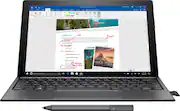
The HP Spectre line of product is HP’s bid into the premium market. My first look into the Spectre came when they announced the Spectre laptop that had a very stylish and premium design. The unfortunate drawback to that is the high asking price for the laptop. Having now the opportunity to test and try out the Spectre X2, an update to the previous year’s X2, I now get to see how this device performs and feel when handled. This year’s X2, model 12c012dx, features an updated Intel CPU. It’s a i7 7560U clocked in at 2.4GHz. There’s 8GB of RAM but part of it is allocated for Intel’s Iris GPU. For space, there’s 360GB of SSD capacity using M.2 interface. While this doesn’t allow much in terms of file storage, this can be offset using Microsoft’s OneDrive. However, free OneDrive users are limited to 5GB when signing up. This pales in comparison to the space you get when using Google’s Drive cloud storage. And other than the popular Dropbox, there are probably other cloud storage services that offer more space for free users. The X2 is designed overall to be more like a tablet than a laptop. However, HP includes a detachable keyboard that’s designed akin to the Microsoft Surface tablet. There is also a pen stylus that integrates well with Windows Ink. The stylus requires a single AAA battery so this is something to keep in mind when using this device. It has a microSD card slot accessible with a pin to eject the tray. But this appear to be only used to access media stored on the SD card rather than used as an expandable storage. There’s a Windows Hello compatible front facing camera along with a rear facing camera for quick picture taking. And lastly, there’s stereo front-facing speakers (in landscape orientation) and a 3.5mm headphone jacks for audio output. Setting up Windows 10 Home on the X2 is a breeze. It comes preinstalled with the Creators Update and its voice assistant, Cortana, helped guide me through the setup process. It was a surprise experience coming from a longtime keyboard and mouse user. But that doesn’t stop me from using the detachable keyboard to type in my password whenever I log in. While on that topic, using Windows Hello’s facial recognition is a new experience. Setup was simple and recognition is instantaneous. I believe that more Windows 10 devices should come with a Hello compatible front-facing camera in order to make the login process more seamless. When using the X2 with the keyboard, it becomes just like a laptop. Yet at the same time, it doesn’t have the laptop feel. This is likely due to how the keyboard is also a cover and thus doesn’t have the sturdy feel that traditional laptops have. This isn’t a negative point but it does takes some time to get used to this different feel. The trackpad has no obvious mouse button but the button orientation is standard -- bottom left and bottom right for left mouse button and right mouse button respectively. The function row keys are set to special functions by default (ie. screen brightness, mute, volume control, media playback). And for those who like typing in the dark or in poorly lit rooms, the keyboard comes with backlighting. But beware of using this for long, as it’ll obviously eat away battery life. The tablet slab has a 3000x2000 screen resolution, which looks quite amazing for a 12.3 inch display. Physically, it feels compact enough to be carried around with ease. However, on the flip side, it also weighs over 2.5lbs, much heavier than an Apple 12.9 inch iPad Pro. I personally feel weight is not much of an issue or factor when it comes to portable devices, as performance and battery life should be the top factors when shopping, with specs coming in behind. As for specs, the device feels snappy thanks to the M.2 SSD and Intel’s i7 CPU. I could only wish I had more time to play with the X2 so I can find some heavy software to push the CPU. Its (slightly less) 8GB memory will make multi-tasking and switching between software responsive and fast. Wireless networking performance is as good as it gets, allowing me to download the Guild Wars 2 client and data and fully saturating the download bandwidth to the maximum allowed by my ISP (25mbit/s down, 15mbit/s up). Reviewing the Bluetooth side is a bit tricky, as I pushed myself into buying a Logitech MX Master mouse. Connecting took a couple of minutes but only due to how Logitech didn’t come with any setup guide on its ability to connect using two methods (Bluetooth or via Logitech’s wireless dongle). But once connected, using the BT mouse makes using Windows a little easier than trying to manipulate the mouse via trackpad. On the software side, and like any manufacturer branded devices, the X2 comes preloaded with HP’s own suite of software, a couple of which I do not mind such as warranty status/registration. But Windows itself comes loaded with several unnecessities pinned to the Start Menu, all of which can be unpinned while some are just there for no reason at all. It also comes with McAfee, which I immediately uninstall due to its subscription requirement. There are other antivirus software that can do the same or better but without the subscription fee requirement. As for the little things that makes this laptop/tablet very nice to use, there’s a kickstand that allows the tablet to stand up with or without the keyboard. The kickstand can be oriented for a wide range of angles, thus allowing you to use the X2 in many viewing scenarios. But the kickstand can only be used in landscape mode. There is, unfortunately, no other angle when in portrait mode. Charging the X2 is easy and simple, as it uses USB Type-C. There are two ports, one per side in landscape, and either side can be used for charging. Using Type-C makes charging faster. It took about maybe an hour to go from 20-30% left in battery to 98%. From there, I was able to get a good 2+ hours before it is down to 30% with very heavy usage. That ranges from video playback, music playback, typing this review up using Chrome, installing Ilomilo from Windows Store, and (still) downloading Guild Wars 2 data from the server. Overall, I am liking the X2. The premium build and feel makes using it all the more better. The inclusion of a pen stylus in addition to the touchscreen only adds to the versatile value. The detachable keyboard is a good idea for how this device is designed. With a starting base price of $999, it’s $200 higher than the baseline Microsoft Surface Pro. However, with Microsoft’s current offering, and to come close to matching what the X2 offers, you’re looking at $1599 or $2199. And the Surface Pro is currently one CPU generation behind. The X2 is about as close to getting a Surface Pro without paying the high price of it. (post-draft addition) After finally getting the game data downloaded for Guild Wars 2, I did a quick run to check for performance quality. At 3000x2000 resolution, the game is able to run but all settings and details needed to be dialed down to the absolute minimal. I have not yet tested its performance using windowed mode and sized as close to 1920x1080. But framerate hovers around 20fps in sub-sample rendering (as opposed to native rendering which would have crippled the rendering performance). Needless to say, it’s not the best performing GPU but it’ll handle light 3D games without a problem.
Posted by Sixshot
- Rated 4 out of 5 stars
Nice Laptop/Tablet
I've used both Laptops and Tablets but this is my first experience with a 2-1 system so I was looking forward to receiving this to demo. Unpacking: inside the first box was a very nice black HP box. Different look for the HP logo and I like it! Everything was well packed and protected, The tablet on top in a protective cover, detachable keyboard and then power cable on the bottom. This comes with everything you need right out of the box, including both the keyboard which was much nicer than I expected from other detachable keyboard systems I'd seen in the store. Also included were a USB C to USB A adapter cable, a digital pen and even a nice storage sleeve. Nice job! Turning it on it quickly booted up to the initial setup screen thanks to the SSD drive. Getting WIndows 10 up and running was straight forward, answering the usual questions about language, region etc. Once the initial setup was complete the first step was creating recovery media so I could set it back to initial factory specs if needed. I had a spare 16gb flash drive so I connected up to started the process. There are two USB C ports one on either side of the tablet and I quickly realized they both accept the charging cable as well. This will come in handy when working while plugged in, not having to worry about which side you're plugging into the wall as you can always have the power cable on the same side of the tablet. Again a nice touch. Creating the recovery media on a flash drive was much faster than using DVD's and it wasn't long before I could start playing around. First off the display is outstanding. At a 3000x2000 it's very sharp. I was impressed by the included backgrounds and after connecting to my home network, I moved over a couple of movies to try out. Picture was very crisp and I was also impressed by the audio quality from such a thin device even at full volume. Connecting my noise cancelling Bluetooth headphones was a snap and this perfect for watching movies when travelling. The next step was checking the internet speed. I put it on the desk where I could run the test at the same time on the tablet and my desktop (both running over wireless). I ran the test multiple times and both upload and download speeds varied quite a bit on the tablet compared to the desktop. My connection is 75/75 and the desktop was consistently within 5Mbps, averaging 60 Mbs down and 80 Mbps up. The tablet on the other hand was all over the place, as low as 6Mbps down and 20Mbps Up and as high as 50Mbps Down and 70Mbps Up, but the results were always lower than the desktop on the same run, not sure why, but something I'll continue to play with. The 360Gb SSD drive and i7 processor kept everything moving along nicely, surfing the internet in multiple windows and running the various included programs, even while streaming a movie through Netflix which I wasn't sure about after the internet test, but once the movie started I didn't have any problems with buffering. I have mixed feelings about the keyboard. The keys have a great feel to them and feel more like a good desktop keyboard than a laptop or detachable tablet keyboard. The track pad when moving the cursor around and clicking is nice, but I had the same problem as many laptops that don't have a button to disable the pad, the heel of my hand contacting the pad and having undesirable results. Maybe I'm just a lazy typist but I always have the heels of my hands resting on the desk with a desktop keyboard and that puts them right on the edges of the track pad. Trying to write this review on the tablet didn't go well for me so I had to move over to the desktop. I'd never used a digital pen before and I was surprised at how well it worked. My handwriting with the pen was pretty comparable to pen and paper. It was nice being able to open a document and write notes instead of having to have the keyboard connected and pounding away on the keys. There are two buttons on the pen, one serves as an eraser and the other is a right click button. Overall I'm impressed with the build quality of this tablet. It comes with everything you need and with quality components. If I had to choose between this and any of the laptops I've used in the past I'd go with the Spectre X2. It's a perfect size and weight for the person on the go.
Posted by johnk2032
- Rated 1 out of 5 stars
Screen delaminating from computer!
Purchased 2017 - traveled once with the computer. It has been used primarily as a desktop. Love the speed and ease with which it works. However, now that COVID is over I'd like to travel. In 2020, the screen has delaminated from the computer. I cannot close it in a laptop fashion since the screen has a big bow in it. You can actually see into the guts behind the screen. No chance to travel. That's why I bought a high end model that would stay current for a longer number of years. I had a warranty but it ran out by the time this began to delaminate.
Posted by B1Bill
- Rated 5 out of 5 stars
Awesome Premium 2-in-1 Tablet/Laptop
The HP Spectre X2 (2017 Edition) is HP’s answer to Microsoft’s Surface Pro. It is a premium 2-in-1 product with beautiful build quality and a 3000x2000 high resolution screen that supports an active stylus. The stylus uses an AAAA battery which is included and works great with programs like CLIP Studio Paint. It is pressure sensitive so the harder you press, the darker the lines are drawn which can produce drawings with a pencil or brush like appearance. I think this product will be popular with aspiring artists. Like the other reviewer, I could not get the pen to fit into the fabric pen holder on the keyboard. As a 2-in-1, it can function like a tablet or laptop. With 8 GB of memory and an Intel i7 7560U mobile CPU, the Spectre X2 is powerful enough to handle most any tasks without bogging down. I installed Visual Studio 2017 Community from a flash drive in about 30 minutes and in my brief use, it felt pretty zippy. The included keyboard easily snaps into place using magnets and the feel and layout is good for typing code. A clever built-in kickstand allows you to adjust the screen’s angle to your liking. There were times when the back can get warm and the fan will spin up and push warm air out the tiny vents. Streaming Netflix worked great. I watched the first episode of Glow and it played flawlessly with no buffering. The video quality was excellent on the high resolution screen. This is my first computer with a super high resolution screen and some older programs are hard to use because the text and menu items are so tiny. Manga Studio Ex4 was one program that had really tiny text and menus. Luckily, it’s successor (CLIP Studio Paint) is able to take advantage of high resolution screens and text and menu items were able to scale up to be usable. In my brief use, the included webcam seemed to produce very good quality video compared to webcams on other tablets and laptops that I’ve used. I was very impressed with the quality. I think it might be the best webcam that I’ve used. The HP Spectre comes with 2 USB Type-C ports and an included USB Type-C to USB 3.0 adapter cable. Using the adapter cable, I was able to hook up a USB DVD drive to install programs. You can use either USB Type-C ports for charging. It comes with a 320 GB SSD but I wanted to expand the storage so I bought a SanDisk 200GB Micro SD card. You have to use an included pin to push into a tiny hole in the Micro SD cover/caddy. This pops out the cover/caddy and you can then remove it to reveal an empty slot. The Micro SD card fits into the caddy and then you just plug the caddy (with the Micro SD card) back into the empty slot. When I did this, the Spectre X2 did not recognize the card. I unplugged and replugged the SD card a couple of times but it still wouldn’t see it. It turns out that I had to update the Realtek PCIE CardReader driver (in Device Manager under the Memory Technology devices node) by right clicking it and selecting “Update driver”. As soon as the driver was updated, the Spectre X2 saw the card as an SDXC drive. Wireless performance is excellent with my Linksys Velop router. I am able to get 30MB/s from my NAS. So far, I’ve been using the Spectre X2 mostly in laptop mode. I am not that familiar with how Windows works in tablet mode so this is something that I will need to set aside some time in the future to experiment more with. This is an excellent device. I’m very pleased with it and it just seems really neat that something so light and portable is so much more powerful than my old bulky and heavy laptop.
Posted by DoctorHoo