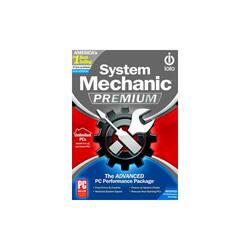
Take the worry out of owning and operating a PC with innovative system security, speed optimization, clutter cleanup and more. With one comprehensive program, you can boost performance, fix errors and proactively prevent problems from re-occurring on your PC. From deleting duplicate files, increasing your system's start-up speed and protecting your identity to reclaiming wasted RAM, eliminating crashes and restoring lost data, System Mechanic Premium packs an inclusive arsenal of PC performance and data protection tools that ensure your PC is running like new. System Mechanic Premium provides a complete and effective PC performance package with a uniquely comprehensive approach to complete computer care with tools that clean, optimize, protect and back up your PC. This software solution will give you the ability to read and write files faster by optimizing critical file storage activity, reclaim wasted RAM, resolve registry problems, block unauthorized startup programs and much more. DriveScrubber provides military-grade file deletion and wipes any drive. Online Backup allows you to access, download, edit and save your data anytime, anywhere and on any PC or mobile device, so you always have your important data at your fingertips with cloud-based technology. Enhanced Tune-Up Definitions ensure the problem-solving capabilities of System Mechanic are automatically updated, allowing the software to fix more than 30,000 different problem areas with surgical precision. Whether you're surfing the Web, gaming, communicating with friends and family, saving photos, music or videos or simply word processing, your PC is important, and System Mechanic Premium will leave you feeling confident that it's working at its best. This item cannot be returned or refunded, please visit Best Buy Return Policy to learn more.
A: Your best bet is to buy the recovery discs from the your computer maker if you have a dell you can download it for free on a USB stick but it takes some time and patience its a bit of a learning curve as long as you have your serial number and your model number down you should be able to go to them and ask for what you need if all else fails try to download a fresh copy of windows 10 off there website and download the drivers off the computer companies website but if you have a hp you can call up the company and get the full restore discs from them yes its a bit expensive but its for future use and comes in handy for your issues or you can try pressing esc when it boots up tell a menu pops up and gives you the boot menu option or try f7 or f9 or f12 for boot menu options I have had some issues as well hope this helps you out