JLab - Flow Bundle Multi-device Wireless Ergonomic Keyboard and Mouse Set - Black
Model: KMFLOWBUNDLE4
SKU: 6621216
Sold byBest Buy
Customers are positive about the product's ergonomics, overall performance, and key responsiveness, noting that it is comfortable to hold and functions effectively. Customers are negative about the connectivity, reporting occasional issues with the device staying linked to their computers. Additionally, some users have expressed concerns regarding the button layout, finding the typing experience to be inconsistent.

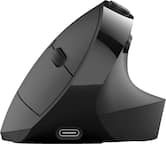
The Flow Keyboard features a flowing design that matches the natural curve of your hand, complemented by a soft, padded palm rest for added support. The full-sized ambidextrous mouse ensures enhanced comfort over long durations of use.
Access the power of AI with just a click*. The dedicated AI button provides quick access to AI apps like Gemini, ChatGPT, and Copilot, programmable via the Work app.
The Flow Bundle is compatible with three device connection options. You can pair with nearly any type of device using Bluetooth 5.2 or the USB-C dongle. We hate pairing confusion too, so we made it super easy for you to switch between saved devices. To keep connections simple, both the Flow Keyboard and Flow Mouse can connect to a single USB-C dongle, freeing up other ports.
Through the JLab Work app, program hotkeys for shortcuts to your favorite functions within any application. Save up to three unique profiles for different use cases, and switch between them effortlessly depending on what you're doing.
The media knob gives you quick control of your audio right from your Flow Keyboard. Whether you're answering an important phone call or finding the perfect song to get in the zone, it's only a click away—no mouse necessary.
Personalize your typing experience with the JLab Work desktop app. Save up to three unique profiles and program hotkeys for shortcuts to your favorite functions within any application, tailoring the Flow Keyboard to your specific needs and preferences. The JLab Work desktop app also provides customization of the Flow Mouse button functionality.
Learn more >