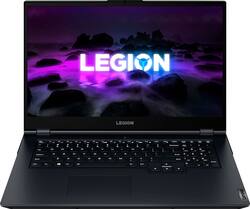
Experience today’s top AAA games on the Lenovo Legion 5. Inside the clean, minimalist chassis of the Legion 5, available in Phantom Blue, is everything you ever need to compete on equal footing with the pros, including the latest generation AMD Ryzen processor and NVIDIA GeForce RTX graphics for performance that’s AI-optimized by the Legion AI Engine powering the revolutionary Legion Coldfront 3.0 and Q Control. Excel across every AAA title with a 17" FHD display at 144 Hz refresh rate, featuring 72% NTSC color accuracy and Nahimic 3D audio.
Q: Is this laptop able to be upgraded later on like if i wanted to raise the ram and stuff like that
A: The RAM yes, you can upgrade up to 32gb later on. You can also expand the storage. Everything else is soldered on (CPU, GPU, etc.)
A: Yes you can upgrade to 16gb or 32gb RAM. There are videos online of how to do this if you want to save some money. However, if you would feel better if someone did it for you, I am sure Geek squad can do this for a fee (I don’t know how much though).
Q: Does this support 2 ssd drives? Will this support a 2TB PCIe 3.0 NVMe M.2 SSD?
A: This Lenovo Legion 5 17, model number 82K000ANUS, ships with 512GB SSD M.2 2242 PCIe® 3.0x4 NVMe® and supports Up to two drives, 1x 2.5" HDD + 1x M.2 SSD (2.5" HDD up to 1TB; M.2 2242 SSD up to 512GB; M.2 2280 SSD up to 1TB). We recommend consulting your Certified Technician before making any storage upgrades.
Q: What type of ssd do I need to upgrade to 1tb?
A: 1TB NVMe SSD
A: There is 2 Ram slots. One card faces upside down (top slot, Ram chip faces towards board), the second slot is on the bottom (logo should be face up). The 8gb in this pc is on 1 Ram chip. So to go to 16, you just need another 8gb ddr4 Ram chip.
Q: the product is new or second-hand?
A: I bought mine new, but Best Buy does tend to have both open box (which would be returned items) and refurbished items listed on their website at reduced prices.
A: This Lenovo Legion 5 17, model number 82K000ANUS, ships with a 17.3" FHD (1920x1080) IPS 300nits Anti-glare, 72% NTSC, 144Hz, Dolby® Vision™, FreeSync™ Display.
Q: Is this VR compatible and capable and does it pair well with an Oculus Quest?
A: That really will depend on the requirements and compatibility of the specific VR setup and version you want to use. We recommend you check with the specific VR publisher's web site, for their compatibility with Windows 11 Home 64-bit operating system and the minimum/recommended hardware requirements (Is a Graphics card required, the processor speed and the minimum required system RAM and the minimum available hard drive space) to run their program, then compare those requirements to this system's configuration.