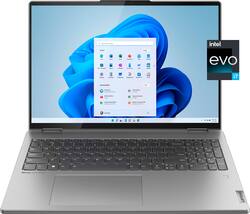
The Lenovo Yoga 7i combines versatile portability and enhanced productivity, thanks to the boundary-breaking performance and responsiveness of 12th generation Intel Core processors and vibrant WQXGA clarity with Intel Iris Xe 96EU graphics. Go anywhere with a sleek 2-in-1 metal chassis featuring thoughtful details including a webcam privacy shutter.
Q: What are some of the cons/weaknesses of this laptop?
A: The display has pretty bad IPS glow. The contrast isn't very good so when watching movies or videos with dark scenes the black colors look purple/pink. The speakers suck for watching videos/tv shows/movies because it makes peoples voices sound weird, hollow, and unnatural. The touchpad doesn't always register clicks and sometimes stops tracking your fingers. And lastly it has the flaw every windows 11 laptop has, not all software supports Windows 11 so you may not get good compatibility with your favorite programs if you're upgrading from an older operating system.
A: This Lenovo Yoga 7i 16, model number 82QG0000US, supports up to 4 independent displays (native display and 3 external monitors via HDMI and Thunderbolt). HDMI supports up to 4096x2160@60Hz, Thunderbolt supports up to 4096x2304@60Hz.
Q: Can we downgrade this to Windows 10 pro? I do not like Windows 11 at all.
A: This Intel Evo-Certified, Lenovo Yoga 7i 16, model number 82QG0000US, ships with Windows 11 Home, 64-bit Operating System factory installed. You can downgrade this factory installation of Windows 11 Home to Windows 10 Home at no additional cost. Here is a link to instructions for doing this: https://answers.microsoft.com/en-us/windows/forum/all/downgrade-from-windows-11-to-windows-10/84a2416d-ccfb-4d87-9eee-e1056591e91f
A: This Lenovo Yoga 7i 16, model number 82QG0000US, ships with a 16:10 aspect ratio, 16 inch (screen size measured diagonally) IPS - 2.5K WQXGA (2560x1600) 10-point Multi-touch screen, with a brightness level of 400 nits, has a Glossy finish. This screen provide 100 Percent of the sRGB color gamut for excellent color accuracy. This screen is Low Blue Light and Dolby Vision Certified. Lenovo has chosen to use Dolby Vision exclusively for the highest quality video playback at 2560 x 1600 resolution. When compared to Dynamic HDR, this means that if you are watching an HDR movie on an HDR display, HDR10 will set the same metadata for the entire film. In contrast, Dolby Vision can change information such as color and brightness dynamically, thus making the viewing experience more immersive.
Q: How many M.2 SSD slots does it have? Are the WiFi and RAM upgradeable?
A: 1 m.2 slot which can take a 2242 using the adapter on the existing drive or a 2280 drive. It is not limited to 1TB (I currently am running it with a 2TB 2280 m.2). The wifi adapter is removable, the RAM is soldered and not upgradeable.
Q: What is the brightness, color accuracy, and refresh rate of the display?
A: This Lenovo Yoga 7i 16, model number 82QG0000US, ships with a 16 inch (screen size measured diagonally) IPS - 2.5K WQXGA (2560x1600) 10-point Multi-touch screen, with a brightness level of 400 nits, has a Glossy finish, and has a refresh rate of 60Hz. This screen provides 100 Percent of the sRGB color gamut for excellent color accuracy, has TUV Low Blue Light, DC Dimming, Dolby Vision. The aspect ratio of this screen is 16:10.
Q: Does this laptop have Thunderbolt 4, USB 4, and HDMI 2.1?
A: This Lenovo Yoga 7i 16, model number 82QG0000US, ships with these ports: 1x USB 3.2 Gen 1, Type A, 1x USB 3.2 Gen 1, Type A (Always On), 1x HDMI 2.0, 1x Card reader, 1x Headphone / microphone combo jack (3.5mm), 2x Thunderbolt 4 (support data transfer, Power Delivery 3.0, and DisplayPort 1.4) ports.
A: This Intel Evo-Certified, Lenovo Yoga 7i 16, model number 82QG0000US, ships with 1x System FAN L 82QG AVC FAN, Lenovo Part Number 5F10S14020 and 1x Heatsink L 82QG AVC FAN, Lenovo Part Number 5H40S20540, for optimum system cooling.