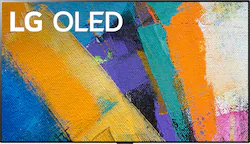
Stream your favorite series and movies on a big screen with this 55-inch LG OLED TV. The 4K Ultra HD capability lets you enjoy outstanding true-to-life imagery, while the smart features offer seamless access to online and video streaming services. This LG OLED TV has HDMI and USB ports for hassle-free connection to external devices.
A: Yes, you can attach this tv to any wall mount that accepts a standard VESA 300 x 300 specification. One of the main reasons for buying this TV, though, is the included no gap mount, which is designed to make the TV look like a picture on the wall. When using the included mount, there is absolutely no space between the TV and the wall; the TV itself is so thin that the distance between the wall and the front of the TV is only one inch! Incredible. If you use any other wall mount, there will be a gap and you will lose the impact of the TV's design. If that is what you plan to do, I recommend not paying the extra money for this TV. Go with the C series, which is only an inch thicker and the PQ is almost as good.
Q: what is the difference between the cxpua and gxpua 55"
A: Another big difference is that the GX supports ATSC 3.0, which means that the TV can handle over-the-air 4k broadcasts whenever TV stations in your market make that upgrade.
Q: Does this TV have HDMI 2.1? Does this TV offer Variable Refresh Rate as part of its gaming features?
A: Hello , Yes this TV has 4 Hdmi 2.1 ports that support 4k at 120hz and does have Variable Refresh Rate through Nvidia G sync or AMD freesync
A: Hi Raym. The pixelation you are experiencing on the LG GX 55 inch Class with Gallery Design 4K Smart OLED TV w/AI ThinQ® (54.6'' Diag), Model # OLED55GXPUA could be from the signal from your cable company. I recently started experiencing the same issue with my cable feed, but it only occurs on some channels and more on commercials than on regular programming. In the settings menu on the TV, you can perform a Picture Test to verify that the image signal is being output normally, and determine if there is an error with the signal on the screen. If there are no problems in the test, check the connected external device or broadcast signal. On your remote control, press Settings (gear icon) > then on the TV click Advanced Settings (three vertical dots icon) > Support > Additional Settings > Picture Test. You can also contact your service provider and they can verify if they are experiencing any issues with their service in your area...^IFV
Q: Can I upload my own images to use in Gallery mode?
A: no. LG webos has too many nonsense restrictions like this. I regret the purchase now.
A: When the stand, Part # AN-GXDV55 for the LG GX 55 inch Class with Gallery Design 4K Smart OLED TV w/AI ThinQ® (54.6'' Diag), Model # OLED55GXPUA is attached, the stand legs will have a width of 46". The TV has a VESA Wall Mount Interface Pattern of 300 x 300 which means that the VESA Mount bolt holes in the back will be 300 mm apart vertically and 300 mm apart horizontally, so the distance between the lower left and lower right mounting holes is 300 millimeters...^IFV
Q: can I use the "breakout cable" from the LG 55cx ?
A: Yes, there is an AV Input that requires a breakout cable which is not an included accessory. ^Daphane
Q: This Lg Oled has a refresh rate of 120Hz but why am I only getting 60Hz
A: The LG GX 55 inch Class with Gallery Design 4K Smart OLED TV w/AI ThinQ® (54.6'' Diag), Model # OLED55GXPUA and all our OLED TV models all have a 120Hz panel. The refresh rate that is showing on the screen is the refresh rate of the incoming signal. The TV automatically refreshes at 120Hz and it is only informing you that you have a 60hz signal that represents the incoming signal. All broadcast television signals are 60 Hz, with 1080i having 60 fields (half a frame) per second, and 720p having 60 frames per second...^IFV