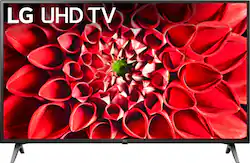
LG UHD TV is your ticket to a stunning picture. Get easy access to new and popular apps like Disney+, the Apple TV app, Sling and more. Elevate entertainment with surround sound, auto picture settings of Filmmaker Mode™ and convenient updates of Sports Alert.
Q: whats the difference between this model and the 55 un7300 series?
A: The difference between the LG 55" Class UN7000 Series Smart LED 4K UHD TV with HDR and the LG 55 inch Class 4K Smart UHD TV with AI ThinQ® (54.6'' Diag), Model # 55UN7300*** series TVs is that the UN7300 series is a higher-tiered series that supports Bluetooth, is Compatible with the LG Magic Remote (an LG Magic Remote is supplied with the TV), it has both Google Assistant and Alexa built-in, it has Bluetooth Sound Ready / Bluetooth Surround Ready, it has Universal Remote Control, Intelligent Voice Recognition, and a Home Dashboard...^IFV
Q: Which wireless headphones work with this model
A: The LG UHD 70 Series 55 inch 4K HDR Smart LED TV, Model # 55UN7000PUB does not support Bluetooth so it is not compatible with Wireless Bluetooth Headphones. You can use it with Wireless Infrared Headphones/Sets but you will need to purchase a Digital/Analog Converter and an Optical cable to make the necessary connections...^IFV
Q: Will this fit on a stand that is 44” wide?
A: The stand width on this TV is 44.4". ^Daphane
Q: Can you download Apple TV on this?
A: yes
A: The LG UN7000 55" Class HDR 4K UHD Smart IPS LED TV, Model # 55UN7000PUB has a weight of 30.2 lbs (13.9 kg) without the stand and a weight of 30.6 lbs 13.7 kg) with the stand...^IFV
Q: Can you hook up an Amazon Fire Stick?
A: You can plug an Amazon Fire Stick into any of the three HDMI ports on the LG UHD 70 Series 55 inch 4K HDR Smart LED TV, Model # 55UN7000PUB. The Amazon Fire Stick is designed to work through HDMI ports on a TV...^IFV
A: Yes, when it’s hooked to cable, it turns on to the last channel you were watching automatically.
Q: If you are facing the tv screen-which side of the back are all the Inputs and on/off button?
A: The manual On/Off button for the LG UN7000 55" Class HDR 4K UHD Smart IPS LED TV, Model # 55UN7000PUB is in the middle on the underside of the panel where the LG logo is. The inputs/outputs that are described as being on the back of the TV are in the middle of the TV and those described as being on the side are on the left hand side in a recessed area on the back of the TV as you face the TV from the front. Click on the sixth thumbnail image from the left for the TV under its main image on its product information page on the Best Buy site and enlarge the image to see the back of the TV showing the inputs & outputs...^IFV