LG - StanbyME 2 - 27” Class LED QHD Smart webOS Portable and Detachable Touch Screen with Full Swivel Rotation (2025)
Customers are saying
Customers frequently mention the exceptional portability of this television, making it a standout feature for users on the go. Many reviewers also praise the high-quality picture and the impressive battery life that supports extended viewing sessions. Additionally, users appreciate the responsive touchscreen interface and the beautiful design that complements their home decor.
Series
StanbyMEHighlights
Features
Detachable and Portable
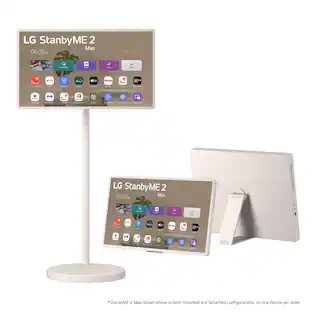
Take the screen off the stand and use it like a tablet. With accessories like an included folio cover and optional strap², you can position or hang it anywhere.
Free to Roam
Say goodbye to power cords and hello to cordless freedom with the StanbyME 2 built in battery that lasts up to 4-hours.¹
Full Touchscreen
The built-in 27-inch touchscreen makes it easy and convenient to use, providing more ways to enjoy your screen. Draw, explore educational content, game and bring all your ideas to life with a touch.
Mood Maker Sets the Vibe
Express your style and taste with motion artwork through content and functionally themes such as clock, weather, turntable, and more. Showcase your favorite image with a screen that works like a digital photo frame.²
Beauty and Brains
Go beyond with QHD quality with 2560 x 1440 screen resolution. Plus the Alpha 8 AI processor with AI technology detects what you're watching to automatically improve picture & sound quality. Enjoy remarkable picture and sound on a portable screen.
A Universe of Entertainment at Your Fingertips
Search less and stream more with LG’s Award-winning Smart TV platform - which delivers a smarter more personalized experience. Browse all your favorite streaming apps and let LG Channels connect you to over 350 free channels.³
TV Mirroring: Seamlessly Connect and Share
TV mirroring allows you to display the content from your smartphone, tablet, or computer directly onto your screen. Whether you're watching videos, playing games, or sharing photos, TV mirroring provides a larger, more immersive viewing experience.
Dolby Vision, Dolby Atmos
Enjoy thrilling picture and sound with Dolby Vision and Dolby Atmos.⁴ With your screen's side-firing speakers, you can have a Dolby theatre experience in the comfort of home.
AI Brightness Control
AI reacts to the ambient light in your space and automatically configures and adjusts your screen.²
AI Sound Pro
Discover an exceptional audio experience from AI-enhanced sound clarity.
USB-C Compatible
Made for convenience. Easily charge the StanbyME 2 with an external battery back up⁵ or connect your screen with the USB-C port.
Easily Connect to Other Devices with HDMI and USB
Connect your portable touch screen to a wide range of other devices. From monitors, laptops, IPTV set-top boxes, mobile devices, game consoles, and more through the built-in USB and HDMI ports.
Far-Field Voice Recognition
Whether you're calling out commands from the couch or multitasking in the kitchen, StanbyME 2 can recognize your voice. Enjoy the freedom of seamless, hands-free interaction.
Magnetic Clip-On Remote
Control your portable touch screen with a convenient remote. Its magnets snap to the side of your screen and folio cover, making it easy-to-reach and store.
With Let's Draw, Turn Your Ideas into Art
Create art using the full touch screen and display your masterpieces through the Always On Display.
Built in Games
Enjoy titles like Memory Game, Million Marble, Spot the Difference, Chess, and more even without a smartphone. Play directly on the touch screen and enjoy casual fun with family and friends.
Software Updates up to 5 Years w/ LG’s Award-Winning webOS Re:New
Keep your device operating system up-to-date. Get full upgrades and enjoy the benefits of the latest features and software for StanbyME 2.³
Specifications
- Display TypeLEDResolution1440pScreen Size Class27 inchesHigh Dynamic Range (HDR)YesHigh Dynamic Range FormatHDR 10, Hybrid Log-Gamma (HLG)
Reviews
Rating 4.7 out of 5 stars with 83 reviews
- Portability (55)
- Picture Quality (40)
- Battery Life (16)
- Touchscreen Responsiveness (12)
- Design (3)
Customer Images
The vast majority of our reviews come from verified purchases. Reviews from customers may include My Best Buy members, employees, and Tech Insider Network members (as tagged). Select reviewers may receive discounted products, promotional considerations or entries into drawings for honest, helpful reviews.

- LG - 86" Class MRGB95 Micro RGB evo AI 4K Smart webOS TV with Triple 100% Color Coverage Certified (2026)$5,299.99The price was $6,999.99
- LG - 98” Class NU85 Series LED Nano 4K UHD Smart webOS TV (2026)$1,499.99The price was $2,199.99
- LG - 83" Class G6 OLED evo AI 4K Smart webOS TV with Reflection-Free Premium and Flush Fit Gallery Design (2026)$5,499.99The price was $6,499.99
Compare similar products
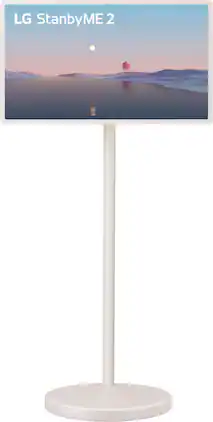
The LG StanbyME 2 Portable Touchscreen -- enjoy a wireless smart screen that you can detach and carry with up to 4 hours of battery life¹. Explore different ways to enjoy content and express your style. Roll the screen around with the adjustable stand. Detach it and hang it with up to 4 hours of battery life¹. Or use it like a tablet with the folio cover.
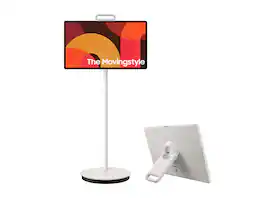
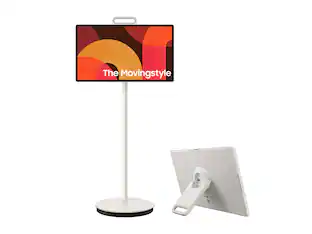
Cut the cord on how you watch, work and engage. Detach and use it like a tablet (does not support a stylus), or leave it on the roll-able floor stand and wheel it where you want to go. This portable touch screen allows you the freedom to watch and interact from room to room with up to 3 hours of battery life - based on Eco Screen Mode, volume 20, HDMI input, power saving mode on, standard video play. Results vary with set tings, usage, temperature, depth of discharge and battery age. Can be charged using the included 65W power adaptor.

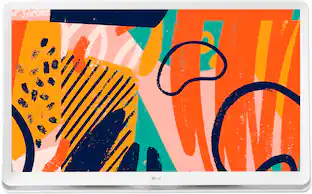
The LG 27LQ600S Smart TV Monitor feels right at home, anywhere in the home. With a thoughtful design which includes a wide display base, this Smart TV monitor can go nearly wherever it’s needed. Place the screen on virtually any counter or desk top and enjoy your favorite streaming content via LG’s webOS smart TV platform, or use as a computer monitor to just as easily immerse yourself in your work. The large, 27” Full HD IPS screen is a great size for placement in the kitchen, a second bedroom or even a dorm room.
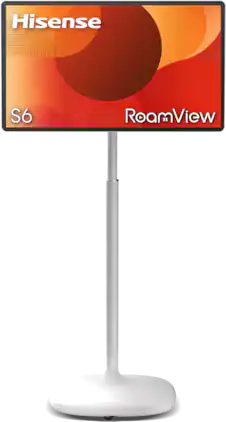
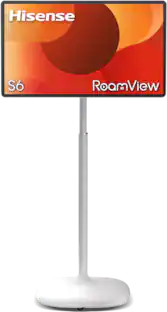
Meet Hisense RoamView S6 Series, the portable 32" 4K touchscreen built to move with your life. Watch movies in bed, video chat from the porch, check recipes from the kitchen, game in the living room - either on the rolling stand or detach and use with the table top easel. With touch controls, up to 10 hours of battery life and Android OS built in, your favorite content is always one roll away.
| Pros for LG - StanbyME 2 - 27” Class LED QHD Smart webOS Portable and Detachable Touch Screen with Full Swivel Rotation (2025) | |||
|---|---|---|---|
| Picture Quality, Design, Portability, Battery Life, Touchscreen Responsiveness | There were no pros for this product— | Picture Quality, Design, Size, Ease of use, TV Size | There were no pros for this product— |
| Cons for LG - StanbyME 2 - 27” Class LED QHD Smart webOS Portable and Detachable Touch Screen with Full Swivel Rotation (2025) | |||
| There were no cons for this product— | There were no cons for this product— | Remote Control | There were no cons for this product— |
Specs
Questions & Answers
If this can be used outside, can it be in the sun for several hours? And is screen still visible?
Answered by LG Digital Customer CareHello there, Jo. We understand your inquiry regarding the 27LX6TYGA and its performance when used in outdoor settings. The StanbyME Go is uniquely designed for versatility and portability, making it a wonderful companion for travel, picnics, and outdoor gatherings. While the screen is built to provide a high-quality QHD resolution and features brightness settings to accommodate various environments, viewing any display in direct, intense sunlight for several hours can lead to glare and may cause the unit to reach high temperatures. For the best visibility and to maintain the optimal performance of the built-in battery and internal components, we recommend placing the 27LX6TYGA in a shaded area or under a canopy. This allows the α8 AI Processor and the display's technology to deliver a clear and vibrant picture without the interference of heavy reflections. https://www.bestbuy.com/product/lg-stanbyme-2-27-class-led-qhd-smart-webos-portable-and-detachable-touch-screen-with-full-swivel-rotation-2025/JJ8VPZWVLF If you have any further questions about its features or outdoor usage recommendations, please contact us on lgdigitalcare@lg.sprinklrsupport.com, and our team will be more than happy to assist you. —Renzo
Is the family feud game on the device and Jeopardy?
Answered by LG Digital Customer CareYou cannot download and install traditional standalone video game apps for Family Feud or Jeopardy! directly onto the LG StanbyME 2 - 27” Class LED QHD Smart webOS Portable and Detachable Touch Screen with Full Swivel Rotation (2025), Model # 27LX6TYGA. The LG StanbyME 2 (27LX6TYGA) runs on LG's proprietary webOS 24 operating system (rather than Android or iOS), it does not have access to the Google Play Store or Apple App Store. However, you can still play both games on this screen using alternative methods built specifically for smart TVs. The Weekend app is compatible with LG's webOS TV Platform, so it can be downloaded and installed on the TV, and you can play an official, voice-interactive version of Jeopardy after you scan the on-screen QR code with your smartphone to turn your phone into the game controller. (Note: The app usually offers a free trial but requires a paid subscription for full ongoing access) Since there is no native webOS app for Family Feud in the LG app store. To play Family Feud on the screen, you can download a mobile Family Feud game app on your iPhone or Android device. You can then use the StanbyME 2's built-in Apple AirPlay 2 or Google Cast functionality to mirror your phone screen directly onto the 27-inch display. Another alternative for Family Feud is cloud gaming via HDMI. You can play full console-grade versions of Family Feud (such as the Ubisoft version) by plugging a Nintendo Switch, PlayStation, Xbox, or a streaming device (like a Roku or Apple TV) directly into the StanbyME 2's HDMI / USB-C video input ports...^Ivan.
Does the stand wheel around?
Answered by LG Digital Customer CareCould you please clarify what you mean by "Does the stand wheel around?". As indicated in its title, the LG StanbyME 2 - 27” Class LED QHD Smart webOS Portable and Detachable Touch Screen with Full Swivel Rotation (2025), Model: 27LX6TYGA, has "Full Swivel Rotation", meaning the stand allows the screen to both pivot (rotate) and swivel...^Ivan.
Does this screen have built in speakers?
Yes, this screen has built-in speakers that are side firing.
This question and answer was generated by AI based on customer and product data.Is it possible to mirror content from my phone to this screen?
Yes, TV mirroring allows you to display content from your smartphone directly onto the screen.
This question and answer was generated by AI based on customer and product data.

Customers often buy these together
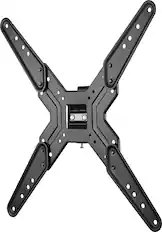
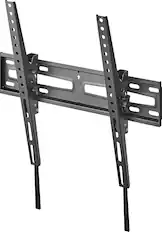
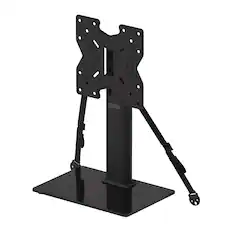
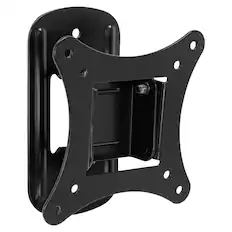
Monitor and Television Mounts
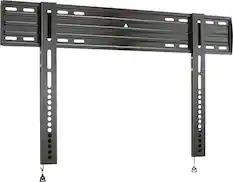
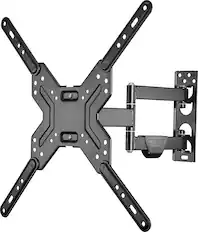
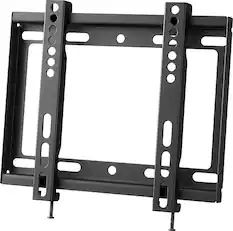

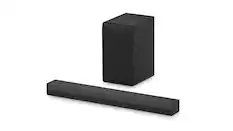
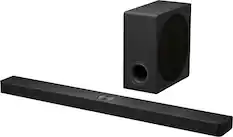
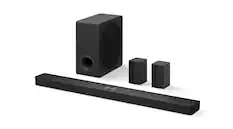
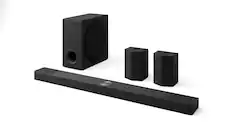
Soundbars
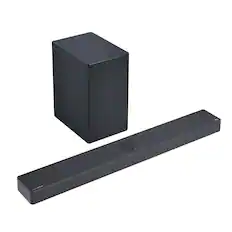
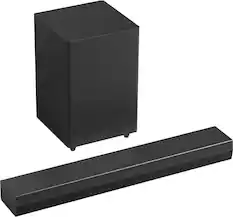
LG - 3.1.3 Channel SC9S Soundbar with Wireless Subwoofer, Dolby Atmos, WOW Orchestra - Black
$699.99The price was $799.99
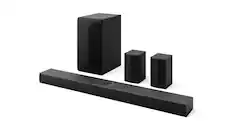
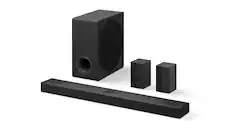
LG - 9.1.5-Channel S95AR Home Theater Soundbar with Wireless Subwoofer and Rear Speakers, Dolby Atmos, WOW Orchestra - Black
$1,199.99The price was $1,699.99
More recommended items
 4K HDMI (2.0) Cables
 Surge Protectors
 Cable Concealers
More to consider
 Clearance$199.99The price was $209.99
 $1,099.99The price was $1,799.99
 $699.99The price was $1,299.99
 $649.99The price was $1,299.99
 $649.99The price was $1,299.99
 $799.99The price was $1,499.99
 $899.99The price was $1,099.99
Elevate your entertainment Sponsored
Discover related products
 $109.97The price was $159.97
 $169.99The price was $174.99
 $39.99The price was $42.99

Keep exploring
 $1,197.99The price was $1,497.99
 $1,399.99The price was $1,599.99
 $1,549.99The price was $2,349.95
 $109.99The price was $139.99
 $2,299.99The price was $2,599.99