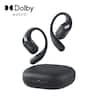
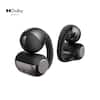
MEE audio - Cinema 3D Wireless TV Headphone System with Connect BT Transmitter and Over-the-Ear HP with ANC & Spatial Audio - Black
Model: CMB-T1CMA3D-BK
SKU: 6673315
Reviews coming soon
Reviews coming soon
Upgrade your TV audio with the MEE audio Connect T1CMA3D Bluetooth wireless TV headphone system and enjoy crystal-clear digital sound without bothering those around you. Includes MEE audio Cinema 3D Bluetooth headphones and a MEE audio Connect wireless audio transmitter, which adds compatibility with older TVs and other devices without built-in Bluetooth. Features include 3D spatial audio with head tracking, allowing movie, game, and music audio to follow your head movements so sound feels like it’s all around you - not just in your headphones – as well as powerful hybrid Active Noise Cancellation, a dedicated CinemaEAR EQ button, and a wireless charging pad for easier charging.

Includes Cinema 3D headphones and Connect Bluetooth audio transmitter, paired for a plug-and-play setup right out of the box.
Enjoy immersive home theater sound without bothering roommates, children, or other family members, or watch in bed without disturbing your significant other.
Add a second Bluetooth headphone and stream audio to both simultaneously. With headphones that have built-in volume controls (such as Cinema 3D), each listener can adjust the volume independently.
Included Connect transmitter enables older TVs and other devices without Bluetooth to stream clear, distortion-free digital sound wirelessly to Bluetooth headphones.
For TVs that do have built-in Bluetooth, the transmitter can add flexibility such as the ability to use the TV speakers and Bluetooth headphones at the same time, or to use two Bluetooth headphones simultaneously. Check TV specifications for details.
The Connect transmitter offers digital and analog audio inputs for compatibility with older and newer TVs, set-top/cable boxes, computers, and more, connecting via either digital optical (S/PDIF), RCA, or 3.5mm headphone jack. All cables included.
Experience spatial audio that reacts to your head movements in real time, increasing immersion and making it feel less like you’re wearing headphones.
Activate powerful hybrid ANC to block external noise or switch to Transparency Mode for better awareness of your surroundings.
Cover the touch panel firmly with your palm to temporarily mute the audio and activate Transparency mode - perfect for quick chats without taking off your headphones.
Use the dedicated CinemaEAR button to switch between four audio modes for clearer dialogue, deeper bass, or balanced sound.
Two Clear Voice modes bring speech forward in the audio mix, making dialogue easier to hear in movies, TV shows, audiobooks, and sportscasts - even at lower volumes.
Qualcomm aptX Adaptive technology minimizes wireless audio delay, improving lip sync when watching TV.
Cinema 3D headphones can also be used with phones, tablets, or other Bluetooth devices and include a built-in microphone for calls.
For music listening, the Cinema 3D supports LDAC, aptX HD, and aptX Lossless, as well as LE audio with LC3, delivering maximum wireless audio quality with compatible devices.
The included magnetic wireless charging pad eliminates the need to plug a charging cable into the headphones and automatically powers them on and off for added convenience and accessibility.
Two control methods - touch pad and buttons - allow control via gestures or tactile buttons for users with different mobility needs.
Over-ear fit and ultra-soft memory foam pads provide long-lasting comfort, reduce outside noise, and prevent others from hearing your audio.
The Connect transmitter can be left plugged in to avoid recharging, while the Cinema 3D headphones provide up to 60 hours of use on a single charge with ANC off, and up to 35 hours with ANC on.
Plug the USB power cable into the Connect transmitter and a power source (such as your TV). Select one (1) audio cable supported by your TV (optical is recommended for best flexibility if supported). Power on the Connect transmitter and Cinema 3D headphones. They will pair automatically. Use the volume control on the Cinema 3D to adjust the volume.
Includes 1-year manufacturer's warranty and U.S.-based phone support.

Hi, Settings PCM Stereo or PCM Surround? Will it be compatible with 16bit or 24bit? Will it be ok 48 kHz and 96 kHz? Thank you!
For the digital optical audio input on the transmitter, this device uses PCM stereo because it uses Bluetooth to send audio from the transmitter to the headphones, and Bluetooth has a limit of 2 audio channels. It is compatible with both 16bit and 24bit, as well as both 48kHz and 96kHz sampling rates - the transmitter will simply downsample as needed to send the audio out via Bluetooth.

Learn more >