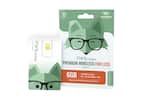
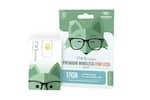
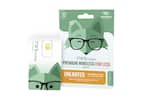
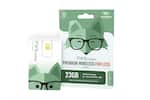
Mint Mobile - 3-Month 6GB eSIM Prepaid Plan (Digital Delivery) - Mint Green
Model: Mint Mobile eSIM DDP.com 45
SKU: 6523654
Customers are enthusiastic about the 3-Month 5GB eSIM Prepaid Plan (Digital Delivery), but some have expressed concerns regarding its features. Some customers have noted that it is not a refill card, while others have reported issues with its functionality, specifically mentioning difficulties in activating the eSIM. Overall, customers have experienced mixed results with the product.
What’s the difference? An eSIM is just a physical SIM that has gone digital, which means it can’t be broken or stolen (pretty sweet right?). But if you prefer to hold it in your hand, choose a physical SIM. If you prefer your phone to do the work, choose eSIM. No matter what you decide, both options save you a f*! ton of money (we said fox). Check your eSIM compatibility here: mintmobile.com/esim.
Even your mom might ask you to stop calling so much.
Your service will switch seamlessly between 5G & 4G LTE, whichever signal is stronger. (May slow over 50GB during congestion)
Mint Mobile won't charge you for extra 5G. Check coverage in your area: mintmobile.com/coverage (5G compatible device required)
Use your data however you like, even where coffee shops don’t exist.
Give your neighbors to the north, south, east or wherever a call, and enjoy our super-low international rates to over 160 countries worldwide.
Perfect for when you're in an underground world with bad reception, but excellent Wi-Fi.
If you’re keeping your number, let your current carrier know - you’ll need your account PIN.
Bring your own phone, keep your number. As long as your phone's compatible with Mint Mobile's service, you're good to go. Check phone compatibility: mintmobile.com/byop
If you're having issues with activating your SIM contact Mint's Care Team and they will make it right for you. Call 800-683-7392 or chat with us online or in-app.
Mint Mobile 3-Month Prepaid eSIM Activation Code. After purchase, we’ll email you a code for activation. Make sure to download the Mint Mobile app from the email for the smoothest experience.
Now it’s time to activate. Step 1: The PIN included in this email is needed to set up your eSIM, so keep it handy until you’ve fully activated your Mint mobile service.
Step 2: Download the Mint Mobile app at app.mintmobile.com/bby.
IMPORTANT: you MUST download the app from this link in order for the app to recognize your Best Buy activation PIN.
Step 3: Open the Mint Mobile app to begin activation. Follow the steps and enter your 10-digit PIN when activation code is requested. Note: If the app is requesting an 11-digit code, you have downloaded the incorrect version of the app. Please go back and repeat Step 2. If you have any problems activating your phone, please call Mint Mobile for support: 888-988-3746.
Upon purchase, you will receive an e-mail from Best Buy with your PIN for immediate use; no need to wait for your card in the mail. E-mail should arrive within 15-60 minutes.

Learn more >