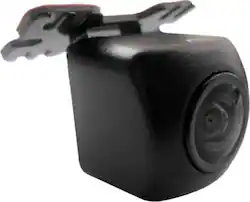
The ND-BC010 Universal Rearview / Backup Camera is compatible with Pioneer A/V and Navigation in-dash receivers that feature a rear-view camera input. The ND-BC010 features a wide-angle 155 degree horizontal and 125-degree vertical view with more than 460,000-pixel resolution for detailed imagery. The ND-BC010 features a CMOS (Complementary Metal Oxide Semiconductor) sensor that delivers improved resolution and glare reduction during daytime use with improved low-light capability for nighttime use.
Q: Does this camera have recording features?
A: No, this camera does not have recording features.
Q: Why is this camera easier to install?
A: This backup camera utilizes the vehicle's power supply with minimal connections for easier installation and its compact size provides hassle-free mounting.
Q: Does this backup camera include a mount?
A: Yes, this backup camera includes an adhesive mount.
Q: How is this backup camera powered?
A: This backup camera is powered by the vehicle's battery.
Q: What is the field of view for this backup camera?
A: This backup camera has a 155-degree horizontal and 125-degree vertical field of view.
Q: Is there a difference between a dash cam camera and a back up camera
A: Yes, there is a difference between a reverse camera and a dash camera. As Gly described, the reverse camera is typically connected to your stereo. When you go in reverse, it will show you the area behind the vehicle. As dash camera is used to record video that is in front of you. This is very beneficial in the event of an accident, and you need to show your side of the event.
Q: How long is the power cable?
A: https://usa.pioneer/products/nd-bc010?_pos=1&_sid=d21739030&_ss=r From the camera to the first connector is about 9 feet. From the first connector to the junction is about 13 feet. From the junction to the end of the red power wire/RCA connector is about 9 1/2 feet.
Q: Do I need to buy another screen or can I use the factory installed screen.
A: The video connection on the camera is a basic composite RCA connection. If your factory screen has an RCA input, you can use that. If not, you might find an adapter. Check with the local installers, they may have more information.