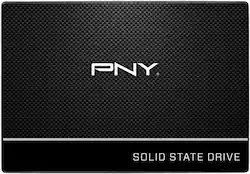
Store your files safely on this 240GB PNY solid-state drive. It achieves write speeds of 500MB/sec. and read speeds of 535MB/sec., providing transfer rates faster than traditional hard drives. The lack of moving parts on this PNY solid-state drive reduces its chance of failure.
Q: Does this drive come with cloning software?
A: Yes it does and its easy to use.
Q: Is it only for laptops, or could it be inside a desktop?
A: Any drive can be used inside of a desktop as long as it has a sata power and sata data cable, which this does. It only needs a mounting bracket if there are not any 2.5" mounting holes in your case. Most Harddrive sleds have 2.5" mounting holes, but I would double check to be sure. If not, you can always but a 2.5" to 2.5" drive adapter. +
A: Compatible with every laptop in the last 10 years that uses a 2.5” SATA drive. They come with a code for cloning software but you will want an SATA - USB adapter or drive dock or external USB enclosure.
A: It comes with Acronis and I used it for my drive. It worked amazingly well. It didn't create any unnecessary partitions like some of the other softwares that I've tried using before. I highly recommend this drive and software.
A: according to the box: US: Three-year limited warranty
A: https://support.lenovo.com/us/en/solutions/pd100007 According to the Lenovo web page your laptop hard drive interface is a 2.5-inch, 7 mm / 9.5 mm SATA 3.0 6Gb/s. This SSD hard drive should fit perfectly just make sure that you have the original installation programs and the windows operating system to install on the new hard drive. Also make sure you download the pdf manual of your laptop so that you can follow the removal and installation instructions. Hope that helped
A: The Inspiron e1505 uses a standard laptop SATA hard drive. I do have one of these models and have replaced hard drives in them before. This should work with no issues.
Q: is this drive compatible with a toshiba satellite L755
A: Compatible with any laptop