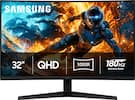
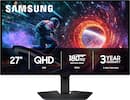
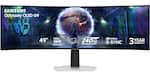
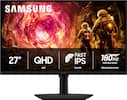
Samsung - 24" G3 (G35H) FHD 144Hz 1ms AMD FreeSync Curved Monitor (HDMI, DisplayPort) - Black
Model: LS24HG352ENXZA
SKU: 6685406
Reviews coming soon
Reviews coming soon
Samsung's 24" Essential Monitor G3 (G35H) offers sharp visuals from every angle ensuring a productive, comfortable experience for both work and entertainment. The 1800R Curved Screen displays more of the field of view, creating a wider perspective with enhanced depth perception, while reducing peripheral distractions. The 144Hz Refresh Rate and 1ms response time (MPRT) reduces lag and motion blur, while enabling fast reactions for smooth performance. Variable Refresh Rate (VRR) and AMD FreeSync™ reduce choppiness, screen lag, and image tearing by syncing the panel with the GPU, ensuring fast-paced action remains stable with minimal stutter. Game Mode, with optimizable game settings, allows instant adjustments to color and contrast. Eye Saver Mode and Less Screen Flickering decreases eye strain by reducing blue light and minimizing irritating screen flicker. Multiple connectivity (with HDMI and DP ports) makes it easy to connect peripherals to the monitor for increased flexibility and an easy, convenient setup. Samsung is the #1 Monitor Brand 4 years in a row.
We’ll try to get your question answered within 24 hours by a Best Buy customer or brand representative.
Experience immersive viewing with the Essential Monitor G3. The curved display extends across your field of vision to create a wider view, enhancing depth perception and minimizing peripheral distractions so you can focus on what’s on screen.
Stay immersed across gaming, entertainment and creative work on the Essential Monitor G3. The 144Hz refresh rate reduces lag and motion blur, while the 1ms response time (MPRT) helps capture your moves in real-time, allowing you to react quickly in fast-paced moments.¹
Enjoy fluid gameplay on the Essential Monitor G3. Variable refresh rate (VRR) with AMD FreeSync™ syncs the panel with the GPU to reduce choppiness, screen lag and image tearing, so your game scenes are stable and stutter-free for your competitive edge.²
View more details on the Essential Monitor G3 with Game Mode. Thanks to its optimizable game settings, color and contrast can be instantly adjusted so you can see game scenes more clearly and spot enemies hiding in the dark.³
Protect your vision and stay comfortable on the Essential Monitor G3. Eye Saver Mode reduces blue light, while Less Screen Flickering minimizes screen flicker. These features help prevent eye strain so you can stay focused during long work sessions.³
Plug devices straight into your monitor through multiple connectivity options. The HDMI and DP ports make it easy to connect peripherals to your Essential Monitor G3 for a more convenient setup.

Learn more >