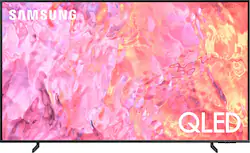
This lean, mean 4K machine is primed for your leap into Quantum Dot technology—and a bold new world of color and contrast. Take your entire viewing experience to the next level with the elevated audio and astounding picture quality of Samsung QLED. Not only will you see your TV shows and movies instantly transformed into 4K, but you’ll also take in a billion shades of unwavering color. Beyond amazing visuals, you’ll be drawn in by 3D surround sound that moves with the action.
Q: What is the difference between QLED and OLED
A: Brenda - QLED TVs are powered by Quantum Dot technology and provide you with over a billion brilliant shades of vivid and lifelike colors that stay true without fading, regardless of the scene's brightness. OLED (Organic Light-Emitting Diode) panels use self-lit pixels to control colors of individual pixels to create life-like colors. It also allows the TV to turn individual pixels on and off to create deep blacks for incredible contrast when viewing HDR content. ~ Samsung Specialist
Q: My old Samsung is unable to load Paramount+. Will this Q60C allow me to watch that channel? thanks
A: No, the Paramount+ app doesn't work on any Samsung tv I own. You can download it and it may work for awhile but will stop working even after uninstall and reinstall. The app loads but says something went wrong. I have 5 Samsung TVs including the 85" flagship model and same result. End up using firestick for paramount.
Q: For wall mounting purposes, How much does the TV weigh?
A: In the specs it states 26 lbs. I was able to hang it on wall myself with no assistance.
Q: What is the size of the box?
A: Honestly not huge at all, I have a Nissan Sentra and it fit fine with seats down
Q: Could I use my fire stick with this tv?
A: Brenda - You can connect a Fire TV Stick via HDMI. ~ Samsung Specialist
Q: what is the height and width of the 50" Samsung QLED TV
A: Richard - You can find these measurements on this model’s product page – just click Show Full Specs and scroll down to Dimension: https://www.bestbuy.com/site/samsung-50-class-q60c-qled-4k-uhd-smart-tizen-tv/6537419.p?skuId=6537419 ~ Samsung Specialist
Q: Does this TV have Apple+, Disney +, Hulu and Max?
A: All apps you've mentioned are available on the Q60C. ~ Samsung Specialist
A: Bobby - Please ensure Anynet+ (HDMI-CEC) is turned off on your TV. Anynet+ will automatically turn on HDMI-connected devices each time you turn on your TV. To turn off Anynet+ (HDMI-CEC), go to: Settings > All Settings > Connection > External Device Manager > Anynet+ (HDMI-CEC) = OFF. ~ Samsung Specialist