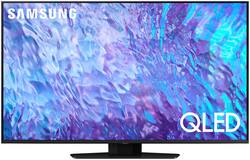
Don’t settle for basic. Punch up the contrast with super-precise LEDs and elevate the ordinary to something more impressive. Direct Full Array and Dolby Atmos technology headline Samsung QLED’s refined audio/visual experience
A: plg2024 - To change the image size, go to: Menu > Settings > All Settings > Picture > Picture Size Settings. You can choose from Fit to Screen, Zoom and Position, and Picture Size. Under Picture Size, you can change the size of the picture displayed on the TV screen to 16:9 Standard, Custom, or 4:3. Please keep in mind supported picture sizes differ with the input signal and content you’re watching. ~ Samsung Specialist
Q: Does this 50" Samsung Q80C tv have an antiglare feature?
A: LuLu - The Q80C offers Wide Viewing Angle, as well as Adaptive Picture technology to optimize your picture with a lighting system that automatically senses, reacts, and adjusts to the brightness of the space you're in. Starting with our 55” QN90C TV, you’ll gain Ultra Viewing Angle with Anti-Glare technology to provide you with wider viewing angles, enhanced color, and minimized glare to help you enjoy shows without distractions. ~ Samsung Specialist
A: musicfan - Tizen is the name of the operating system used in Samsung Smart TVs. ~ Samsung Specialist
Q: Will Samsung tvs work with a Sony soundbar?
A: LuLu - The Q80C can connect to soundbars via a wired (HDMI, Optical) or wireless (Bluetooth, Wi-Fi) connection. ~ Samsung Specialist
A: Yes you can, and yes, Geek Squad will come out and hang the TV for you. Of course, there is a charge for there services, but it is well worth it.
Q: Does this TV use edge lighting?
A: undefined
Q: Will the Q80C receive OTA (over the air) channels?
A: Yes, there is a co-ax connector for an external antenna.
A: If you push the lower part of the circular button symbols will show up on the bottom of the tv screen (reference the 2 photos). At the far left you'll see HD...(or similar), push the middle button of the circular one and there will be more option. Use the HD auto for best resolution.