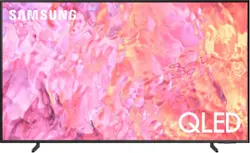
This lean, mean 4K machine is primed for your leap into Quantum Dot technology—and a bold new world of color and contrast. Take your entire viewing experience to the next level with the elevated audio and astounding picture quality of Samsung QLED. Not only will you see your TV shows and movies instantly transformed into 4K, but you’ll also take in a billion shades of unwavering color. Beyond amazing visuals, you’ll be drawn in by 3D surround sound that moves with the action.
Q: Does this tv have USB port also?
A: Hi Jill - The Q60C TV features 2x USB ports. ~ Samsung Specialist
Q: Can this TV be wall mounted? If yes, what are the specifications for mounting?
A: Hi Keith - The 55" Q60C can be mounted with any type of universal wall mount that supports a VESA pattern of 200mm x 200mm. ~ Samsung Specialist
Q: Does the 55" class Q60C have an ambient mode?
A: While Art Mode is exclusive to The Frame TV, the Q60C features Ambient Mode which offers customizable themes, colors, and photo options. Instead of seeing a blank background when your TV is turned off, you can enhance your screen with landscape images, artwork, and unique scenes. Your own photos can be turned into backgrounds as well with the My Album feature. Ambient Mode can be accessed directly on your TV or with the SmartThings app on your phone or tablet. ~ Samsung Specialist
Q: how big is the box it comes in? I want to know if it will fit in my car.
A: Hi tray - The 55" Q60C TV's shipping box dimensions are: 55.1 x 33.3 x 5.8 (WxHxD in INCHES). ~ Samsung Specialist
Q: Is this tv missing anything? Does it have the Samsung remote control?
A: Ddubbs - A Solar Cell Remote is included with the Q60C TV. ~ Samsung Specialist
Q: Can I use the Spectrum App with this TV?
A: ED - The Spectrum app can be installed directly from the built-in App Store. ~ Samsung Specialist
A: Yes for the "becomes a roku", "no" you will not lose functionality.
Q: How do I get the black, black it's somewhat washed out. I don't like that.
A: Turn the t.v. on, push the 123 button, upper left, of your remote control, it will bring up different settings, including picture or display. Toggle over to that and you can adjust brightness, contrast and other display variables from there.