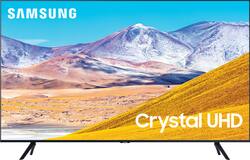
Experience immersive entertainment with this 75-inch Samsung UHD 8 Series Smart TV. Crystal Processor 4K provides vivid visuals, and the Dolby Digital Plus sound technology delivers crisp, powerful sound through the 20W speakers. This Samsung UHD 8 Series Smart TV has Wi-Fi connectivity for streaming movies easily, while Bixby, Alexa, and Google Assistant support enables voice-activated control.
Q: How wide of a tv stand is required?
A: The legs are 57 inches tip to tip.
A: Did some research and one website from Britain said that the TVs are basically the same. If you Google your question you will see the link but I can’t remember the name of the person. The refresh rate is 120 the same as the RU 8000 but again check with the links that come up and see what they say. Hope it helps. Stay safe
Q: Can I use this tv as a projector
A: Pitter, you can use screen mirroring features to project your laptop or mobile device screen to your TV using AirPlay for iOS devices, Multiple Displays on Windows devices, or Smart View on a Samsung mobile device. ^Gina
Q: what is the weight of this tv?
A: Hi there! The 75TU8000 weighs 67lbs without the stand, and 67.9lbs with the stand. ^Gina
Q: What are the exact dimensions/ Locations for a wall mount relative to the 4 corners of this tv
A: The width from the mounting holes to the outside of the 75TU8000 is 25.1" on each side. The distance from the top mounting hole to the top of the TV is 9.2". The distance from the bottom mounting hole to the bottom of the TV is 12.8". The distance between the top and bottom mounting holes is 15.7". ^Gina
A: Yes it does. It is 21 and 1/2 inches.
Q: Can someone please tell me if this supports Dolby Atmos? Thanks in advance!
A: Hey there! The TU8000 does indeed support Dolby Atmos through HDMI eARC Port 2. ^Gina
Q: Does it has Bluetooth capabilities?
A: Manny, you absolutely can connect Bluetooth headphones to the TU8000! Refer to your headphone's user manual for how to pair. Once paired to the TV, press HOME on the TU8000 remote. Then go to Settings > Sound > Sound Output > Bluetooth Speaker List. Choose the headphones you wish to use for sound output. ^Celina