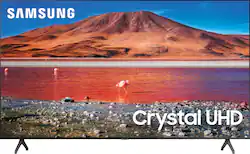
Enhance your viewing experience with this 82-inch Samsung 4K UHD smart TV. The HDR technology and 4K UHD resolution render sharp details and realistic colors, while a Crystal processor delivers exceptional picture quality on the flat-panel display. This Bluetooth-enabled Samsung 4K UHD smart TV is voice controllable for hands-free operation and seamless wireless streaming
A: Hi Rickhead! The 82TU6950 features two positions for the feet. The inner position is 50.1" apart, the outer position is 62" apart which is position shown in the photo. ^Tim
Q: What is the difference between a 6 series television versus a 7,8 or 9?
A: Hello, Great question! when stepping up from the 6 Series to the 7 series you gain features like Motion Rate 120, Crystal Processor 4K, Crystal Display.From 7 series to 8 series you gain Smart Remote with Voice, Built in Digital Voice Assistant, Photo and Music Wall and Ambient Mode. From 8 series to 9 series you gain Motion Rate 240 and Auto Game Mode with Freesync VRR. ^Cristian
Q: What is Tizen and how would it compare to an ANdroid model?
A: Hi! Samsung TVs feature a user friendly smart system built in called Tizen providing access to your favorite streaming content, a built in web browser, free TV with Samsung TV Plus, and the ability to screen mirror both Android and Apple devices. ^Tim
Q: Is the price online only or can i purchase this in store for the same price?
A: Best buy always matches what the pricing is on their website, you can even ask for the price of a different trusted site if its lower there. Its called "price matching"
Q: Does this tv work with alexa
A: Hello, the Samsung - 82” Class 6 Series has Alexa built in. ^Celina
A: Hi BHelen, your TV will default to whatever you were watching last when you turned it off. As such, there is no "home page" as such. So if you are watching Spectrum when you turned it off, it is what you will be watching when you turn it on. There is no way to default to a certain section of Spectrum like the guide page however. I hope this helped! ^Scott
A: Hi Gene, we recommend first checking for firmware updates on your TV (Home > Settings > Support > Software Update). If your TV is up to date, try a cold boot. There are two ways to cold boot your TV. With the Remote: For most people, the easiest way is to hold down the Power button on the Samsung TV remote until the TV turns off and on again. This should only take about 5 seconds. With the Plug: If you do not have the remote, unplug your TV from the wall outlet or surge protector, leave it unplugged for 30 seconds, and then plug it back in. If the issue persists, please reach out to Samsung TV Support at: ― Phone: 1-800-SAMSUNG / Available 8 AM - 9 PM EST, Mon - Fri ― LiveChat or Email: https://www.samsung.com/us/support/#contact_us_for_support We look forward to hearing from you. Thanks, ^Scott
Q: Can this be hung on the wall or does it have to use the stand?
A: Hi! I hung in on the wall , I have it on a brick fireplace. I recommend, you’ll have to find studs to anchor the bolts to ! I hope this helps