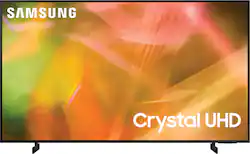
Step up to the world of Crystal UHD from Samsung. Elevated color and clarity offer you a picture that has to be seen to be believed. Add in smart features that make watching TV even easier, and you have a TV that is essential.
Q: What is the distance between the legs on the 85 inch?
A: Hi! The legs for the 85" AU8000 are adjustable and can be spaced either 44.5" or 56.2" apart. ^Tim
A: Ok, so first let me start off by saying that I was a cable installer for 20 years. 2nd, there should be no issue for you to connect the wifi and a cable box at the same time. The box would connect via an HDMI cable, or component/composite cables. All you would need to do is to switch between the HDMI input and the internet input. The internet input would work on the apps or the internet option. If you are unable to connect both simultaneously, then it might be either a bad cable box, or a bad TV. Also try a different HDMI port to see if there is an issue with the port you are using. I hope this helps.
A: Hi Lindsay! The TU9010 is only available in the 86" Size. The AU8000 features the improved Airslim design giving you our thinnest display yet, while also packing a punch with improved sound quality featuring Object Tracking Sound lite. The TU9010 features a native 120hz motion rate for improved motion performance. Both TVs will work with a soundbar that supports HDMI, Digital Optical Audio, or Bluetooth wireless audio technology. ^Tim
Q: What are the box dimensions of this TV?
A: It's a big box. Height 48.7 inches, Width 81.1 inches, Depth 8.7 inches
A: Hi Bryan, The Samsung AU8000 is Bluetooth enabled, so yes, you should be able to connect to an external Soundbar. Keep in mind you can only connect one Bluetooth device at a time. ~Samsung Advisor
Q: how far away should you be to watch without hurting your eyes
A: Hi Mayday, While it mostly depends on personal preference, the recommended viewing distance is typically 2x the size of the TV (the diagonal measurement of the screen). I hope that helps! ^Brie
A: The bezel is 1/4” and about 1/4” of the frame doesn’t have pixels.
A: Hi JP! You can mirror from your phone to the TV using the Screen Sharing feature or Apple AirPlay. The Tap view feature is available from Samsung mobile devices with Android 8.1 or later installed. Casting is supported within select applications. The AU8000 also features PC remote access and PC mirroring, as well as the ability to access MS Office 365 directly and work on documents on your TV. ^Tim