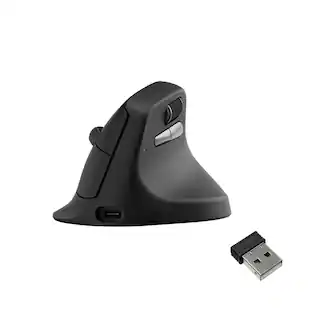
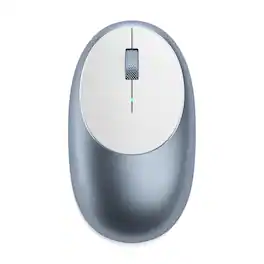
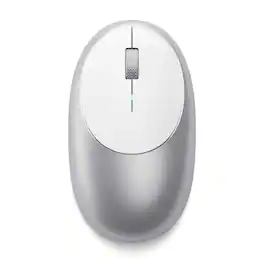
Satechi - M1 Wireless Mouse with Rechargeable Type C Port, Bluetooth Mouse for MacBook, Mac Pro, iMac, Mac Mini, iPad, and Windows - Wireless - Blue
About this product
Complete your desktop with the Satechi M1 Bluetooth Mouse
Color
BlueBluetooth 5.0 Connectivity
Connect seamlessy to any Bluetooth-enabled device within a 32 ft range using the latest Bluetooth 5.0 technology. This ensures a stable and reliable connection making the perfect wireless mouse for laptops, computers, or tablets, facilitating effortless multitasking.
Fast & Precise Tracking
Equipped with high-precision optical sensors and a 1200 DPI resolution, this wireless mouse guarantees accurate tracking and fast scrolling, enhancing your productivity and providing an exceptional navigation experience across various surfaces.
Type C Rechargeable
Embrace a greener alternative with a built-in lithium-ion battery, eliminating the need for disposable batteries. The modern USB C rechargeable port offers a quick and convenient charging solution, complete with a USB C to USB charging cable to keep your mouse powered up and ready to go.
Ergonomic Design
Featuring a sleek aluminum finish, this design enhances aesthetics and functionality. Optimized for comfort, it fits perfectly in the palm of your hand, suitable for prolonged use by left and right-handed users. Ideal for modern laptops, tablets, and phones. Note: Not recommended for use with 2011 and earlier Mac devices.
What's Included
The M1 Wireless Mouse includes a USB-C charging cable, customer support, and a user manual for easy installation. Satechi products are covered by a 2-year limited warranty against defects in materials and workmanship under normal use.
- Connection TypeWireless
Reviews
Rating 5 out of 5 stars with 1 review
The vast majority of our reviews come from verified purchases. Reviews from customers may include My Best Buy members, employees, and Tech Insider Network members (as tagged). Select reviewers may receive discounted products, promotional considerations or entries into drawings for honest, helpful reviews.





Compare similar products
Complete your desktop with the Satechi M1 Bluetooth Mouse

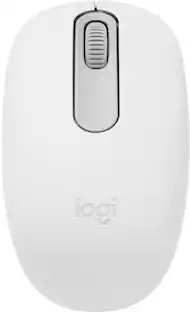
Upgrade to smarter scrolling, better comfort, and more productivity with the Signature M650 L. The versatile mouse features an adaptive scroll SmartWheel that delivers line-by-line precision, and auto-switches to super-fast free spin mode with the flick of a finger. A choice of sizes for smaller, larger and left hands means there's a perfect fit for anyone. Seamless wireless connectivity, customizable side buttons, and a comfort shape keep you comfortably and productive hour after hour. Logitech’s SilentTouch technology delivers silent clicks to keep you focused – while the up to 24-month battery life and universal operating system compatibility ensure hassle-free performance.

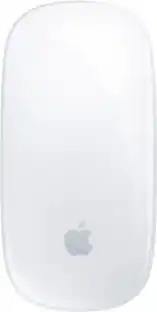
Magic Mouse is wireless and rechargeable, with an optimized foot design that lets it glide smoothly across your desk. The Multi-Touch surface allows you to perform simple gestures such as swiping between web pages and scrolling through documents. The rechargeable battery will power your Magic Mouse for about a month or more between charges.* It’s ready to go right out of the box and pairs automatically with your Mac. It features a USB-C port and includes a woven USB-C Charge Cable that lets you pair and charge by connecting to a USB-C port on your Mac, so you can charge all of your favorite devices with just a single cable.
| Pros for Satechi - M1 Wireless Mouse with Rechargeable Type C Port, Bluetooth Mouse for MacBook, Mac Pro, iMac, Mac Mini, iPad, and Windows - Wireless - Blue | |||
|---|---|---|---|
| There were no pros for this product— | There were no pros for this product— | Overall Performance, Connectivity, Ease of use, Size, Ergonomics | Overall Performance, Connectivity, Ease of Use, Battery Life, Design |
| Cons for Satechi - M1 Wireless Mouse with Rechargeable Type C Port, Bluetooth Mouse for MacBook, Mac Pro, iMac, Mac Mini, iPad, and Windows - Wireless - Blue | |||
| There were no cons for this product— | There were no cons for this product— | Side Buttons, Scroll Wheel, Price, Weight | Charging Port Placement, Scrolling, Size |
Specs
Customers often buy these together
Computer Keyboards
![esc ~ ! 1 tab caps lock shift ctrl F2 Fl # 2 3 Q W A S Z start opt L F3 $ 4 E D X alt cmd3 ) FS F4 A % 5 6 R T F G V C logi 44 HI & F9 FID FB F7 F6 * ) - - & 0 8 9 7 O P U I Y K L H J > < N M 1 B PM + = { [ : I ; ? I alt cmd D 2 4 300 3 1 F12 . * page I insert home up clear backspace 8 9 + 7 page A pg up end down home } I delete ] / 6 4 5 4 enter 2 3 enter 1 dn Pg end shift = 0 del ins etrl fn opt](https://pisces.bbystatic.com/image2/BestBuy_US/images/products/6539/6539505_sd.jpg;maxHeight=232;maxWidth=233?format=webp)
Logitech - MX Keys S Universal Full-size Wireless Scissor Keyboard for PC and Mac with Backlit keys - Black
$119.99The price was $129.99

![Esc F1 F2 F3 F4 F5 F6 F7 F8 F9 F10 F11 F12 Print Screen Scroll Lock Pause Break 1 2 3 4 5 6 7 8 9 0 - + = Backspace Insert Home H Page Up A Num Look 1 I Tab Q W E R T Y U I o P { [ } ] I I Delete End IN Page Down 7 Home 8 9 Pg Up Caps A Lock A S D F G H J K L ; : DE g Enter 4 5 6 Shift Z X C V N M < > ? I Shift 1 End 2 3 Pp Dn Enter Ctrl Alt Alt Ctrl 0 Ins Del](https://pisces.bbystatic.com/image2/BestBuy_US/images/products/a588d446-5678-40ae-86b8-1f15e0026e66.jpg;maxHeight=232;maxWidth=233?format=webp)





![The text on the image reads:
888 DD DI DD 4 DSC i F2 F3 4 FS T6 ET 1. 1N IN F.. 11 1.. 114 1n F1 F12 118 in9 - a ee 1 8F 2 3 $ 4 % 5 A 6 & 7 . 8 I 9 I 0 ee I + = delete fn home page up clear - / + tab Q W E R T Y U I 0 P { [ ] ] | I delete end page down 7 8 9 ee caps lock A S D F G H J K L : I - return 4 5 6 + shift Z X C V N M < F > ? / shift a 1 2 3 control option 2 command 3 command option control Y - 0 enter
After grouping and correcting the text, it reads:
888 DD DI DD 4 DSC i F2 F3 4 FS T6 ET 1. 1N IN F.. 11 1.. 114 1n F1 F12 118 in9 - a ee 1 8F 2 3 $ 4 % 5 A 6 & 7 . 8 I 9 I 0 ee I + = delete fn home page up clear - / + tab Q W E R T Y U I 0 P { [ ] ] | I delete end page down 7 8 9 ee caps lock A S D F G H J K L : I - return 4 5 6 + shift Z X C V N M < F > ? / shift a 1 2 3 control option 2 command 3 command option control Y - 0 enter](https://pisces.bbystatic.com/image2/BestBuy_US/images/products/f4059d3a-0c2a-46ef-bcfd-4e11b9b26d5d.jpg;maxHeight=232;maxWidth=233?format=webp)






Customers ultimately bought
 Top Deal$29.99The price was $49.99

Explore tech essentials Sponsored
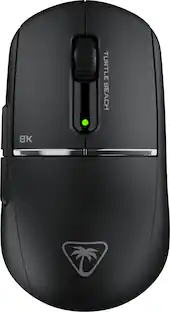
Turtle Beach - Burst II Pro High-Performance Ultra-Lightweight Wireless Optical Esports Gaming Mouse
$99.99The price was $139.99





Keep exploring
 $79.95The price was $109.95