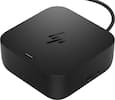
Targus - USB-C Multi-Function DisplayPort Alt. Mode Triple Video Docking Station with 85W Power - Gray
Model: DSU450US
SKU: 6677218
Create a more powerful, productive workstation with the Targus USB-C™ DisplayPort™ Alt. Mode Triple Video Docking Station with 85W Power. This Alternate Mode dock packs all of the ports and power you need and is designed to support and power a wide variety of laptop brands and operating systems – up to 85W. With video performance up to 3840x2160 p60 for single display, 2560x1440 p60 for dual displays, and 1920x1080 p60 for three displays, you are sure to get crisp and clear images. Connect all of your favorite accessories with a combination of USB-A (4 USB 3.2 Gen1 ports, 1 fast-charging) and USB-C (1x 3.2 Gen2), plus Ethernet and audio ports.
Access the latest display technology with two DisplayPort™ and HDMI ports that creates a rich, high-definition viewing experience. The USB-C™ DisplayPort™ Alt. Mode Docking Station with 85W Power supports full UHD (3840x2160 p60) resolution in single display and resolutions of up to 2560x1440 p60 in dual video mode – and even 1920x1080 p60 with three monitors.
The USB-C™ DisplayPort™ Alt. Mode Docking Station provides up to 85W of USB Type-C Power Delivery at all popular voltages including 5, 9, 12, 15, and 20Vdc. DSU450US will negotiate a Type-C Power Delivery contract with multiple platforms including PC, MacBook, Chromebook, and even popular Android phones.
Multiple onboard USB ports make it easy to customize workspaces with the latest keyboards, external drives, and other essential peripherals. Efficient charging is close at hand with one powered USB 3.2 Gen1 port for keeping smartphone, tablet, or other devices powered up and ready to go.
Enhance security and improve user experience with the Targus Enterprise Software Suite for DSU450US.
Auto enables/disables Wi-Fi functionality when the dock’s Ethernet connection is active, reducing unnecessary network traffic and enabling faster connection speeds.
Auto replaces the MAC address of the connected Targus Ethernet network adapter with any (Wired Ethernet, Wireless Ethernet, Bluetooth) MAC address of the local host, supporting device-based authentication methods.
Purges older, latent Targus docking station devices from the local registry preventing registry bloat.
Restores audio configuration, icon, and first-level application window’s positions to external monitors when re-connecting to a previously used Targus docking station.


Learn more >