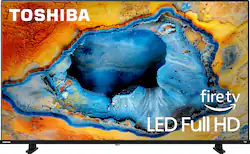
Toshiba’s V35 series sets up a stunning, heart-shaking, smart world for your relaxing viewing experience, thanks to the consistent innovation of advanced technologies. True-to-life images jump off the screen with amazing Full HD resolution, ultimately beauty of details, and original natural color.
Q: What is the screen size of the TV?
A: The screen size of the TV is 42.5 inches.
Q: Which streaming services are featured on the TV?
A: This TV features the Prime Video streaming service.
Q: Does the TV have a built-in voice assistant?
A: This TV has Amazon Alexa built-in.
Q: What is the speaker output of the TV?
A: The speaker output of the TV is 14 watts.
A: Hi Toshiba Customer, thank you for your interest in the Toshiba 43V35KC. This TV has a native refresh rate of 60Hz and a motion rate of 120Hz, this TV may not meet the needs of gamers who prioritize high refresh rates and minimal input lag. For the best gaming experience, we recommend opting for a gaming computer monitor. If you have any further questions or concerns, please give us a call at 1-888-407-0396 or email us at [email protected]. Thanks again, Toshiba Support Team.
Q: How to select different language on Toshiba 43v35 ku
A: Hi Smokeyjoe77, thank you for your interest in the Toshiba 43V35KC. 1. Please Press the Home button on your remote control to access the main menu or home screen. 2. Navigate to the Settings icon and select it by pressing the OK or Enter button. 3. Find and select System or Device Preferences from the settings menu. 4. Scroll down and select Language. 5. Choose your desired language from the list of available languages using the arrow buttons on your remote. 6. Press the OK button to confirm your selection. If you require technical assistance, please give us a call at 1-888-407-0396 or email us at [email protected]. Thanks again, Toshiba Support Team.
Q: Will this TV run the Dish Anywhere app?
A: Will it work with xfinity