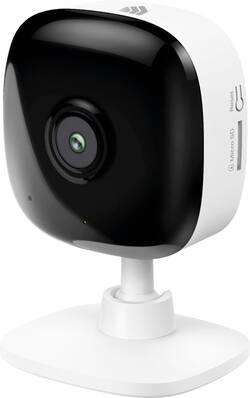
Keep an eye on your things with Kasa Spot indoor security camera. Receive instant alerts through Kasa app when your camera detects motion or sound activity. 24/7 recording and with all videos stored locally on MicroSD card, access your video history and live stream 1080p HD video on your smartphone, an Alexa or Google Assistant supported display. The Spot even provides night vision to capture activity up to 30 ft. away in the dark and allows you to set custom activity zones around important areas to with alerts your receive.
A: Yes, you can set up the camera for continuous recording to a locally inserted Micro SD card. If you would like, you can also simultaneously configure motion/audio detection; however the clips recorded via these triggers will be both marked in the 24/7 recording on the SD card, and simultaneously uploaded to the cloud for an extra layer of redundancy and security. Once your Micro SD card reaches maximum capacity, the oldest recordings will be overwritten first. How long this takes will vary depending on the level of activity being recorded. For example, a 32GB Micro SD card may allow between 1 to 2 weeks of continuous recording, depending on the level of activity captured. Please ensure you are using a Class 10 Micro SD card for optimal compatibility and reliability. If you have any other questions, please feel free to email [email protected] and we'll gladly follow up.
A: I don't see any way to connect it directly to a monitor, such as a flat panel display, if that is what you mean. You can install the Kasa app to your smart phone and use it to view what the camera sees in near real time. From what I see, there is perhaps a one second or so lag between live and what you see on the phone. I don't believe there is any app or browser function to view the camera from a PC.
Q: Do you have to pay monthly to record footage or is it free to save ?
A: If you install an SD card into the camera, you don’t have to pay. But the app treats SD card recordings differently from the paid cloud recordings - the cloud recordings are easier to access and are better linked to events you get notifications about; I feel as if they did this on purpose to encourage people to pay. Also, if you install an SD card AND pay for cloud recordings, the camera will record to both at the same time.
Q: can it work through a window
A: Works fine when used inside viewing out of a window but will pick up a reflection with night mode ( can be disabled in app) as the ir light collects on the glass surface.
A: Yes, as long as the camera still has a stable wifi connection, you can access it from the other side of the globe.
Q: If this is a wireless camera, why is there a power cord?
A: By "wireless" they mean you do not need a network cable because it has a built in wifi chip. It still needs to be plugged into an outlet to receive power.
A: Yes you can, most of the time I have it open when the kids are playing in the room so I can keep a eye on them. It also have two-way intercom. You will be able to chat to and listen as well.
A: Yes. You can record continuously to SD card with sensors turned off. This camera has sensors for motion, people and sound. You can turn each on or off at will. You can change the overall sensitivity for sound or motion. You can designate a specific area of view for motion sensitivity, as well as the length of time of motion to trigger an event (record a clip, send a notification, turn on a light via smart home integration, etc). You can limit/filter the number of notifications to reduce the annoyance factor. These events can be noted/highlighted in the timeline bar that is shown with the continuous video recording to local memory card. Sensors that have been turned off will not be highlighted in the timeline.