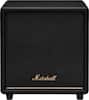
Ultimea - Aura S4T Pro 7.1ch Soundbar with 4 Surround Speakers, Subwoofer, App Control, Bluetooth 6.0, HDMI/OPT/AUX, 350W - Black
Model: U2604
SKU: 12298634
Reviews coming soon
Reviews coming soon
The Aura S4T Pro 7.1-Channel Home Theater Sound System features three main speakers and four surround speakers, delivering an immersive 7.1 virtual surround experience powered by SurroundX technology with up to 99.99% audio detail accuracy for richer sound than traditional 5.1 systems. It includes two front and two rear adjustable surround speakers, with the rear speakers supporting wireless connectivity to reduce cable clutter. Through the Ultimea Smart App, users can easily switch EQ modes, adjust frequency bands, and customize sound settings, while OTA updates keep the system optimized. The app provides 121 EQ matrix presets for Bass, Pop, Classical, and Rock, along with a 10-band equalizer and six sound modes—Movie, Music, Voice, Sports, Game, and Night—allowing precise audio tuning for different listening scenarios.
We’ll try to get your question answered within 24 hours by a Best Buy customer or brand representative.

Powered by Ultimea’s VocalMatrix™, the system intelligently extracts vocals and dynamically redistributes them across rear surround channels through 7.1 discrete outputs. By analyzing the original soundstage, it maintains accurate vocal positioning while preserving the surrounding ambient sound.
The Aura S4T Pro features 3 main and 4 surround speakers, delivering an immersive 7.1 virtual surround experience. SurroundX technology delivers precise audio with up to 99.99% detail accuracy, offering richer and more immersive sound than standard 5.1 systems.
This TV sound system comes with 2 front and 2 rear surround speakers for precise sound projection. The rear speakers connect wirelessly to reduce cable clutter and save space.
With the Ultimea Smart App, you can easily switch between EQ modes, adjust frequency bands and sound field settings, and enjoy personalized tuning. The app also supports OTA updates, ensuring the Aura S4T Pro always delivers the latest, high-quality sound.
Front speakers connect via front cables (FR & FL), and rear speakers via rear cables. The rear-right speaker can also pair wirelessly. If pairing fails, press and hold the remote’s SURROUND button for 5 seconds until it flashes, then press the rear-right speaker’s PAIR button for 5 seconds. A solid light indicates successful pairing.
Learn more >