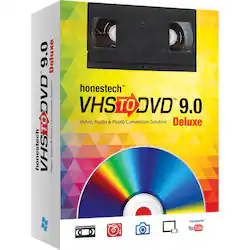
Save treasured family memories with this VIDBOX VHS to DVD converter. Ideal for beginners, this small unit features Easy Wizard Mode to transfer tapes at a touch, while Creative Mode includes the ability to edit video and upload to social media. This versatile VIDBOX VHS to DVD converter even creates photo slideshows and audio files to capture all your special moments.
Q: What does the Easy Wizard Mode do?
A: The Easy Wizard Mode allows you to transfer tapes at a touch, making it ideal for beginners.
Q: Can I create audio files with this converter?
A: Yes, the VIDBOX VHS to DVD converter has an audio recorder that lets you create WMA files or audio CDs from your cassettes, LP records, and video tapes.
Q: Does this software allow me to share my creations on social media?
A: Yes, you can upload your converted videos to YouTube and Facebook.
Q: How can I make my DVD menus more interesting?
A: You can enhance your DVD menu pages by adding motion and music.
Q: What operating systems are compatible with this software?
A: This software is compatible with the Windows operating system.
Q: Can I use this software with my HDV camcorder?
A: Yes, the HD edit feature allows you to capture and edit high-definition videos from HDV camcorders.
A: I haven't time to try this version yet but I had an earlier version from this same brand and all you needed was a VCR and a computer with a CD/DVD Burner.
A: Hello there Grandma. You can transfer to your computer and from there decide where to put that file - DVD, Thumb Drive, Zip Drive, etc. The whole process is pretty simple - BUT remember this isn't a highspeed method. If you have a two hour video tape - it will take two hours to make the conversion. Good luck and enjoy your new "Old Memories!!!"
Customers are satisfied with the VHS to DVD 9.0 Deluxe for its user-friendly interface and easy setup process. Many users appreciate the software's ability to transfer old VHS tapes to digital format, convert VHS to DVD, and edit videos. However, some users have encountered compatibility issues with Windows 11 and found the software to be a bit cumbersome.
The vast majority of our reviews come from verified purchases. Reviews from customers may include My Best Buy members, employees, and Tech Insider Network members (as tagged). Select reviewers may receive discounted products, promotional considerations or entries into drawings for honest, helpful reviews.

Save treasured family memories with this VIDBOX VHS to DVD converter. Ideal for beginners, this small unit features Easy Wizard Mode to transfer tapes at a touch, while Creative Mode includes the ability to edit video and upload to social media. This versatile VIDBOX VHS to DVD converter even creates photo slideshows and audio files to capture all your special moments.

Digitize VHS, camcorder, Beta and 8-millimeter tapes with VIDBOX Video Conversion Suite for PC. Connect your legacy video recorder to your computer using the included USB and RCA AV cables and share your treasured family videos with a new audience. VIDBOX Video Conversion Suite for PC includes instructions and live support to guide you through the video conversion process.
![Corel - Easy CD & DVD Burning 2 - Windows [Digital]](https://pisces.bbystatic.com/image2/BestBuy_US/images/products/6403/6403924_sd.jpg;maxHeight=422;maxWidth=264?format=webp)
Burn home movies on DVD with this Easy CD & DVD Burning 2 software. The drag-and-drop feature lets you pick files and images right from your desktop and copy them to disc. This Easy CD & DVD Burning 2 software boasts photo features that let you organize, edit and share your memories with friends and family.

Pack all your favorite albums into your portable music player with this Vidbox audio recorder. The USB audio capture device lets you connect your cassette player or record player, and the included RCA cables make it easy to set up your recording system. With its intuitive software, this Vidbox audio recorder lets you edit audio MP3 files into individual tracks.
| Pros for VIDBOX - VHS to DVD 9.0 Deluxe - Windows | |||
|---|---|---|---|
| Overall Performance, Video Quality, Ease of Use, Software Usability, Setup | Ease of use, Overall Performance, Video Quality, USB | Ease of use, Performance | Ease of use |
| Cons for VIDBOX - VHS to DVD 9.0 Deluxe - Windows | |||
| There were no cons for this product— | Compatibility | There were no cons for this product— | There were no cons for this product— |