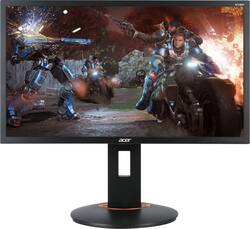
Acer - 24" LED FHD FreeSync Monitor - Black
Model: XF240Q
SKU: 6404010
This item is no longer available in new condition. See similar items below
Customers commend the 24" LED FHD FreeSync Monitor's high refresh rate, resulting in excellent gaming experiences and smooth visuals. The picture quality also receives praise for its clarity and nice appearance. Setup is reported as easy and straightforward.
The vast majority of our reviews come from verified purchases. Reviews from customers may include My Best Buy members, employees, and Tech Insider Network members (as tagged). Select reviewers may receive discounted products, promotional considerations or entries into drawings for honest, helpful reviews.
Awesome monitor for its price. screen looks crystal clear with high refresh rate makes it look so satisfyingly great.
Posted by John
I am largely a casual gamer and previously my television would serve as a way for me to game. Most of the time, the screen size was 40 inches and up, thus allowing some details to be missed. I did some research and found that a smaller screen with a faster refresh rate would be best. I did my research and the Acer 24" Free Sync monitor seemed to be the best fit. I immediately noticed a difference in my gaming experience. Hands down would recommend this monitor to anyone
Posted by Jaahn
Bought two of these a couple weeks ago for a budget home office setup that could later be upgraded to a gaming rig. The aesthetic is on the bulky side with thick boarders, but the imagine is clear and the movement is smooth. Works well for gaming after "office hours." I don't have a tower yet that can test them at the full 144Hz, but everything I've played at 60Hz has been great. I don't think they'll have any issues when I get something more powerful. If you're wondering (because I was too and couldn't find it ANYWHERE online before I bought them) both the HDMI are 2.0. In addition to the solid refresh rates and clear image, it has several built in gaming features. With the 3 inputs (2 HDMI 2.0, 1 DP) you can do a frame within frame between any two inputs. It has a handy crosshair overlay setting, so you don't have to worry about using ADS in an FPS, or sticking anything to the monitor externally! There are a couple preset profiles that are easy to switch between, but you can saved customized settings in a profile as well. Makes it easy to turn on or off things like the crosshair overlay without going through multiple menus if you want to change games quickly, or don't want to see it in menus. Though the aesthetic is bulky, with that comes a solid construction. The base is a weighted metal plate, and thick metal screws are used to secure the stand, there's no fear of flimsy here. It also has a respectable level of adjustment that can be made. I can keep the height low, so it lines up more with my work laptop during the day, or rotate it horizontally for document viewing. After work I just switch inputs, raise it, and give it a little tilt for a more proper and comfortable viewing angle. Overall, very happy with this product and would recommend for a budget gaming setup.
Posted by GoodLionsDen