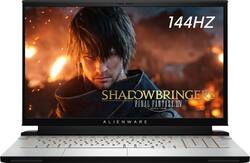
Alienware - M17 17.3" Gaming Laptop - Intel Core i7 - 16GB Memory - NVIDIA GeForce RTX 2070 Max-Q - 512GB Solid State Drive
Model: AWYA17-7640WHT-PUS
SKU: 6358915
This item is no longer available in new condition. See similar items below
Customers are delighted by the M17 17.3" Gaming Laptop's impressive performance, stylish design, and lightweight build. Many appreciate its fast SSD and large screen size, ideal for gaming and everyday use. However, some users note that battery life could be improved, and the laptop may generate noticeable heat and fan noise during intensive use. While some found the speakers underwhelming, the overall positive feedback highlights its strengths as a powerful and portable gaming machine.
I've owned several Alienware machines in the past, but never one of their laptops -- they've always just been a bit too heavy and bulky. This new m17 R2 is finally thin and portable enough that I was very excited to get my hands on it. As expected, it has that futuristic-looking Alienware design and excellent performance, but also some drawbacks that are borderline unacceptable at this price point. It's an awesome gaming laptop -- as long as you know what you're buying into. === DESIGN === - I'm a big fan of Alienware's new Lunar Light color. It's kind of an eggshell white with a very nice matte texture. Even the wrist area and keyboard are covered in this beautiful white finish. It's a refreshing change from the typical black color of most gaming laptops. - When closed, the laptop 15.7" wide by 11.6" deep. At under 6 pounds, it must be one of the lightest 17-inch gaming laptops available. - The RGB keyboard looks excellent contrasted against the Lunar Light finish. The LED strip surrounding the black shroud at the rear of the laptop is a great addition, though you really can't see it while using the laptop. The laptop's power button is an Alienware RGB logo that changes colors based on the laptop's status -- for instance, it glows yellow when you are using battery power. - Unfortunately, Alienware's Command Center software used to customize the RGB lighting is horribly confusing and buggy. It often fails to retain my settings, crashes frequently, and required 3 or 4 different updates upon opening it for the first time. - There are plenty of ports available on the m17. On the right: Two USB 3.1 Type-A ports. On the left: One USB 3.1 Type-A port, a gigabit Ethernet jack, and a headphone jack. On the rear: One Thunderbolt 3 port, HDMI, mini DisplayPort, and Alienware's proprietary port for its Graphics Amplifier. - The power brick is huge and must weigh half as much as the laptop itself, but that's one of the tradeoffs of having a laptop this powerful and thin. - Overall: Make room for the power brick in your backpack. Also, I wish there were an additional USB-C port somewhere on the laptop. Alienware also needs to go back to the drawing board on its Command Center software. Those minor things aside, this is an incredible looking laptop with all of the connectivity options that a gamer could need. === DISPLAY, KEYBOARD, & TRACKPAD === - This model is equipped with a 17.3-inch 1080p display running at 144Hz. The display is excellent and I'm very content with 1080p at this size. Colors are rich and vivid, black levels are very deep, and the matte screen does an excellent job reducing glare. There is the tiniest bit of light bleed in the bottom left corner of my display, but it's hardly a deal breaker. Sure, a 4K OLED option would be great, but you would sacrifice refresh rate and battery life. As such, this 1080p panel at 144Hz is a great option. - The keyboard is very large and comfortable. It has a nice amount of travel (reported to be 1.4mm) and it takes a satisfying amount of force to depress the keys. I wish there was some more tactile feedback from the keys, but overall, it's a great keyboard. - The trackpad uses Windows Precision drivers and is outstanding. It works perfectly with gestures and is extremely responsive. - Also standard on the m17 is Tobii eye tracking, located in the bottom bezel below the screen. It looks to be pretty neat technology, but I only own two games that support it: The Division 2 and Shadow of the Tomb Raider. (Fun fact: if you purchase this laptop by November 30, you'll get a free key for Ghost Recon Breakpoint in the Tobii app). In The Division 2, the camera pans based on where you're looking, and staring at the same place long enough brings up the aiming cross-hairs. It's a cool feature to have, but I wouldn't base any laptop/PC purchase solely on this technology. - Overall: Alienware has nailed the basic aspects of a 17-inch laptop with an outstanding display, keyboard, and trackpad. === PERFORMANCE, COOLING, & UPGRADES === - Let's start with the bad stuff: namely, the glaring lack of upgradability. Most notably, the RAM is integrated onto the motherboard and cannot be upgraded past 16GB. Also, this particular m17 model includes a last-generation Wireless AC card, not a next-gen (Wi-Fi 6) AX card. And just like the RAM, the wireless card cannot be upgraded. - The speakers are acceptable, but nothing more. They work fine, but there is noticeable distortion at higher volumes and they sound tinny and hollow to me. - This laptop has some of the most advanced eye tracking technology available for PCs, but it does not support Windows Hello (facial recognition log-in), which boggles my mind. - Now the good stuff: The laptop performs exceptionally well. It has handled every game I've thrown at it with ease. Shadow of the Tomb Raider (high settings; RTX high; 65 fps); Metro Exodus (high settings; RTX high; 50-55 fps); Gears 5 (Ultra settings; 60 fps). An RTX 2080 would have been nice to squeeze out some better ray tracing performance, but I'm perfectly satisfied with the performance of the 2070 and the i7-9750H. - The laptop gets HOT. There's no getting around it. Luckily, the fans aren't overly loud and the speakers easily drown out any fan noise. Most games push the GPU temp to upwards of 75°C, and the CPU to over 80°C. So no, you probably won't want to game with this on your lap. - Battery life what you would expect for a powerful gaming laptop -- acceptable, but nothing more. Browsing the web with the screen at half brightness resulted in about 3.5 hours of battery life. Obviously, gaming is going to result in even shorter battery life - Overall: If it's upgradability you're looking for, you may want to look elsewhere (like Alienware's new Area 51m laptop). Besides adding more SSD storage, you won't be doing any major upgrades to the m17. Luckily, performance out of the box is outstanding and should satisfy most gamers looking for a portable gaming laptop. === OVERALL === My biggest gripe is the inability to upgrade the RAM on the m17. At the very least, I wish Alienware would have offered the m17 with 32GB of RAM so buyers could futureproof if they wanted to. The clunky Alienware software and lack of Windows Hello support are also head-scratchers that could have (and SHOULD have) easily been addressed. Regardless, I'm very excited to have a laptop this beautiful, this powerful, and this portable. Recommended -- as long as you're aware of the upgrade limitations.
Posted by ryanmcv
This is by far the best laptop I’ve ever owned. The amount of money it costs it well worth the performance it’s shells out. I do wish it had long battery life but that’s was never a deal breaker. It also helps that the design is very appealing.
Posted by JAHB
This is both my first Alienware computer and my first gaming focused laptop. My last laptop had similar specs to this one (17", core i7, 12 GB RAM, 1 Tb HDD) but that is where the similarities between them end. The Alienware M17 is so many lightyears ahead of my old laptop that I have trouble believing that their specs are even remotely the same. First impressions: The Alienware M17 shows up in a decent looking white cardboard box with an exploded view of the laptop ghosted in the background (picture attached). Besides the prominent Alienware text and a few choice specs on the side, the box gives you very little information about the powerhouse contained within. The simplistic design style continues when you open the box to find a completely foam lined interior with 2 cutouts: one for the laptop and the other for the box containing the power supply. Speaking of which, the M17's power supply is enormous compared to the only my old laptop used. I've included a picture of them both side by side. After reading the spec stickers, I discovered the reason for the size disparity. My old laptop only used a 45w power supply compared to the 180w monster required by the M17. Personally, I like how this iteration of the M17 looks. It's a gaming laptop that does scream "Look at me! I'm a gamer!" and I appreciate that. The customizable RGB accents and the number of cooling vents are the only indications that this isn't your average laptop. The Lunar Light color looks better in person than it does in photographs and pairs nicely with the default blue backlighting of the RGB keyboard. However, I am a bit concerned about being able to keep the light color clean looking good in the long term. Initial Setup: This may be the only possible gripe I have with the M17. Like with any computer, one of the first things you do after unboxing it and setting up Windows is performing updates. Considering how new this model is, there were A LOT of initial updates. Between all the Windows updates, the Alienware updates (including a BIOS update), and the updates for all the preloaded software, it took a few hours before it was completely up to date. I will mention that the Alienware updater handled most of the legwork in determining what needed to be updated and acquiring said updates. It even handled the BIOS update which was a welcome surprise. Gaming: Being a gaming laptop, this is where the Alienware M17 should truly shine and it performs well beyond my expectations. It tackled every game I threw at it with ease and asked for seconds. Since this laptop is equipped with a NVIDIA GeForce RTX 2070 Max-Q and a 144Hz display, I made sure to max out every graphics setting possible with every game I played. I wanted to see if I could give the M17 a workout or at least make it break a sweat. Well, I failed in that mission but I was rewarded with some of the best looking gameplay I have ever experienced. Even with a graphics-intensive game like Subnautica, I didn't experience framerates lower than 60 fps. The water was so well rendered that I thought it might just be a video of the actual ocean. My old laptop could barely even run Subnautica with the graphics at their lowest setting. Even then, I was lucky to get 20 fps and the game was essentially unplayable. It was a similar story when I played League of Legends. My average framerate was well north of 100 and I never saw it drop below 80 fps even during 5v5 battles. The only downside is that I can no longer blame my hardware for my poor performance during a match. It is definitely not the computer's fault in any way, shape or form. Something that I didn't discover immediately is that within the Tobii Experience app there is a redeemable code for a free copy of Tom Clancy's Ghost Recon Breakpoint. To redeem, all you have to do is create a free account with Tobii, download the Epic Game Launcher, and paste the code. It is even one of the games that can incorporate eye-tracking into its gameplay though that's probably why they want you to play it. I don't know how long this promotion lasts but I didn't see it mentioned in any of the paperwork or during any of the setup process. I wanted to make sure I shared this info for others to find. Standard use, features, and downsides: Between the 9th-gen Intel Core i7-9750H processor, the 16 GB of RAM, and the SSDs, this is hands down the fastest computer I have ever used. From being completely shutdown to fully booted and at the desktop ready to go takes less than 5 seconds. Chrome opens instantly and you can easily have a multitude of tabs open without any performance degradation. I have not yet encountered a situation where the M17 wasn't overkill for any task I asked of it. Overclocking, fan settings, and lighting effects are easily adjustable in the Alienware Command Center. The keyboard feels fantastic to type on and I like that the RGB lighting for each individual key is customizable. There are even a handful of preprogrammed lighting effects. My personal favorite is the Knight Rider scanner setting (you can have it in any color but in reality red is the only acceptable choice). The touchpad is unlike any I have used before; it feels good to the touch, it is easy to use, and it is super precise. The laptop is very light, considering the level of hardware it is packing, yet it doesn't come off as flimsy in any way. It does feel like a premium product like Alienware claims. The Tobii eye tracking is neat but I haven't had a chance to thoroughly see how it can make my computer experience better. However, I do like how the laptop will automatically dim the screen when it notices that I'm not looking at it (this can be disabled if you prefer). The speakers sound really good for being the factory speakers. They're much better than the ones in my old laptop even with them having Beats Audio. This is a plus since you'll have to turn them up a bit to drown out the cooling fans, especially while gaming. It's not that the fans are deafeningly loud or anything but they are very noticeable if you are trying to use the built-in speakers. This is one of the few downsides of this laptop. I'm not sure it can be helped when you cram as much performance into such a thin package like Alienware has. Honestly, I'd much rather hear the fans than have the performance suffer due to thermal throttling. Besides, this is a nonissue since the majority of users will be using headsets which will negate the noise anyways. While I am talking about downsides, I have to address the M17's upgradability or lack thereof. From what I have read, the RAM cannot be easily upgraded as it is soldered to the motherboard. For most users, this means you're locked at 16 GB unless you are adept at soldering and willing to risk damaging the laptop. Also, 512 GB sounds like a lot of storage space until you start downloading games onto it. The free Tom Clancy game I mentioned earlier takes up over 40 GB of space on its own. Other large games like World of Warcraft, Fortnite, Destiny 2, etc. will use up 50 GB or more per game. Now this can be alleviated by adding an external hard drive as they are relatively inexpensive nowadays. But it is still a hard pill to swallow after already ponying up so much money for this laptop. Overall, the Alienware M17 is a fantastic laptop with amazing graphics that should be able to easily handle anything you throw at it. Games play beautifully and multitasking isn't an issue due to the robust hardware packed inside. Yes, it is an expensive laptop but you do get what you pay for. I highly doubt that you will be disappointed with this laptop if you decide to get one for yourself.
Posted by TaterMcTatums
The vast majority of our reviews come from verified purchases. Reviews from customers may include My Best Buy members, employees, and Tech Insider Network members (as tagged). Select reviewers may receive discounted products, promotional considerations or entries into drawings for honest, helpful reviews.