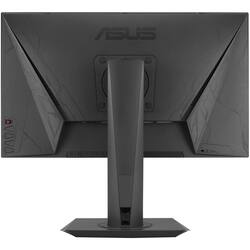
ASUS - MG248Q 24" 3D LED FHD Monitor - Black
Model: MG248Q
SKU: 5707937
This item is no longer available in new condition. See similar items below
Customers highly value the MG248Q 24" 3D LED FHD Monitor's picture quality, frequently praising its excellent visuals and vibrant colors. Many users also find it well-suited for gaming, noting improved gameplay and fantastic graphics. The monitor's superior color reproduction compared to other brands is another frequently cited advantage. No significant drawbacks were reported by customers.
The vast majority of our reviews come from verified purchases. Reviews from customers may include My Best Buy members, employees, and Tech Insider Network members (as tagged). Select reviewers may receive discounted products, promotional considerations or entries into drawings for honest, helpful reviews.
I was really quite impressed by this monitor when I got it setup. First thing I noticed when taking it out of the box was the impressive build quality. The metal stand really does live up to the premium price tag. It's heavy duty and really feels like it could withstand most anything you throw it's way. The monitor itself also looks sharp. The colors can use some tweaking out of the box, but with some googling on color profile setups you can find a set that should work for you. As far as 1444hz goes I was a bit skeptical at first but after giving it a go I can say I don't know if I could go back. Games like overwatch and CS:GO it is most noticeable, but even MOBAs such as DOTA 2 the scrolling of the map has a more noticeable smoothness to it that wasn't there before. Overall I'm very impressed by this monitor. So much so that I'm contemplating getting a second to replace my secondary monitor with and complete the pair.
Posted by PhotogDoug
Best 144hz monitor ever. Was debating between the BenQ and the VG24 Asus monitor. This one has better color than the VG monitor and is the newer model. Cheaper than the BenQ. Drastically improved my overwatch gameplay. Things run super smooth on this thing. The ergonomic height adjustment is super nice. The thing looks super sweet too. Awesome cable management.
Posted by Mikhailovich
Few pro tips for those of you buying this for gaming. These monitors come out of the box at 1080p 1920x1080 (native) with a 60hz refresh rate. In order to achieve the advertised 144Hz, you need to enter your display settings (for those running the Nvidia series items simply visit the nvidia control panel & select "change resolution" under display. Scroll on down the list to PC & select 1920 x 1080 & now you can select 144Hz. Also, most games (like overwatch, warcraft, etc.) have separate in game settings under their video settings. You will also want to select 144Hz in game. Once that's set, enjoy your new way of gaming. I set my BenQ to the side & now I am proud to rock this new Asus. I will update this post if anything changes in the near future.
Posted by Mike