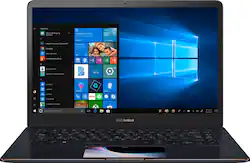
ASUS - ZENBOOK Pro 15.6" 4K Ultra HD Screenpad - Intel Core i7 - 16GB Memory - NVIDIA GeForce GTX 1050 - 512GB SSD - Deep Dive Blue
Model: UX580GD-BI7T5
SKU: 6267402
This item is no longer available in new condition. See similar items below
The vast majority of our reviews come from verified purchases. Reviews from customers may include My Best Buy members, employees, and Tech Insider Network members (as tagged). Select reviewers may receive discounted products, promotional considerations or entries into drawings for honest, helpful reviews.
I had a surface 3 that just wasn't cutting it as far as screen size and charge issues, so I ended up making this semi-impulse buy. I found a 14" version in Germany that I thought was the perfect size but I wanted a USA version and they don't distribute the 14" model here! So the 15" was my only option. It fits perfectly in my travel bag and I enjoy having the screen space. I AM HAPPY! Let's take a look at what I've experienced in my 3 or so weeks of owning this: I work on the road all over the world for half of the month and I'm using this to have a legitimately powerful, large screened display while at work. 1) The Screenpad - An extra screen IN your touch pad is just ingenious. Gimmicky? Maybe a little, but I do find myself using it pretty frequently for various quick tasks at work and while doing hobby projects (mostly the calculator). When simply listening to music (Harman Kardon speakers on this are great!), I installed an old version of WinAmp and the visualizations can be slung down to the touchpad in extension display mode. (See the photo) I thoroughly enjoy it... it looks super cool! On initial install The screenpad gave me a little bit of grief where the start bar would flicker wildly but a remove and reinstall of the screen pad software cured that. It took me a minute to figure out how to display a custom background on the Screenpad, but then discovered that right clicking a photo provides a "Set as Screenpad background" option. Then Fn+F6 will toggle you over to the proper mode to see the image. 2) Other non gimmicky hardware - I wanted something with 1TB SSD but found it to be prohibitively expensive. 512GB is just fine and with the MicroSD card slot, you can give yourself a little bump in space right there. I'm skeptical about using microSD for permanent storage since I've had 2 128GB cards go bad from over use (I regularly swap entire cards of contents back and forth to my desktop computer at home which isn't good for them). I'd stick with the MicroSD as a permanent backup location than a working folder. Transfer speeds over the USB-C ports to my USB 3.0 external hard drive make that another great storage overflow location. The i7 processor is more power than I've ever owned so it suits my needs an then some! I've been using it for 3D Printer modeling on a web interface, and my only restriction to performance is the speed of the hotel routers. 3) Let's look at some of the things other people have criticized: The fan noise: On occasion the fan kicks on.. Right now I'm running Edge browser with 6 tabs open, Google Chrome with one tab open, windows Sticky Notes, a Steam game login prompt. If the fan is on, I can't hear it. Yes, when it does kick on it'll make some noise, but I find that usually happens when I fire up a power hungry game. And usually when I do that I have headphones on and couldn't care less about the fan. The intake and exhaust for the fan are actually in the hinge area between the screen and the base. There are no openings besides the hinge gap on the bottom of the laptop... that being said, if you put the laptop on a bed and plug that slot it'll get very warm. Not good for your battery. Best use a lap desk if you're playing games while laying in bed. 4) Battery life - You HAVE to trade something for processor power, graphics performance, an awesome flashy touchpad, and a terrifically slim frame. That tradeoff is battery life. This thing brand new will last about 2 hours or less on battery with Battery Health Charging on (this ASUS program allows you to limit the charging to 80% to prolong battery longevity). The battery basically gets you through until you can find another outlet. But to me it is worth the trade-off. It's not like any other Lithium Battery is going to last longer... It's what they could fit into this slim frame with all the other bells and whistles. 90% of the time I'm using it plugged in anyway. Which leads me to mention the only thing I didn't really consider when upgrading from my surface to this... The size of the power brick. It literally is almost the same size as an actual brick, but about half as high. So, it takes up a little bit more bag space but, once again, worth it for the performance. How else are you going to get 19.5v at 7.7 Amps to this powerhouse? The keyboard on this is the perfect size for me. Arrow keys are just the right size and placement. Dedicated Page Up/Dn Home and End keys are nice to have, backlighting is a must for me, and the ability to lock the function keys in either hotkey or function key mode is really nice. There are only 2 things about the keyboard that I find could use refining. The Power button is actually a keyboard key RIGHT next to delete. After suspending your computer while deleting something a couple of times, you learn to use caution with what you press. The other thing that maybe I just haven't figured out yet is how to have the key backlight stay on by default. I find myself having to hunt down the illumination key in the dark half of the time because the backlight has gone off after a power cycle. While I'm pointing out negatives I'll throw in one last one... The sticker they put next to the Screenpad is not something I chose to leave on my device.. It looks like something you're meant to remove, but when you peal it, it doesn't re-stick again. The adhesive did NOT want to come off. It left a nasty circle of adhesive when removed, and required a lot of tedious rubbing to remove it all. Not cool. I thought I was going to wreck the finish removing the sticky mess but the brushed metal stood up to the abuse, and looks beautiful. The space is now adorned with Snoopy the flying ace saying "Here's to you" with a Rootbeer! Fitting... and much better. I almost didn't buy this laptop because I figured if I'm going to spend this much on a powerful laptop, I'll just pour in the little bit extra to get EXACTLY what I want with customizations. I was wrong though. I bounced from site to site trying to come up with the perfect combination... Dedicated NVIDIA graphics, Core i7, 16GB RAM, quality reputation... and funny enough I wanted to stick to a 1920x1080 because frankly, I don't notice the difference with 4K resolution. I thought why pay for the capability, and sacrifice processing that many pixels when our eyes can't see the difference. But I couldn't get that combination. So I was forced into getting this 4K screen which is listed as NON-Touchscreen. A bummer that I was willing to accept. After all, it isn't a tablet. But guess what... IT IS A TOUCHSCREEN. Best Buy has it mismarked. On top of that, I have my old surface pen, which, when placed on the screen throws up the pen dot. It writes!!! So no need to buy the ASUS one. I hardly ever use it, but it's there if I need it. Side note: The pen doesn't work with the screenpad. As far as the dedicated graphics go: My liquid cooled DUAL GTX570 SLI desktop runs games at a lower framerate than this thing. I am an old timer when it comes to games. I really don't play much at all but the minimal comparisons I did had this laptop outperforming my liquid cooled triple monitor desktop display setup. Impressive. Last thing: I got the Logitech Anywhere 2S bundled for like $40 when I bought this laptop and I highly recommend it! I used to need the little Unifying USB plug in my surface because all my Bluetooth mice were huge, and the smaller mice I use for travelling all had the little receiver. This one works instantly with Bluetooth once you pair it up. No delay on startup or anything. It's compact, and charges from microUSB. No spare batteries needed. Not sure if the good Bluetooth connection is due to advancements in Bluetooth, the mouse, the laptop's Bluetooth chipset or windows improvements but it works way better than any prior Bluetooth mice I've used, and a good bundle price. Thanks for reading! Hope this helps someone.
Posted by
The short story is that this laptop is a portable desktop - fast, large enough display to work well as a touch screen, and the first built-in mouse pad that actually works well for me. The display is bright and clear and the sound is full. There is enough SSD storage, especially with a decent sized micro SD card added, to hold all my software and data. This laptop is the opposite of flimsy, built to last. The salesperson, Ty, who recommended it, was knowledgable. He said that this is the laptop I would want after discussing what my needs are, and suggested looking on line because he wasn't sure they had it in stock. It turned out that he found one brand new, sealed, but to me that is honesty. He could have just steered me to another model they had on display and ready at hand, but instead said that tnhis particular model, whether they carried it or not, was the right one. When he couldn't find one ready at hand, he searched through there laptop storage bins high on the wall and finally found one. That is service! The one potential negative for some would be battery life, which seems to be approximately 4 - 6 hours. For my use, this doesn't matter, since I am always close to an outlet.
Posted by Tony
This is the third laptop of the same model that I bought. The mix of speed, great display (4K), touchscreen and the big 500mb SSD with an additional 2 GB HD for less than 1300 USD makes this laptop one of the best deals. You can play games, edit videos, watch UHD movies and enjoy fast response while doing regular work with the same laptop. This is an ALL-Terrain LAPTOP! (except for working in a rugged environment, everything else is true)
Posted by Hvalenzu
Customers enjoy the excellent screen and build quality of the laptop, with many praising the 4K display and the innovative ScreenPad feature. The multitasking capabilities of the device are also well-received. However, some users have concerns about the short battery life and the quality of the webcam.