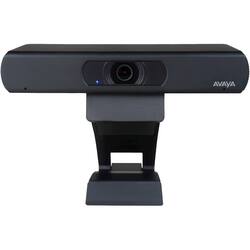
Avaya - Huddle IX 2160 (4K) Webcam
Model: 700514534
SKU: 6397094
This item is no longer available in new condition. See similar items below
Customers regard the Huddle IX 2160 (4K) Webcam favorably, particularly praising its zoom capabilities. Many appreciate the ease and speed of the zoom function, allowing for quick transitions between wide and close-up views. The overall image quality is also highlighted as a positive aspect. There were no negative customer comments reported.
Pros: - reliable work from home -zoom meetings -microphone is good - quality is decent -easy to use/connect Cons: -video quality for $250 Over all I give it a 4/5. It does its job. however I was annoyed to see that a $200 Logitech camera which is $50 less than this one has much better video resolution and image resolution. I believe that other camera was 13 MP. This one is 8.5 MP. Also the $200 Logitech has a faster refresh rate for videos. If this camera is really $250 then it should be better in specs than the $200 Logitech. Not happy about the price.
Posted by Junior
Pro: I like the product, the video quality is excellent and reliable. I buy this for my school online google classroom due to Covid-19. Con: I little pricey. Under $200 be okay
Posted by Michael
So I was on a lookout for a new webcam and came across this, never before heard of device. Although the price is a bit steep, it was definitely worth it. It has a remote where you can access settings from once you've installed it too. But...be aware that at least for me, installation was a bit interesting. Now, when I received the webcam, I noticed the manual talks about a codec unit -- this initially freaked me out because when I plugged it in to my 3.0 USB port, it installed incorrectly and the remote control did nothing. But, there's a work around. Once you plug it in, Windows 10 detected it just fine and installed it as a generic webcam. That's fine. The only problem is click on the power button doesn't turn it on. So how would you know it works or get to the baked in settings? I figured that if I opened the camera app in Windows 10 and switched to the Avaya IX Huddle (the laptop has a sub par built in cam), I could see it work. Then, I noticed you can actually use the settings from the remote control. The only issue is once you close the app, you don't have access to that anymore. So, I figured I'd check for a firmware update. And sure enough, they have one. Just download it from their site and run the utility. To get it to install the update prior to anything else, launch the camera app in Windows so it's actually on. From there, start the firmware update. It installed just fine. Now, it works flawlessly with the various videoconferencing software and apps that I use. You still can't use the remote to "turn it on" and access settings, but once you have launched whatever you're using, you can use the remote to get to those settings then. Apart from this, it's really a good camera. You won't be disappointed. Just a bit confused at first -- That's why I'm giving it 4 out of 5 stars.
Posted by RegentOfYorkies
The vast majority of our reviews come from verified purchases. Reviews from customers may include My Best Buy members, employees, and Tech Insider Network members (as tagged). Select reviewers may receive discounted products, promotional considerations or entries into drawings for honest, helpful reviews.