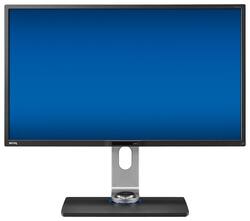
BenQ - 32" IPS LED 4K UHD Monitor - Black
Model: BL3201PH
SKU: 4058193
This item is no longer available in new condition. See similar items below
The vast majority of our reviews come from verified purchases. Reviews from customers may include My Best Buy members, employees, and Tech Insider Network members (as tagged). Select reviewers may receive discounted products, promotional considerations or entries into drawings for honest, helpful reviews.
The monitor meets and surpasses all the specs. To take full advantage of its awesome display make sure you use a mini data port connector cable. The sturdy base with easily adjustable upright allows positioning of the monitor over a wide range of angles, heights and even tilting with a minimum of effort. The ultra high resolution is excellent whether you are working with large spreadsheets, viewing a movie, or even gaming. After a month of using it, I can find no complaint. Setup was a piece of cake. Out of the box to full operation was less than 15 minutes.
Posted by VegasSteelerFan
I bought this monitor to replace a 12-year old Dell I had been using. I read many reviews and decided it would be a good fit for me. I couldn't be more pleased. The monitor looks great on the desktop, even when off. It has nice slim lines and the stand it comes with is heavy and nice looking. I also like the little wired remote to change settings. In addition, the integrated USB 3.0 ports and the card reader are a nice touch. Most importantly, the monitor is beautiful when turned on. Colors are rich and crisp, and my particular unit has no dead or stuck pixels. I also use this monitor to game with and it works flawlessly. In order to take advantage of the high resolution and frame rates, I used a DisplayPort cable. I would recommend this monitor to anyone.
Posted by PowrHaus
The 32" Benq 4K monitor BL3201PH is excellent. Its an IPS monitor, so the colors and clarity are excellent. The response times are pretty good. It's not 1ms for super fast games, like Unreal Tournament, where you are turning super fast all the time. But standard action games work great. Switching between input sources is very easy. Switching between different modes such as low blue light for business application is easy with the extra control attachment. The monitor even has a little place for the mode attachment to sit. Benq created a nice round cavity in the middle of the stand, just behind the screen, for the attachment to sit in. It makes the attachment easy to access, but out of the way. All the numerous USB and inputs all work as you would expect. The video inputs are on the side, which makes it easier to connect and disconnect, rather than on the bottom, which is sometimes a pain to get at, with these larger monitors. I found the 28" 4K monitor too small for Windows 10, while the 32" Benq is large enough for me to run native 4K. With 28" 4K monitor, I had to scale the image up, and the scaling on Windows 10 and Windows 7 kinda sucks. My video card's HDMI only supports 4K at 30 Hz, while the two display port on my video card both work at full 4K @ 60 Hz. I run both Benq off display port, so they both are at the full 4K 60 Hz. If you are going to setup multiple Benq monitors, ake sure you understand what your video card supports. The Benq is able to sit really low, or close to the table. I really like this. My Dell is about 3 inches higher at its lowest point.
Posted by DaveK
Customers often highlight the 32" IPS LED 4K UHD Monitor's excellent color accuracy and clarity, making it ideal for gaming and other visually demanding tasks. They appreciate its performance at night for computer gaming.