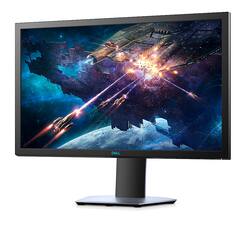
Dell - 24" LED FHD G-SYNC Compatible Monitor (DisplayPort, HDMI, USB) - Silver
Model: S2419HGF
SKU: 6346534
This item is no longer available in new condition. See similar items below
Customers are satisfied with the 24" LED FHD G-SYNC Compatible Monitor's picture quality, refresh rate, and price. Many appreciate its ease of use and performance, finding it easy to set up and operate. Positive feedback frequently highlights the monitor's suitability for gaming and its excellent value for the cost. The size of the monitor is also frequently praised.
The vast majority of our reviews come from verified purchases. Reviews from customers may include My Best Buy members, employees, and Tech Insider Network members (as tagged). Select reviewers may receive discounted products, promotional considerations or entries into drawings for honest, helpful reviews.
Received for $135.99 on sale, about as much as a standard 1080p monitor. The monitor does reach 144hz, but *natively* it's only 120hz. FreeSync on an RTX card caused some weird issues, so I suggest leaving it off. Occasionally, this monitor will flash off and on at about 1 second intervals. I've noticed this is only an issue when my phone is under the monitor though, so I wonder if it's an issue of EMI. I haven't tried the 1ms response time, but seeing as how I've heard the bad ghosting issues, I just leave it at 4ms, the default. I really don't notice a difference. This monitor has good color, but it's got a really strong backlight, for you'll never get a black color unless it's *truly* black. I'm told this is to be expected with the panel type. However, if you want a budget experience of the "gamer's high life," this is probably not a bad start. You'll spend a day or two tweaking colors and brightness, and you'll occasionally get some hiccups, but other than that, it's a nice budget monitor.
Posted by ghlegend195
It works pretty well and I didn't really see anything wrong with color out the box however it is pretty bright so I turnt that down. Primarily use this as a gaming monitor and I turned 144hz on using windows (with the hdmi it came with) so I haven't tried g-sync because I heard it works better with a display port, I would advise against turning it on higher then fast because I can see what people mean by "ghosting", make sure the monitor is on overclock so windows picks it up as 144. When I turned it on my screen looked even more crisp and clean compared to when I had it off. Decent intro 144hz g-sync monitor for cheap (150 at the time) so get it for around that price no higher otherwise just splurge on a higher priced one. Also the screen was bigger then expected so that's pretty neat coming from using a tv on console!
Posted by meamea11
This is my first 144hz monitor but not my first 1ms monitor. The 144hz setting works great, but you have to overclock the monitor to get it there (which is incredibly simple to do). I don't really notice a difference between 1ms and 2ms for response time so I recommend playing on the 2ms mode since the monitor has very bad ghosting at 144hz1ms. Not a big deal at all. Monitors design is very very clean with a silver brushed metal finish all around and blue accents on all of the logos. Nice touch is that the monitor actually has full range of motion, with not only tilt and swivel, but also height adjustment and full rotation of the panel to use it in both portrait and landscape modes. Really digging this being my main monitor next to my Acer 24" 1080p 60hz IPS panel that I use for more color accurate work.
Posted by Matt