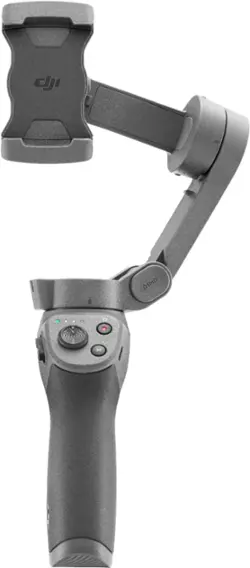
DJI - Osmo Mobile 3 3-Axis Gimbal Stabilizer for Mobile Phones - Gray
Model: CP.OS.00000022.01
SKU: 6362960
This item is no longer available in new condition. See similar items below
Customers commend the Osmo Mobile 3 for its ease of use and the high quality of videos it produces. Many appreciate its stability and the range of features offered. However, some users express disappointment that a tripod is not included and find the app functionality could be improved. The app's limitations regarding saving to SD cards and compatibility with multiple lenses were also noted.
The vast majority of our reviews come from verified purchases. Reviews from customers may include My Best Buy members, employees, and Tech Insider Network members (as tagged). Select reviewers may receive discounted products, promotional considerations or entries into drawings for honest, helpful reviews.
Works perfectly for anyone taking selfies or videos. Also works great when recording while walking and can let you be creative while filming and/or taking pics. I only wished this thing would have come with the tripod.
Posted by MHJ56223
Gimbal arrived in nice package, the only issue I have is that you have to purchase the optional tripad or buy the more expensive combo. I highly recommend the view all the tutorials as the buttons have multiple functionality. I like the mimo software for video editing . DJI offers $10.00 care when you first registering the gimbal. Not bad price for two year service.
Posted by Dlask
Brilliant contraption. I had heard and read reviews online and took it all with a pinch of salt because there’s no way such a small device could turn your mobile phone into a cinematic video recorder. However, I can happily say that the reviews are all real. This works a treat! Smooth, steady video throughout. I use it almost exclusively for recording sport such as hikes and trail running. The result is stunning. Bear in mind that the videographer is running and bouncing around while recording as well and the video is still smooth. The Mimo app is a must to download as it broadens the capabilities of the osmo mobile to allow a 9x9 panorama mode which is useful for scenic shots and for a fun clone function which enables the subject to be placed in three separate locations in the one picture. But by far the most useful part of the app combined with the device is the story mode which saves so much time and effort to edit short videos. This mode shows you how to place the lens and how to move it to create a storyboard that combines with default music to create 10s videos that look like professional b roll. For the creatives out there or just the one looking to create memories that you will want to come back to over and over again.
Posted by JWong