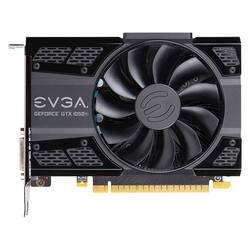
EVGA - NVIDIA GeForce GTX 1050 Ti 4GB GDDR5 PCI Express 3.0 Graphics Card
Model: 04G-P4-6251-KR
SKU: 5679700
This item is no longer available in new condition. See similar items below
The vast majority of our reviews come from verified purchases. Reviews from customers may include My Best Buy members, employees, and Tech Insider Network members (as tagged). Select reviewers may receive discounted products, promotional considerations or entries into drawings for honest, helpful reviews.
Customers frequently mention the price of the NVIDIA GeForce GTX 1050 Ti 4GB GDDR5 PCI Express 3.0 Graphics Card as a positive aspect.
Got this card to replace the AMD Radeon HD7570 1GB that came in my Dell XPS8700. That stock GPU was "okay" but nothing special. Outdated and not up to modern online games. I went looking for a replacement that would be a direct swap out with no power supply upgrades needed, no extra cables, and that would fit the odd sized Dell tower without crowding. Did some research and ended up with the 1050TI single fan model. Couldn't be happier. Took all of 10 seconds to swap it out( drivers and software take a while ), it fits perfectly in the tower, and my online gaming experience is much improved and the fan on the card is very quiet. Got a good price at Best Buy as always plus their customer service is great if problems arise so it was a no brainer getting it here. 3 notes... 1 - Make sure you check your monitor cable ends if you are going to use a DVI cable with this card vs an HDMI or video display cable. I didn't pay enough attention and just saw "DVI" and that is what I was using so didn't think more about it. There is DVI-D and DVI-I though( also a DVI-A but D and I most common ). DVI-D will work in DVI-I but not vice versa and of course I had a DVI- I cable. So make sure you have a cable that has a DVI-D end to plug into the card ( use a DVI cable - card mfg does not recommend using a VGA cable with a DVI adapter ). Look at the photos I included if unsure which type you have. DVI-I has 4 pins around the spade while DVI-D just has the spade. 2 - If you are upgrading a Dell XPS8700 GPU as I was you need to update your motherboard BIOS to version A11, before installing it, for this to work. Go to the Dell site where it is available for download. 3 - Make sure you have TWO slots available for this card. While it only plugs into 1 of your PCI-E slots it takes up 2 bays/slots in space. Great product. Hope this helps.
Posted by gsthunder
This graphics card is capable of rendering full HD - at 60 FPS for older games and 30 to 55 FPS on newer games from 2015/2016. It also runs very efficient with a low power output. My most intense test was Rise of the Tomb Raider, which runs on high settings at 30 - 45 FPS. Overall, I recommend this card, but it shouldn't cost more than $150.
Posted by Mars
Works great! I must say though I asked Bestbuy chat online if it would be compatible with my computer and they said no. Gave it a shot anyways and it works just fine.
Posted by Kbell