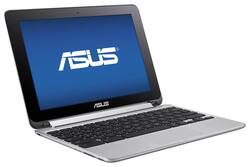
I researched this model (the 4gb of ram not 2gb of ram) for about a month in a half. I really wanted a chromebook, but didn't know if it would fit my needs. This Asus flip chromebook is super light, compact and the battery so far has lasted on average 7-8 hours. Now I've been using it for over a month and I've used it consecutively for that 7-8hrs stretch, I'm either watching movies/netflix or surfing the internet or both... I LOVE the all medal body, it gives it that expensive and durable feel, plus a lot of people have asked what type of computer I have when they see me whip it out and start typing or flipping it all the way around to use as a touch screen. The touchscreen is pretty responsive, I've ran the Dev channel of chrome on this since it was one of the few that Google allows to run apps on, it was very convenient having this touchscreen and it responds to touch very well. I would highly suggest this product for someone who's looking for something small and compact, I would recommend getting the 4gb of ram model if you find this to fit your needs. Below are my pros and cons for this product. Again this met my needs for something I can just throw in my bag or quickly check something online or stream shows from. Pros: All metal body (look and feel is awesome) touchscreen is very responsive screen brightness and sound levels are great. Has enough ports to hook up to TV, external drive, thumb drive, micro SD card slot. Cons: Keyboard is small, but you get use to it pretty quick. Needs a type C charging port... wasn't happy it didn't come with that - that is why I gave it 4 out of 5 stars. Overall, it's a great little workhorse if you need something fast and compact to fit in almost anything - boot up time is about 4-5 seconds and you're ready to do anything online. I wrote this review on my Asus Flip Chromebook.
Posted by TK02
I needed a small laptop that I could carry and use in meetings, take notes and have enough battery to last all day. All I really needed was internet browsing, email and a word processing program. The ASUS Flip nailed it. I was looking at budget Windows laptops but a friend suggested a chromebook and I researched them. When I read about Chrome OS a few years ago, I considered it a joke of an OS and could never have seen myself buying a Chromebook. But with the development of web-based services and software, there is little you cannot do online now - I think Google really saw the future with this concept. After testing the windows laptops at my local Best Buy, I found the lower end machines (<$300) slow - even typing with all other programs closed, there was constantly a small lag in typing that I found annoying and gave me little faith they would preform better in other software. I tried the Chromebooks and found no lag - just a fast, responsive system, so I bought it. After several weeks, I have no regrets. The Chrome OS performs fantastically and Android app capability means a giant expansion of options and versatility. Caveats: There are some negatives, both on the OS side and the hardware side. To me, all of these are minor, but importance will depend on what you are looking for your machine to do. You need to be ready to learn: Grasping the concept that the 'desktop' was really my browser, not the background, took some time for me. 95% of things open a Chrome Browser window. Its a new OS, so its going to take some research online at times. Android functionality is still Beta: The OS has 3 options, from most stable to least: Standard, Beta and Developer. When I bought it, Android was in the unstable Developer stage. I switched to that 'channel'. It was usable, but quirky and android apps would close on their own sometimes when switching and minimizing. Its now in Beta and is much more stable, but still not 'refined'. Google is throwing out an update a week or so right now, so its getting better, but I wish Google would give a change log. I find myself searching in the Google forums or using trial and error to figure out what they changed on the Android interface with each update. Android is a bit slow: I have found some slow graphics or stutters in android apps, only. Since the hardware is as good or better than most tablets, I think the issue is more the optimization of the code or however they have Android sandboxed. Therefore, it works great for text and images, but your android games are going to see some lags. You need to use gmail: I had a gmail account, but it was not my primary email. Virtually all email is browser accessable now, but since Chrome uses Google drive for its integrated storage, attaching a file to a non-gmail account is not easy or intuitive (although in gmail, its as easy as attaching any file). If you use dropbox or some other cloud storage, that can be used by downloading an interface program for your google drive. Basically, you add the interface software a bit like you add a network folder. Final word: In the end, like any purchase, you need to know what you want and intend to use the machine for. This is exactly what I needed and Chrome OS & ASUS exceeded my expectations.
Posted by JimmyD
This chromebook is fast and responsive, plus the small size makes carrying it simple. The flip top makes using this for recipes great, we just put it on the counter and follow the recipe.
Posted by t97pete
Customers consistently note the Flip 2-in-1 Chromebook's lightweight design and ease of use, praising its portability and versatility. Many appreciate the long battery life and responsive touchscreen, finding it ideal for various tasks. The affordable price point is also frequently highlighted as a significant advantage.
The vast majority of our reviews come from verified purchases. Reviews from customers may include My Best Buy members, employees, and Tech Insider Network members (as tagged). Select reviewers may receive discounted products, promotional considerations or entries into drawings for honest, helpful reviews.